Solved

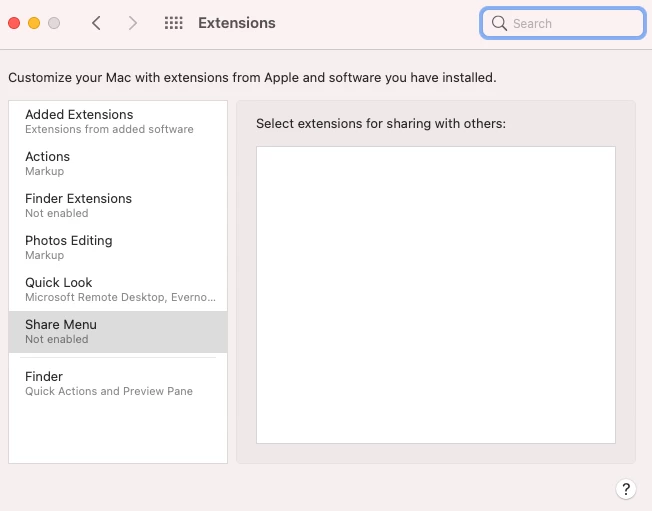
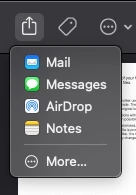
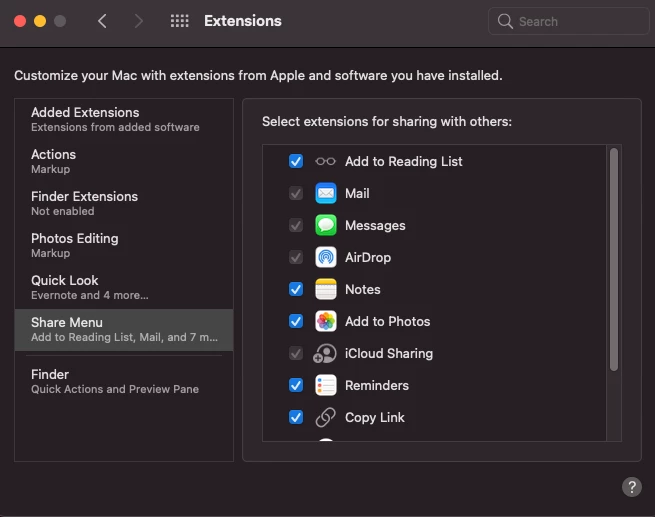
Share menu empty under Big Sur

  • September 2, 2021
  • 3 replies
  • 29 views

Forum|alt.badge.img+9

So the good one I think was upgraded to Big Sur while the bad one had Big Sur installed from Apple Internet Recovery,  Haven't found any way to "enable".

Best answer by rickgmac

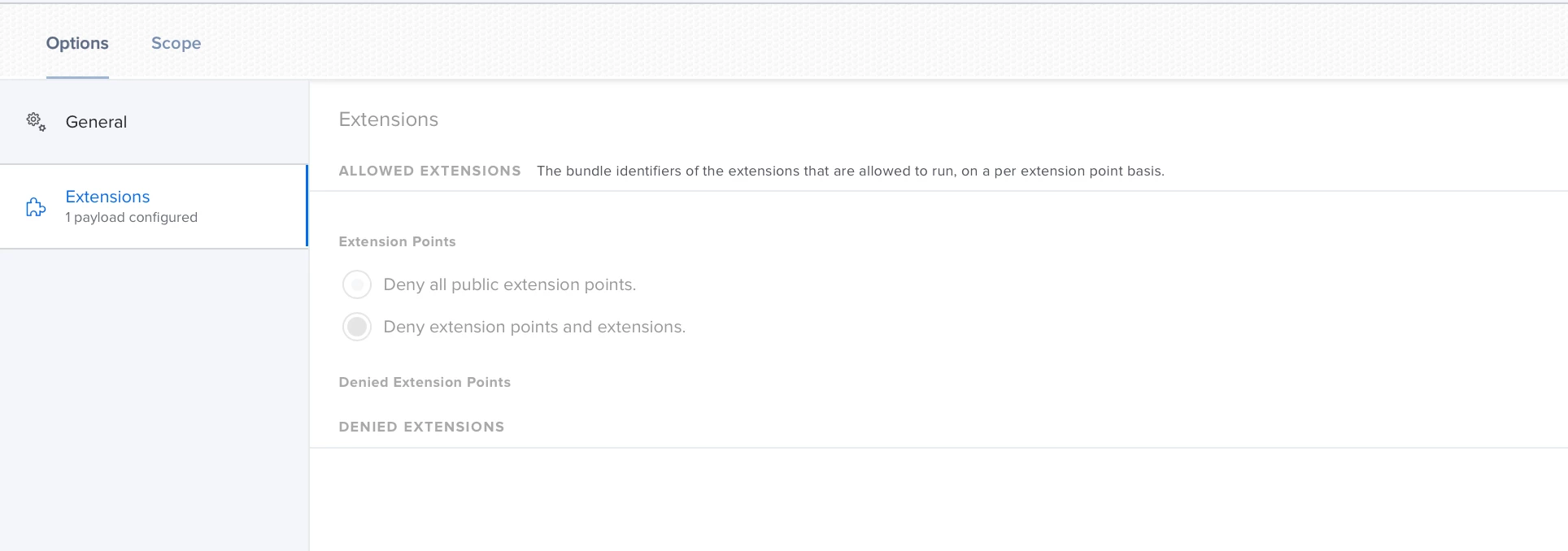
make sure you do not have a config applied that includes the extensions payload

especially - Deny all public extension points. - This will block all of them

If you want to block some you need to have - Deny extension points and extensions. selected and then select the extensions you want to block
3 replies

rickgmac
Forum|alt.badge.img+9
  • Valued Contributor
  • Answer
  • September 3, 2021

make sure you do not have a config applied that includes the extensions payload

especially - Deny all public extension points. - This will block all of them

If you want to block some you need to have - Deny extension points and extensions. selected and then select the extensions you want to block


Forum|alt.badge.img+9
  • Author
  • Contributor
  • September 30, 2021

make sure you do not have a config applied that includes the extensions payload

especially - Deny all public extension points. - This will block all of them

If you want to block some you need to have - Deny extension points and extensions. selected and then select the extensions you want to block


We actually had a policy that was only supposed to have one setting to prevent iCloud dialogues and for some reason it got new settings with values as they were introduced and ended up having 13 settings.


Any one aware of a command line to list policy key value pairs instead of the GUI?


Forum|alt.badge.img+9
  • Author
  • Contributor
  • October 20, 2021

sudo profiles show -all

was what I was looking for