Question

Snagit 2025 Tahoe deployment issues

  • Nov 20, 2025 7:42 PM UTC
  • 4 replies
  • 254 views

rpayne
Forum|alt.badge.img+13

I’m deploying Snagit 2025 on macOS Tahoe. I’m following Techsmith’s documentation to the letter at the link below. I’ve deployed older versions on older OS versions without issue. The issue I’m having appears to be a permissions issue. 

https://support.techsmith.com/hc/en-us/articles/115007344888-Enterprise-Install-Guidelines-for-Snagit-on-MacOS

The issue happens the first time you attempt to open Snagit. On app execution, you are presented with the error below:
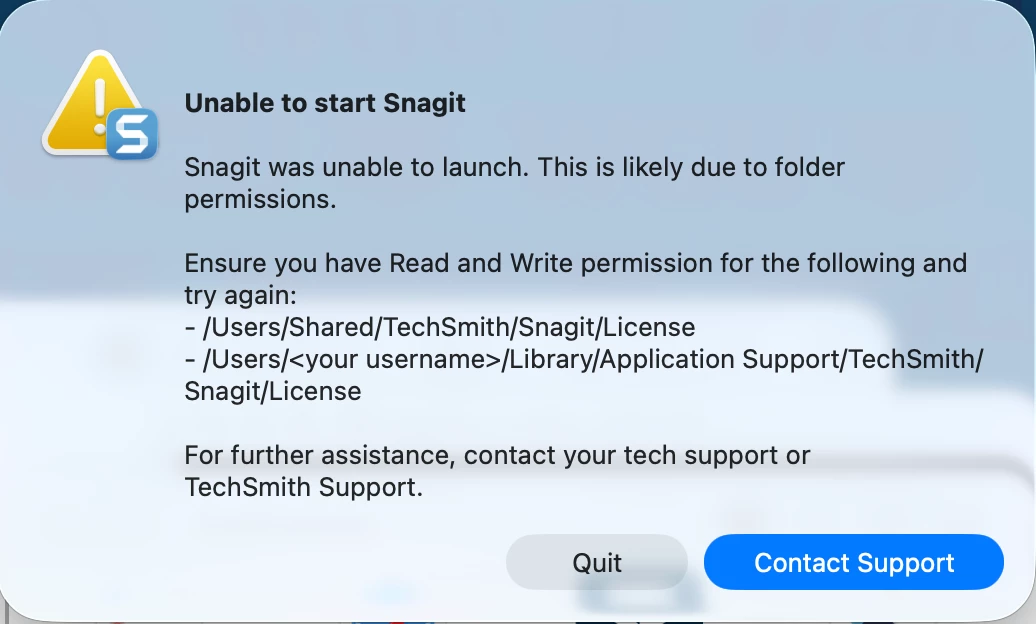
In troubleshooting, I’ve added permissions to everyone to the first folder and still have the same issue. The second folder doesn’t exist yet. Has anyone else had this issue?


4 replies

Shyamsundar
Forum|alt.badge.img+14
  • Jamf Heroes
  • Nov 21, 2025 4:43 AM UTC

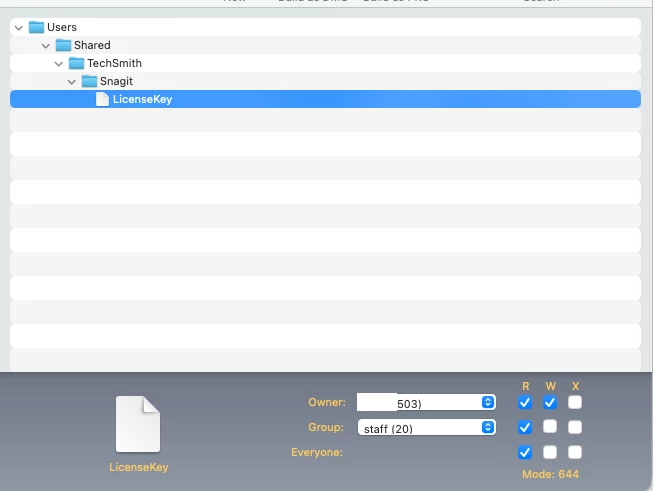
Please ensure that the current user has been granted Read and Write permissions for the License file. Also, verify that the License file has these permissions when packaging via Composer.


User (503)  RW

Group (stafF)       R

Everyone    R


644


rpayne
Forum|alt.badge.img+13
  • Author
  • Contributor
  • Nov 21, 2025 4:34 PM UTC

Please ensure that the current user has been granted Read and Write permissions for the License file. Also, verify that the License file has these permissions when packaging via Composer.


User (503)  RW

Group (stafF)       R

Everyone    R


644


I don’t have an option for user (503) 


AJPinto
Forum|alt.badge.img+26
  • Legendary Contributor
  • Nov 21, 2025 5:10 PM UTC

Please ensure that the current user has been granted Read and Write permissions for the License file. Also, verify that the License file has these permissions when packaging via Composer.


User (503)  RW

Group (stafF)       R

Everyone    R


644


I don’t have an option for user (503) 


You should have root wheel, for group and owner. What happens if you change the permissions to 777?


Shyamsundar
Forum|alt.badge.img+14
  • Jamf Heroes
  • Nov 25, 2025 3:49 AM UTC

it will be your user account name with user account Id, it might be vary from device to device, Select your user account