Question

Symantec Endpoint Protection - Network Content Filtering Big Sur M1

  • January 4, 2021
  • 14 replies
  • 55 views

Forum|alt.badge.img+5
  • New Contributor
  • 5 replies

Hello All,

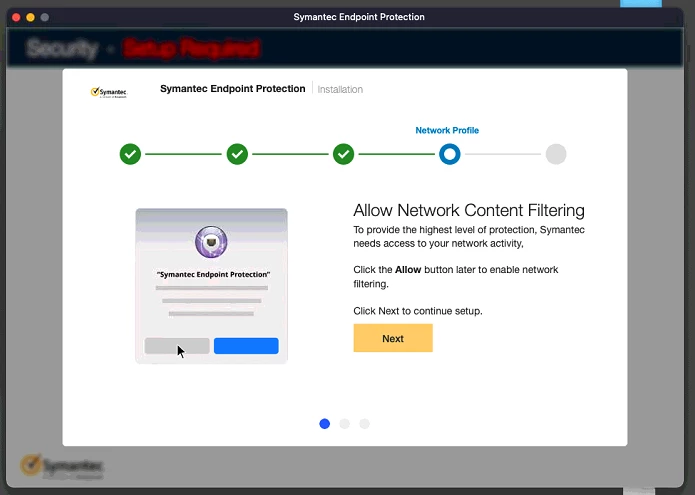
we are installing our latest SEP with version 14.3.3384 on Big Sur (M1 MacBook) however it is constantly asking to enable the content filter
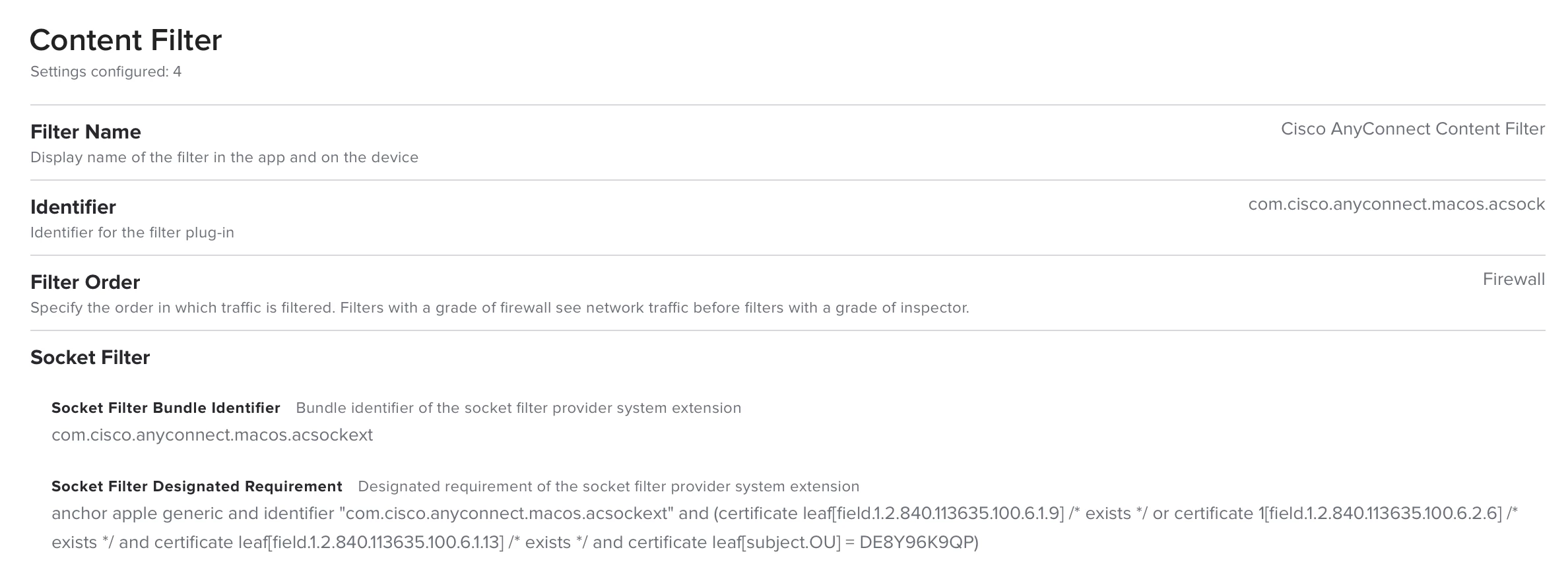
I know with Cisco AnyConnect as an example they have excellent documentation and I was able to get this resolved with a Configuration Profile. (https://www.cisco.com/c/en/us/td/docs/security/vpn_client/anyconnect/anyconnect49/administration/guide/b_AnyConnect_Administrator_Guide_4-9/macos11-on-ac.html)

However, SEP does not offer a great documentation. Did anyone else figured out how to fix this or get a Configuration Profile installed to prevent this popup?

Thank you!

14 replies

Forum|alt.badge.img+18
  • Honored Contributor
  • 645 replies
  • January 4, 2021


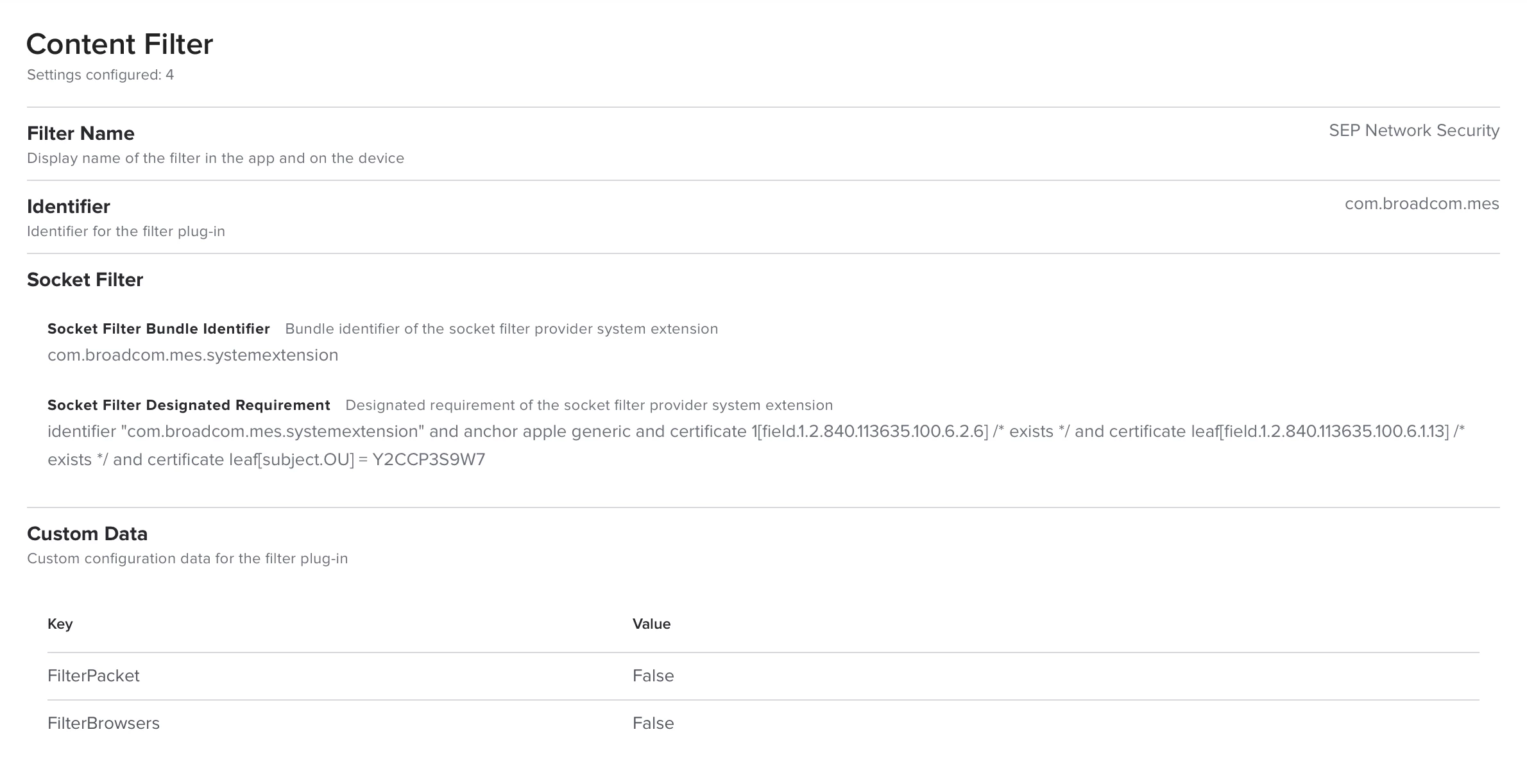
I am seeing similar. I made a Content Filter config profile for Broadcom SEP which is similar to the Cisco AnyConnect one, but with the com.broadcom.mes info, and while it will make the "You are not protected" notification disappear at profile install time, that message will come right back on reboot.


bwoods
Forum|alt.badge.img+14
  • Honored Contributor
  • 473 replies
  • January 4, 2021

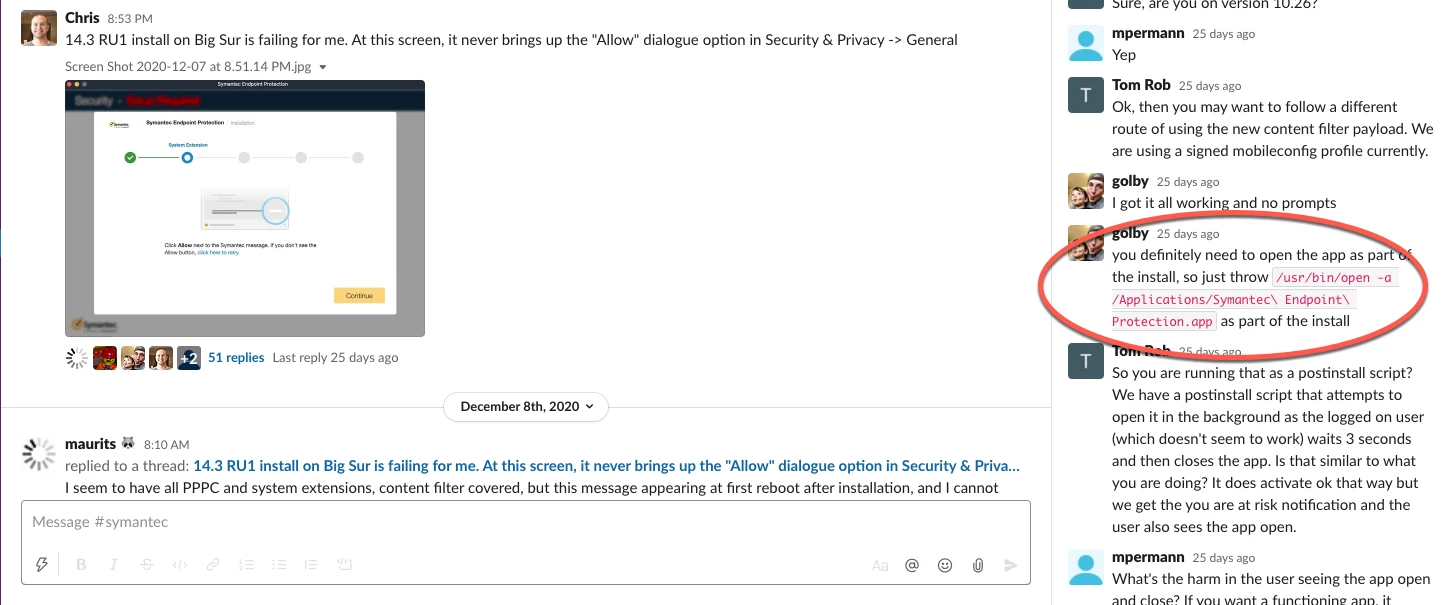
After the content filter is installed, you'll get a prompt notifying you that "You are not protected". We found that you can prevent this by opening the app immediately after installation. It just seems to be a bug with this version that won't likely be fixed until the next version is released.


Forum|alt.badge.img+3
  • New Contributor
  • 4 replies
  • January 4, 2021

Struggling with the same issue. I'm setting up a working session with Broadcom support so I will hopefully have something helpful soon.


roiegat
Forum|alt.badge.img+16
  • Valued Contributor
  • 412 replies
  • January 4, 2021

Here's what we get from the SEP guys:
https://knowledge.broadcom.com/external/article/176222

There is a profile to download at the bottom, but when imported into JAMF Pro, some areas failed to populate and so it wouldn't save. I got a call with them this week to get more info from them.

Btw, can you share the Cisco Anyconnect one you got to work? Thats next on my list of things to update.


Forum|alt.badge.img+18
  • Honored Contributor
  • 645 replies
  • January 4, 2021

Here is my working profile for AnyConnect 4.9.x. You need to make sure you have the System Extension approved as well.


roiegat
Forum|alt.badge.img+16
  • Valued Contributor
  • 412 replies
  • January 5, 2021

@dgreening appreciate it!


roiegat
Forum|alt.badge.img+16
  • Valued Contributor
  • 412 replies
  • January 21, 2021

So been having the issue were the "At Risk" window keeps popping up. Our TAM found this thread:
https://community.broadcom.com/symantecenterprise/communities/community-home/digestviewer/viewquestion?ContributedContentKey=2018a5d4-e6e1-4c02-9a56-ce391d961dd8&CommunityKey=1ecf5f55-9545-44d6-b0f4-4e4a7f5f5e68&tab=digestviewer

So basically Cisco AnyConnect and Broadcom SEP aren't playing nice.


Forum|alt.badge.img+3
  • New Contributor
  • 7 replies
  • January 21, 2021

The SEP version 14.3.3384 (14.3 RU1) is not compatible (not supported) with M1 computers. The compatible version is expected for Q2 2021.


Forum|alt.badge.img+6
  • Contributor
  • 29 replies
  • February 1, 2021

Hi,
fyi:
the new Check Point Endpoint Security VPN E84.30 for Big Sur apparently does the same.
When both (SEP and Check Point VPN) are installed SEP shows the warning to configure the network content filter.
Even after manually doing so, after a reboot the warning appears again (maybe also after waiting some time).

As suggested in these articles we will open a case with Symantec/Broadcom to get a fix, hopefully :)

https://community.broadcom.com/symantecenterprise/communities/community-home/digestviewer/viewquestion?ContributedContentKey=2018a5d4-e6e1-4c02-9a56-ce391d961dd8&CommunityKey=1ecf5f55-9545-44d6-b0f4-4e4a7f5f5e68&tab=digestviewer

https://knowledge.broadcom.com/external/article/206091

Symantec/Broadcom hinted us that there will be a M1 compatible version available around the second week in February, but this is still unofficial and there may be more delays. So do not get your hopes up too much.

I will get back to this post when we know more.
BR


Forum|alt.badge.img+6
  • Contributor
  • 29 replies
  • February 1, 2021

Hi again,
apparently there is no fix from Symantec/Broadcom with Check Point VPN.
They told us to wait for the next release, expected to be release Feb/March 2021...


roiegat
Forum|alt.badge.img+16
  • Valued Contributor
  • 412 replies
  • February 1, 2021

We're testing the fix here provided by Broadcom and so far it's working. Of course not on M1 chip machines but that's to be expected.


Forum|alt.badge.img+6
  • New Contributor
  • 67 replies
  • February 2, 2021

Having SEP installed along side any VPN solution that utilizes a content filter on Big Sur will keep nagging the user. And SEP on its own on an M1 will also nag.

As others have reported I think we all have to wait for Q2 for a new SEP client.


Forum|alt.badge.img+5
  • Contributor
  • 15 replies
  • March 10, 2021

@thomas.moser
I think the VPN/SEP issue is resolved by changing the order the filter are in the Network pref pane.
I removed the VPN filter, and when SEP is first and VPN is second it doesn't show the error


Forum|alt.badge.img+6
  • New Contributor
  • 67 replies
  • March 10, 2021

You test that on a M1??

Symantec released a hot fix 14.3.3390.1000 which cured most of our issues on both architectures.