Hello,
I'm trying my first go with pushing apps to iOS managed devices that are enrolled in ABM. The device shows up fine there, and I see the device managed properly in Jamf.
I'm trying to automatically install Jamf Self Service app to all mobile devices so users can install apps themselves after I make them available, and I followed the instructions here:
https://docs.jamf.com/10.25.0/jamf-pro/administrator-guide/Jamf_Self_Service_for_iOS.html
When I check the device install status, I'm seeing the failed install with "The MDM request is invalid". It provides me no other details.
Feels like I"m missing a step or something. Can anyone point me in the right directly?

Solved
"The MDM request is invalid" error when pushing iOS apps.
 +3
+3Best answer by mainelysteve
Correct; this is a cloud instance of Jamf Pro.
I was able to create a test configuration profile and make some dock modifications successfully. That part is working.
I checked in the Managed Distribution Tab for the Jamf Self Service app, and I see this:
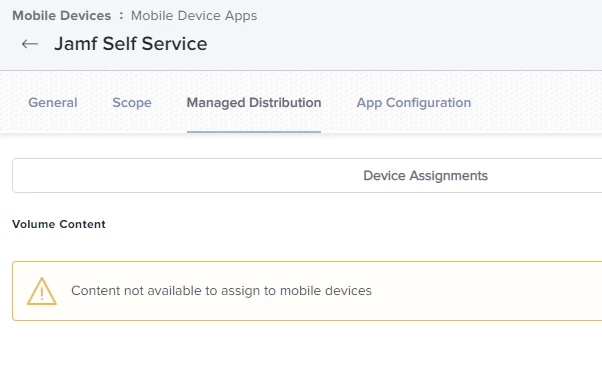
Make sure you complete your VPP setup.
https://docs.jamf.com/10.39.0/jamf-pro/documentation/Volume_Purchasing_Integration.html



Enter your E-mail address. We'll send you an e-mail with instructions to reset your password.