Solved

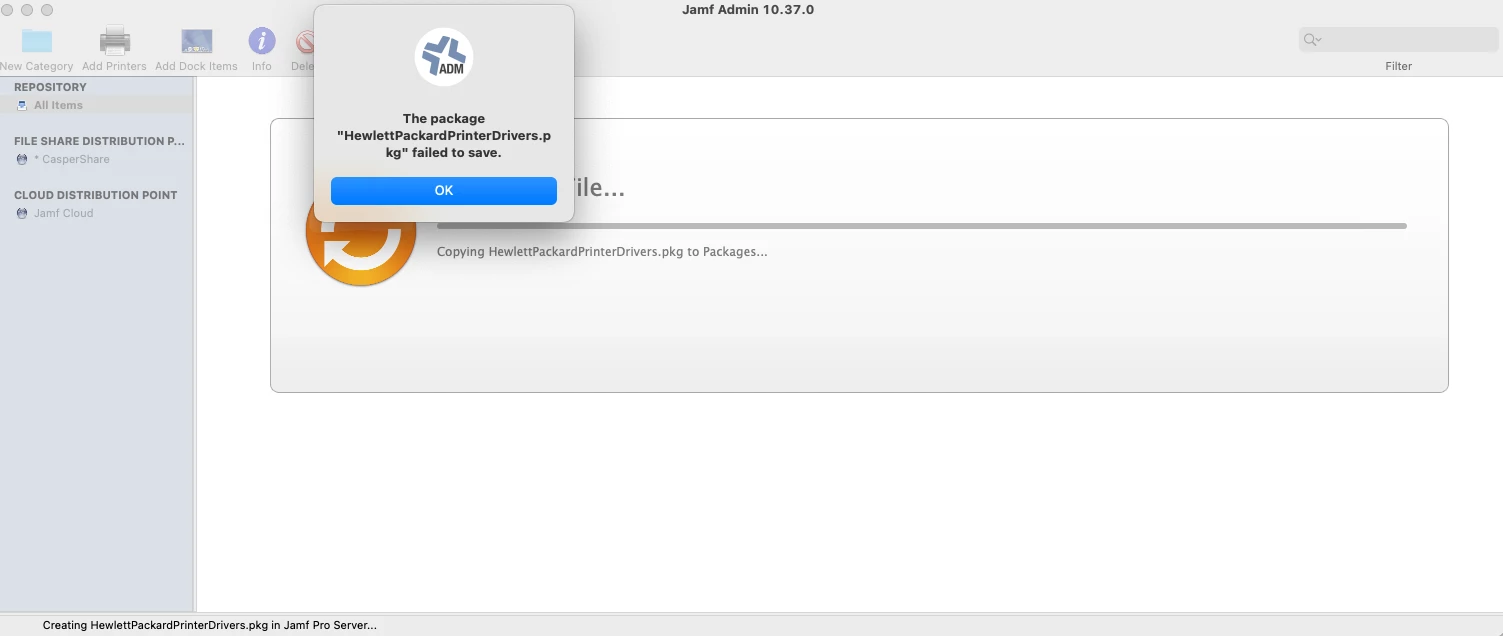
The Package XXXXX failed to save.

  • January 7, 2022
  • 51 replies
  • 372 views

Show first post

51 replies

Forum|alt.badge.img+4
  • New Contributor
  • January 21, 2022

Putting this here to add to the list:  Upgraded to 10.35 last night, tried uploading a .dmg and also getting "The package "***" cant be saved." Cannot see the package in JAMF Admin, however when I try a second time to upload it asks me to replace the package. Rolled back to 10.34.2 JAMF Admin and was able to upload successfully.


sascha_neuroth
Forum|alt.badge.img+3
  • New Contributor
  • January 21, 2022

same issues here


mhasman
Forum|alt.badge.img+22
  • Valued Contributor
  • January 24, 2022

Same issue here. Updated PROD environment on Friday


Forum|alt.badge.img+7
  • Valued Contributor
  • January 25, 2022

Same here; except using 10.34.2 as a workaround doesn't work for uploading packages either. 


Forum|alt.badge.img+5
  • New Contributor
  • January 28, 2022

Having the same issue with 10.35. Trying 10.34.2 and will report back in a few.


Forum|alt.badge.img+5
  • New Contributor
  • January 28, 2022

Having the same issue with 10.35. Trying 10.34.2 and will report back in a few.


Worked like a dang charm! lol


Forum|alt.badge.img+3
  • New Contributor
  • February 5, 2022

I also had to revert to an earlier version of Jamf Admin as this started happening to me as well.   We use the cloud version of Pro if that matters.


Forum|alt.badge.img+4

Has there been a solution to this that doesn't involve downgrading?

Just upgraded my on prem and got caught out by this issue. I am noticing it seems to be taking a lot longer to mount the distribution point. I am on Monterey, and my server and repository in on a Windows Server 2012 r2 with repo on the same server.


Forum|alt.badge.img+10
  • Contributor
  • February 16, 2022

While we haven't updated our server to 10.36.0 yet, we see the same error with that version of Jamf Admin on a 10.35.0 server. 


Forum|alt.badge.img+3
  • New Contributor
  • February 17, 2022

I'm still getting this same error on 10.36 and have to downgrade to 10.34 for packages to upload successfully. Is there some other workaround or a bug fix for this, or something on the MacOS settings I'm not seeing? Just curious what's actually causing this error.


Forum|alt.badge.img+10
  • Contributor
  • February 17, 2022

I'm still getting this same error on 10.36 and have to downgrade to 10.34 for packages to upload successfully. Is there some other workaround or a bug fix for this, or something on the MacOS settings I'm not seeing? Just curious what's actually causing this error.


Search fo Jamf Admin here:

https://account.jamf.com/products/jamf-pro/known-issues

It looks like they cataloged it as a bug. 

"New packages fail to upload in Jamf Admin 10.35.0 or later. Workaround: Upload new packages using Jamf Admin 10.34.x with Jamf Pro 10.35.0 or later."


Forum|alt.badge.img+3
  • New Contributor
  • February 17, 2022

Search fo Jamf Admin here:

https://account.jamf.com/products/jamf-pro/known-issues

It looks like they cataloged it as a bug. 

"New packages fail to upload in Jamf Admin 10.35.0 or later. Workaround: Upload new packages using Jamf Admin 10.34.x with Jamf Pro 10.35.0 or later."


Thanks for the heads up! We'll just have to run the earlier version for now. 


Forum|alt.badge.img
  • New Contributor
  • March 1, 2022

It certainly is specifically Jamf Admin 10.35 for me with my brief experience with it. Never had this issue with any previous versions. Looks like 10.34.2 for me.


I also seen the same issue on 10.36 just released.  Hopefully Jamf actually read this. 


Forum|alt.badge.img+4

I also seen the same issue on 10.36 just released.  Hopefully Jamf actually read this. 


same here. Just updated to 10.36 and couldn't get a simple package to work. Installed the 10.34.2 and it even accepted the package that was already on the DP. Saved it after adding category and indexing. Tested the install as well without any issues.


emadams
Forum|alt.badge.img+10
  • Contributor
  • March 4, 2022

It has to be something wrong with 10.35.  I was having the same problem.  I was uploading a macOS Monterey DMG file and getting the same exact error.  I didn't make any account/permissions changes.  I just moved the DMG file over to another workstation with 10.34 installed.  I opened Jamf Admin, I got no errors and wouldn't you know it; there was my file.  I made my changes and clicked save with no errors and it showed up in my packages in Jamf Pro.


djwojo
Forum|alt.badge.img+8
  • Contributor
  • March 4, 2022

Haven't tested it yet, but saw this:

PI-010453
New packages fail to upload in Jamf Admin 10.35.0 or later. Workaround: Upload new packages using Jamf Admin 10.34.x with Jamf Pro 10.35.0 or later.

Rumor has it that 10.37 has the fix. 


Forum|alt.badge.img+4
  • Contributor
  • March 11, 2022

This would have been nice to know before having to troubleshoot it for 2 hours.  


Forum|alt.badge.img+9
  • Contributor
  • March 21, 2022

We have the same issue.


Vndrzl
Forum|alt.badge.img+7
  • New Contributor
  • March 22, 2022

I am also guessing it's not specifically Jamf Admin 10.35, or else we would see a lot more comments on this forum.  

The package that generated the "package failed to save" error in Jamf Admin 10.35 did not show up at all when I went to update a policy or in Settings > Packages.  Our distribution point is on a file share on the same server as Jamf Pro.  I was able to take the same package, upload with Jamf Admin 10.34.2, and deploy it successfully with both policies and patch management.  


10.36.1 here. Using 10.34.2 worked for me as well. Looks like the issue is still present. 


mhasman
Forum|alt.badge.img+22
  • Valued Contributor
  • March 22, 2022

What about 10.37?


Forum|alt.badge.img+4

Ive just installed 10.37, can confirm issue is fixed in this release.


Vndrzl
Forum|alt.badge.img+7
  • New Contributor
  • March 22, 2022

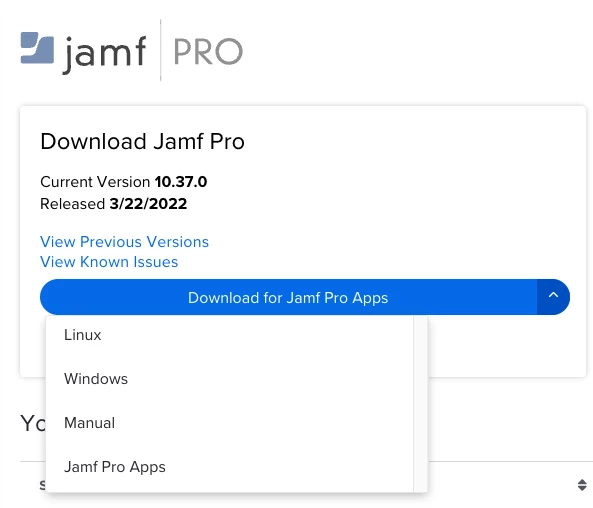
Same here. Incidentally, they also changed the download options to download only the Jamf Pro apps. 


Edit: I spoke too soon. Looks like I am having the same issue. Any one else?


Forum|alt.badge.img+1
  • New Contributor
  • May 2, 2022

Same here. Incidentally, they also changed the download options to download only the Jamf Pro apps. 


Edit: I spoke too soon. Looks like I am having the same issue. Any one else?


I am also having this issue with 10.37. I was able to use 10.34.2 and uploaded the .pkg fine. We also have a local Windows SMB share for our DP.


mark_mahabir
Forum|alt.badge.img+16
  • Jamf Heroes
  • June 23, 2022

Anyone know whether this is fixed in v10.39.0?


Forum|alt.badge.img+4
  • New Contributor
  • June 23, 2022

Anyone know whether this is fixed in v10.39.0?


I have used Jamf Admin 10.39.0 and Composer 10.39.0 a few times this week and not had any issues with either.