Solved

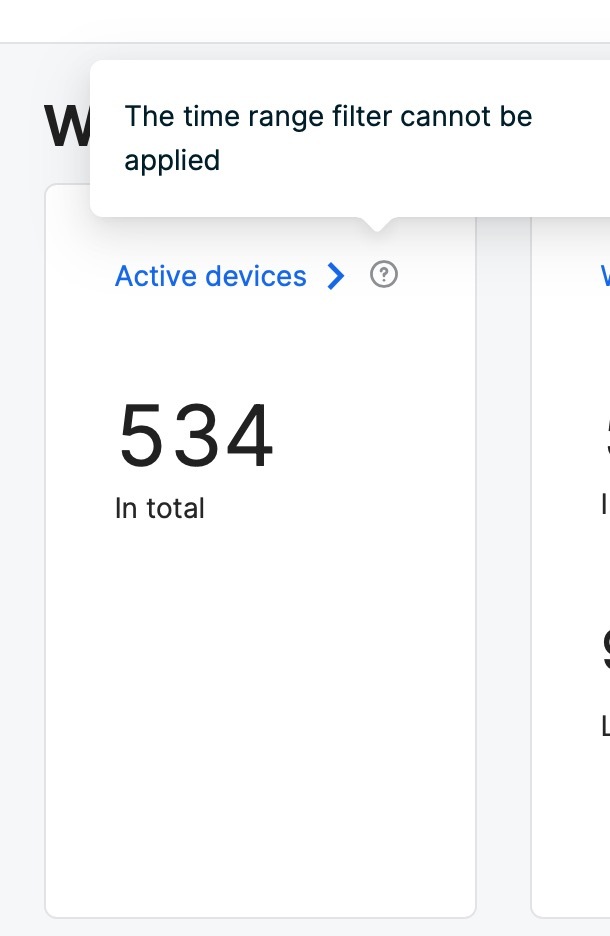
The time range filter cannot be applied Message in Dashboard of Jamf Safe Internet

  • June 27, 2024
  • 4 replies
  • 34 views

Forum|alt.badge.img+2

While rolling out Jamf safe internet we see this message in the dashboard for active devices. 



Best answer by martin.pavlik

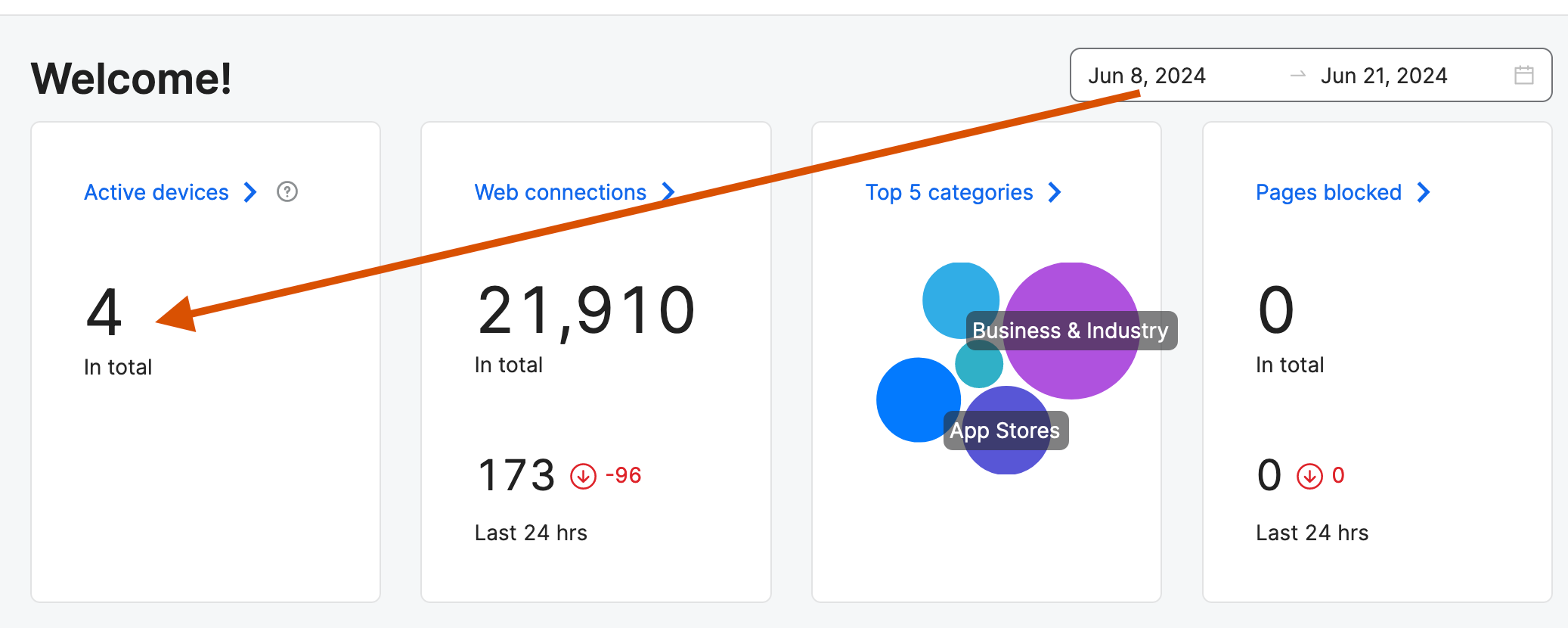
@R205 that is just supposed to explain that this time filter does not apply to the count of the active devices unlike the rest of the widgets.
4 replies

Forum|alt.badge.img+8

Hello @R205,

could you please provide a bit more of a detail? Can you describe a way to reproduce this issue? Could you post a screenshot or even better a screen recording of this issue? Or at least describe it in textual steps such as

1) log in RADAR

2) Open Device tab

3) ...


thank you


Forum|alt.badge.img+2
  • Author
  • New Contributor
  • July 1, 2024

Hello @R205,

could you please provide a bit more of a detail? Can you describe a way to reproduce this issue? Could you post a screenshot or even better a screen recording of this issue? Or at least describe it in textual steps such as

1) log in RADAR

2) Open Device tab

3) ...


thank you


Hello,


it's on the dashboard in for the active devices. See below.


Forum|alt.badge.img+8

@R205 that is just supposed to explain that this time filter does not apply to the count of the active devices unlike the rest of the widgets.


Forum|alt.badge.img
  • New Contributor
  • September 30, 2024

If you encounter the message "The time range filter cannot be applied" in the Jamf Safe Internet Dashboard, it likely indicates an issue with the time-based filtering settings you are attempting to use. This message may appear when the selected time range is either invalid or not supported by the system's current configuration. To resolve this, verify that the time range you have specified is within the acceptable limits for the dashboard and matches any active monitoring or reporting settings.

Tags: Tables