
Solved

Trouble connecting to JSS when in VM

  • May 9, 2016
  • 1 reply
  • 10 views

Forum|alt.badge.img+6

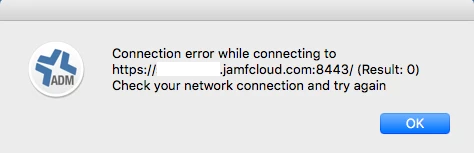
I am running a VM via VirtualBox to snapshot things more easily. Unfortunately, I am having connection issues when trying to connect to my JSS through Casper Admin. Getting a "(Result: 0) Check your network connection and try again", see attached screenshot. I am able to access it through the web browser in my VM. Confused as to why I am getting this error.

Any assistance is greatly appreciated! Thanks
Best answer by ryoshioka

JAMF support contacted me directly with a solution. Needed to remove the port 8443. Worked like a charm!

Hold option while launching Casper Admin, to re-enter the url of your JSS

1 reply

Forum|alt.badge.img+6
  • Author
  • Contributor
  • Answer
  • May 10, 2016

JAMF support contacted me directly with a solution. Needed to remove the port 8443. Worked like a charm!

Hold option while launching Casper Admin, to re-enter the url of your JSS