
Solved

Unable to upload to Jamf Pro server via PPC Utility

  • October 24, 2018
  • 2 replies
  • 29 views

Forum|alt.badge.img+9

Hey there, so has anyone else had this issue? I created a whitelisting profile via the PPC utility and upon clicking upload and entering in the server URL and my credentials, it doesn't appear to work and I can't get any farther.
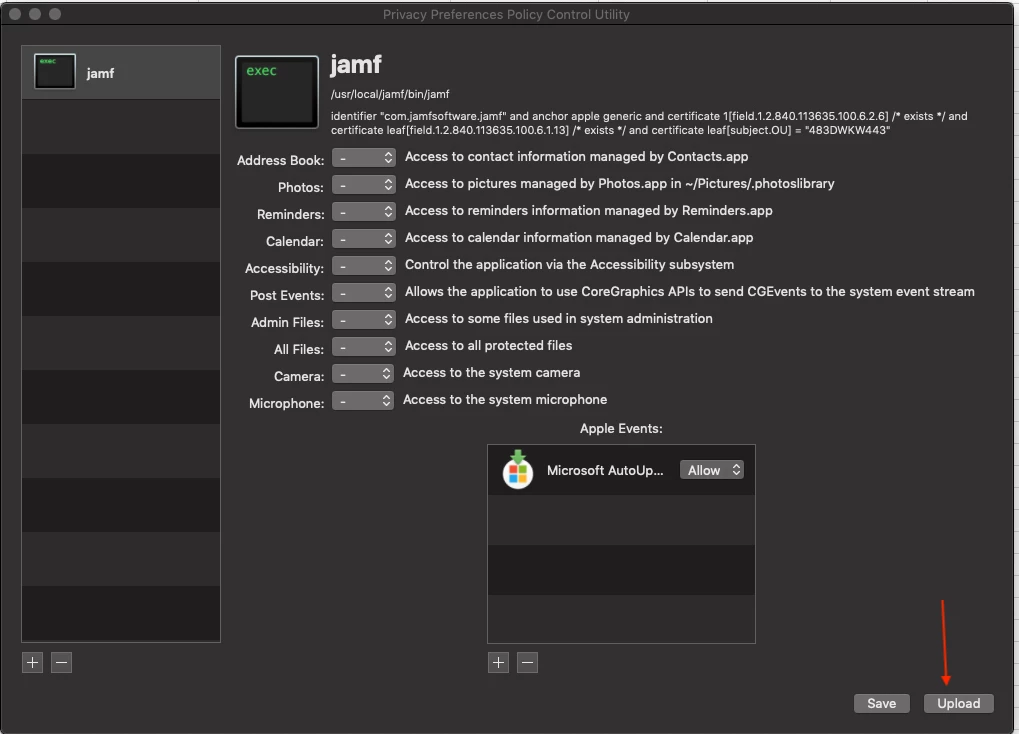
I included a pic of what I'm talking about. Anyone experience this and over come it?

I've tried various gyrations of the URL, even the IP address....still just stares at me.

Thanks for any insight.

Best answer by CLIENTSW4

Hey! I just found this tool the other day, and it worked great for me.

What is the specific error you are getting? Do you have screenshots? Obviously don't post your server name/username/password/etc, but is it spitting out any messages?

For me, I had to do https://myJamfServer.schoolName.edu:portNumber, the key being the https:// at the front.

2 replies

Forum|alt.badge.img+6
  • Contributor
  • Answer
  • October 24, 2018

Hey! I just found this tool the other day, and it worked great for me.

What is the specific error you are getting? Do you have screenshots? Obviously don't post your server name/username/password/etc, but is it spitting out any messages?

For me, I had to do https://myJamfServer.schoolName.edu:portNumber, the key being the https:// at the front.


Forum|alt.badge.img+9
  • Author
  • Valued Contributor
  • October 24, 2018

Hey @CLIENTSW4 , soooo , hehe...this is embarrassing. I went to get you a screenshot and for whatever reason, it's working.

What WAS happening was, I'd hit "Test Connection" and it would not allow me to proceed beyond the password box. The Org Name and all the other relevant info wasn't able to be edited. Now, however, I can do it. And previous, I did have the https in the URL.

Computers...if they were horses, we'd shoot them when they broke. Thanks for your response.