
Question

Uninstalling FortiClient the fun and easy way

  • June 14, 2016
  • 3 replies
  • 153 views

Forum|alt.badge.img+3

Fortinet's recent FortiOS 5.4.1 release for their FortiGate security appliances prevents any version of FortiClient prior to 5.4.1 from registering to the appliance. Users may even get a "FortiClient is being actively blocked from registration" which can cause panic and confusion. The problem is that, as of this writing, FortiClient 5.4.1 has yet to be released. Talk about putting the cart before the horse.

So let's say that you don't want to have a few hundred upset users and would rather uninstall FortiClient discretely, en masse. Fortinet's documentation tells you to run the FortiClientUninstaller GUI app to uninstall FortiClient. But here's a more streamlined and scriptable method:

/Applications/FortiClientUninstaller.app/Contents/Resources/uninstall_helper
rm -rf /Library/Application Support/Fortinet/

Optionally, check for the existence of the following file and delete if it exists
/private/var/root/Library/Preferences/com.fortinet.FortiClientAgent.plist

3 replies

Forum|alt.badge.img+4

Fortinet Client v6.4 I tried below command and it worked well.

!/bin/bash

/Applications/FortiClientUninstaller.app/Contents/Library/LaunchServices/com.fortinet.forticlient.uninstall_helper
rm -rf /Library/Application Support/Fortinet/
rm -rf /private/var/root/Library/Preferences/com.fortinet.FortiClientAgent.plist

exit 0


Forum|alt.badge.img+4
  • Contributor
  • August 2, 2023

Fortinet Client v6.4 I tried below command and it worked well.

!/bin/bash

/Applications/FortiClientUninstaller.app/Contents/Library/LaunchServices/com.fortinet.forticlient.uninstall_helper
rm -rf /Library/Application Support/Fortinet/
rm -rf /private/var/root/Library/Preferences/com.fortinet.FortiClientAgent.plist

exit 0


Hi @saikat_tripathi 

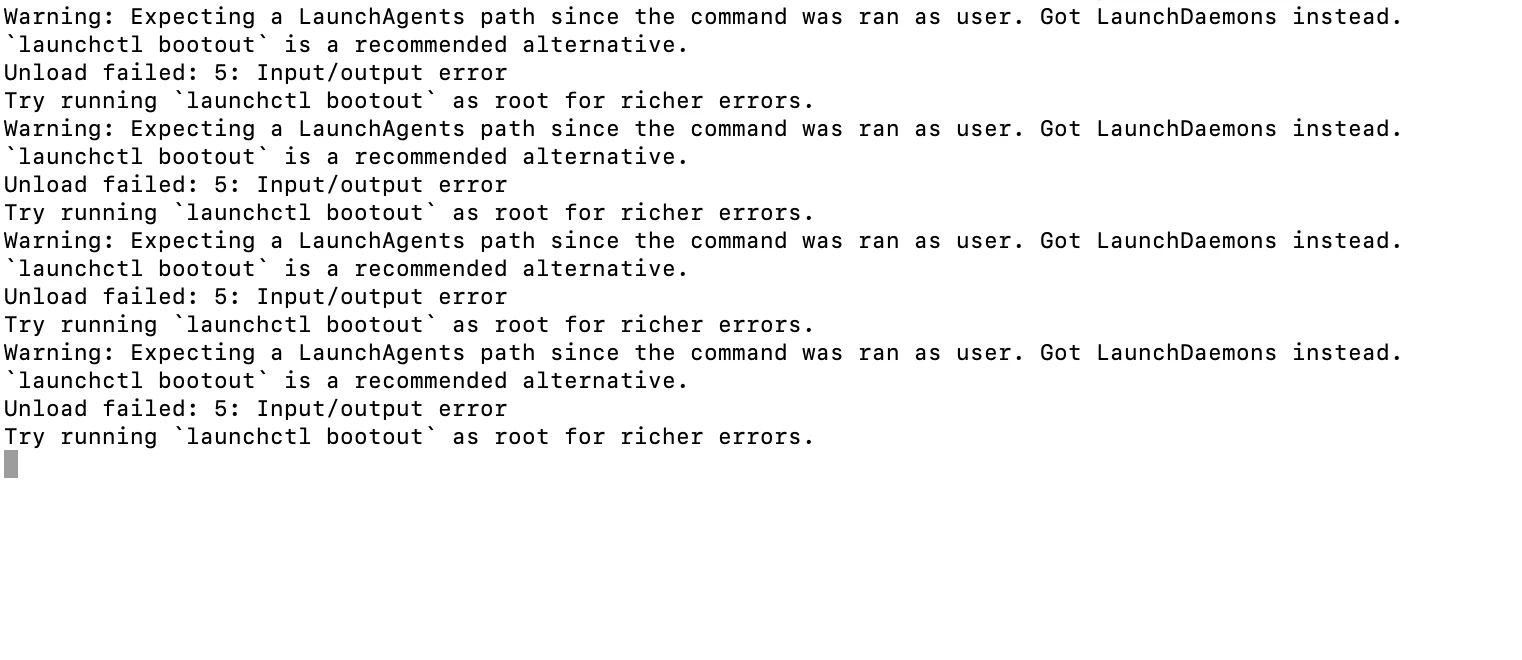
i tried the first command from your above post on Forticlient 7.x version but i get below errors on terminal.
Can you please help here ?
Thanks


bwoods
Forum|alt.badge.img+14
  • Honored Contributor
  • April 16, 2026

The script below will completely remove the FortiClient.app and FortiClientUninstaller.app even if they are locked. The key is to remove the immutable flags from the apps.
 

#!/bin/zsh
# uninstall_forticlient.sh
# Completely removes FortiClient VPN and all supporting components from macOS

# ─────────────────────────────────────────────
# Kill FortiClientAgent process
# ─────────────────────────────────────────────

echo "Terminating FortiClientAgent process..."
if pgrep -x "FortiClientAgent" &>/dev/null; then
pkill -x "FortiClientAgent"
echo " FortiClientAgent terminated."
else
echo " FortiClientAgent not running. Skipping."
fi

# ─────────────────────────────────────────────
# Remove immutable flags from FortiClient app bundles
# ─────────────────────────────────────────────

echo "Removing immutable flags from FortiClient app bundles..."

declare -a fortiAppBundles=(
"/Applications/FortiClient.app"
"/Applications/FortiClientUninstaller.app"
)

for appBundle in "${fortiAppBundles[@]}"; do
if [[ -e "$appBundle" ]]; then
chflags -R nouchg,noschg "$appBundle" && \
echo " Immutable flags cleared on $appBundle." || \
echo " Failed to clear immutable flags on $appBundle."
else
echo " $appBundle not found. Skipping flag removal."
fi
done

# ─────────────────────────────────────────────
# Unload LaunchDaemons
# ─────────────────────────────────────────────

echo "Unloading FortiClient LaunchDaemons..."

declare -a fortiLaunchDaemons=(
"/Library/LaunchDaemons/com.fortinet.forticlient.vpn.plist"
"/Library/LaunchDaemons/com.fortinet.forticlient.fsssoagent_launchdaemon.plist"
"/Library/LaunchDaemons/com.fortinet.forticlient.epctrl.plist"
)

for daemonPlist in "${fortiLaunchDaemons[@]}"; do
if [[ -f "$daemonPlist" ]]; then
daemonLabel=$(defaults read "$daemonPlist" Label 2>/dev/null)
if [[ -n "$daemonLabel" ]]; then
echo " Stopping and unloading: $daemonLabel"
launchctl bootout system "$daemonPlist" 2>/dev/null && \
echo " Successfully unloaded $daemonLabel." || \
echo " Could not unload $daemonLabel (may not be loaded)."
else
echo " Could not read label from $daemonPlist. Skipping unload."
fi
else
echo " $daemonPlist not found. Skipping."
fi
done

# ─────────────────────────────────────────────
# Remove application bundles
# ─────────────────────────────────────────────

echo "Removing FortiClient application bundles..."

for appBundle in "${fortiAppBundles[@]}"; do
if [[ -e "$appBundle" ]]; then
echo " Removing: $appBundle"
rm -Rf "$appBundle" && echo " Removed." || echo " Failed to remove $appBundle."
else
echo " $appBundle not found. Skipping."
fi
done

# ─────────────────────────────────────────────
# Kill FortiTray and FortiClientNetwork processes
# ─────────────────────────────────────────────

echo "Terminating remaining FortiClient processes..."

declare -a fortiRemainingProcesses=(
"FortiTray"
"FortiClientNetwork"
)

for processName in "${fortiRemainingProcesses[@]}"; do
if pgrep -x "$processName" &>/dev/null; then
pkill -x "$processName"
echo " $processName terminated."
else
echo " $processName not running. Skipping."
fi
done

# ─────────────────────────────────────────────
# Remove system-level support files
# ─────────────────────────────────────────────

echo "Removing system-level FortiClient support files..."

declare -a fortiSystemPaths=(
"/Library/Application Support/Fortinet"
"/Library/Internet Plug-Ins/FortiClient_SSLVPN_Plugin.bundle"
"/Library/LaunchDaemons/com.fortinet.forticlient.vpn.plist"
"/Library/LaunchDaemons/com.fortinet.forticlient.fsssoagent_launchdaemon.plist"
"/Library/LaunchDaemons/com.fortinet.forticlient.epctrl.plist"
)

for systemPath in "${fortiSystemPaths[@]}"; do
if [[ -e "$systemPath" ]]; then
echo " Removing: $systemPath"
rm -Rf "$systemPath" && echo " Removed." || echo " Failed to remove $systemPath."
else
echo " $systemPath not found. Skipping."
fi
done

# ─────────────────────────────────────────────
# Remove per-user FortiClient data
# ─────────────────────────────────────────────

echo "Removing per-user FortiClient support files..."

localAccounts=$(dscl . list /Users UniqueID | awk '$2 > 500 {print $1}')

for userName in $localAccounts; do
userFortiPath="/Users/${userName}/Library/Application Support/Fortinet"
if [[ -d "$userFortiPath" ]]; then
echo " Removing FortiClient data for user: $userName"
rm -Rf "$userFortiPath" && echo " Removed." || echo " Failed to remove $userFortiPath."
else
echo " No FortiClient data found for user: $userName. Skipping."
fi
done

echo ""
echo "FortiClient removal complete."