Solved

VLC.app getting copied to Macintosh root drive rather getting installed to Applications

  • January 21, 2016
  • 5 replies
  • 15 views

Forum|alt.badge.img+12

While distributing the latest version of VLC.app 2.2.1, the app is getting installed/ copied to "Macintosh HD" rather going to Applications.

Best answer by Look

As @McAwesome says it sounds like the DMG straight from the vendor has been dropped into Casper Admin / imported into the JSS.
You need to copy VLC out of this DMG into the Applications folder on a client machine then capture the file in composer.

5 replies

scottb
Forum|alt.badge.img+18
  • Valued Contributor
  • January 21, 2016

Well...don't know much from your post, but how are you installing this?
What version of the JSS?


Forum|alt.badge.img+16
  • Honored Contributor
  • January 21, 2016

Did you just upload the official DMG from VLC or did you do a capture of it through Composer? If you did the former, Casper will push it to the file path shown in the DMG. In this case, that would drop VLC.app, Read Me.rtf, Goodies(Folder), and Applications(Shortcut) into the root directory of the mac.


Forum|alt.badge.img+16
  • Valued Contributor
  • Answer
  • January 21, 2016

As @McAwesome says it sounds like the DMG straight from the vendor has been dropped into Casper Admin / imported into the JSS.
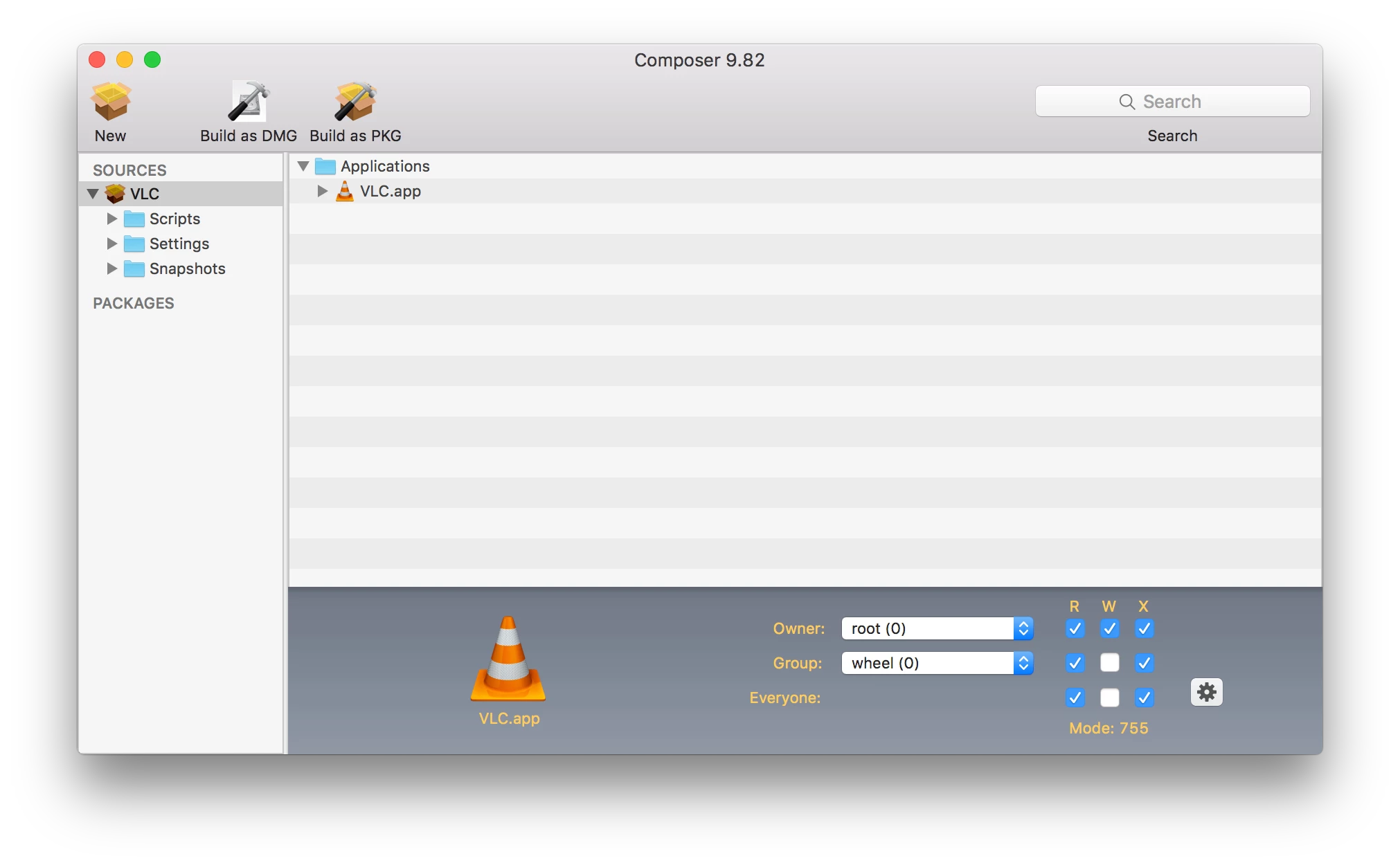
You need to copy VLC out of this DMG into the Applications folder on a client machine then capture the file in composer.


scottb
Forum|alt.badge.img+18
  • Valued Contributor
  • January 21, 2016

To expand on what was posted above, you want to do something like this then build as a package.


mm2270
Forum|alt.badge.img+24
  • Legendary Contributor
  • January 22, 2016

Or you could look at using one of the many simple applications out there that can build a pkg installer from a dmg or application bundle. Here's one I wrote, but its not the only one, nor the first.