
Solved

VMware Fusion.pkg creation issue

  • December 10, 2019
  • 5 replies
  • 31 views

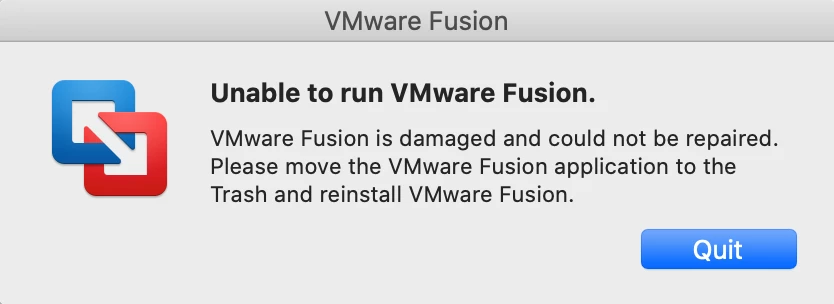
Created VMware Fusion.pkg version(11.5.1) file using Composer, successfully installing newly in system and while opening shows error as" Unable to run VMware Fusion" (attached screenshot). if i use same package VMware Fusion 11.5.1.pkg to upgrade older version of VMware Fusion it runs without any issue.

Does anyone know how to do this?
Any help will be greatly appreciated.Thanks

Best answer by AJPinto

Looks like someone found the fix here https://www.jamf.com/jamf-nation/discussions/34296/vmware-fusion-pkg-creation-in-composer.

Adding the post install script Jahmil50 suggested resolved this message for me.
/Applications/VMware Fusion.app/Contents/Library/Initialize VMware Fusion.tool set

5 replies

see
Forum|alt.badge.img+3
  • Employee
  • December 11, 2019

VMware Fusion requires a little extra care... we do have this documentation if you want to give it another try.

https://www.jamf.com/jamf-nation/third-party-products/26/vmware-fusion


AJPinto
Forum|alt.badge.img+26
  • Legendary Contributor
  • Answer
  • December 20, 2019

Looks like someone found the fix here https://www.jamf.com/jamf-nation/discussions/34296/vmware-fusion-pkg-creation-in-composer.

Adding the post install script Jahmil50 suggested resolved this message for me.
/Applications/VMware Fusion.app/Contents/Library/Initialize VMware Fusion.tool set


  • December 24, 2019

solution in https://www.jamf.com/jamf-nation/discussions/34296/vmware-fusion-pkg-creation-in-composer


Forum|alt.badge.img+13
  • Valued Contributor
  • December 24, 2019

sorry, but why do you keep posting the same issue mate??


donmontalvo
Forum|alt.badge.img+36
  • Hall of Fame
  • December 25, 2019

@kerouak its all about the #green.

