Solved

Xcode requiring users to have admin rights to accept EULA

  • April 21, 2026
  • 5 replies
  • 71 views

FerrisBNA
Forum|alt.badge.img+4

We are deploying Xcode as a Mac App (VPP).  Apparently after updates it is requiring admin creds to accept the End User License Agreement.  

I am stumped on how to fix this one.  There’s not much I think we can do with Mac Apps.

-Pat

Best answer by Josh-Q

@FerrisBNA  I handle this by having a policy in Self Service that users can run after an Xcode update. The policy just executes the following script:

#!/bin/bash

# select Xcode
xcode-select -s "/Applications/Xcode.app"

# accept license
/usr/bin/xcodebuild -license accept

# install additional components
/usr/bin/xcodebuild -runFirstLaunch

# add everyone (every local account) to developer group
dseditgroup -o edit -a everyone -t group _developer

If you want a more automated process, I recently stumbled upon an article from the folks at Workbrew detailing how you can address this via a recurring policy in Jamf:

https://workbrew.com/blog/homebrew-xcode-license-management


Regardless of which route you go, having it done via a Jamf policy ensures that it is run as root, so your users themselves don’t need admin rights.

5 replies

Josh-Q
Forum|alt.badge.img+4
  • Jamf Heroes
  • Answer
  • April 21, 2026

@FerrisBNA  I handle this by having a policy in Self Service that users can run after an Xcode update. The policy just executes the following script:

#!/bin/bash

# select Xcode
xcode-select -s "/Applications/Xcode.app"

# accept license
/usr/bin/xcodebuild -license accept

# install additional components
/usr/bin/xcodebuild -runFirstLaunch

# add everyone (every local account) to developer group
dseditgroup -o edit -a everyone -t group _developer

If you want a more automated process, I recently stumbled upon an article from the folks at Workbrew detailing how you can address this via a recurring policy in Jamf:

https://workbrew.com/blog/homebrew-xcode-license-management


Regardless of which route you go, having it done via a Jamf policy ensures that it is run as root, so your users themselves don’t need admin rights.


FerrisBNA
Forum|alt.badge.img+4
  • Author
  • Contributor
  • April 21, 2026

@Josh-Q is “_developer” a hidden group?  What does line 13 accomplish for you?

Thanks in advance.


FerrisBNA
Forum|alt.badge.img+4
  • Author
  • Contributor
  • April 21, 2026

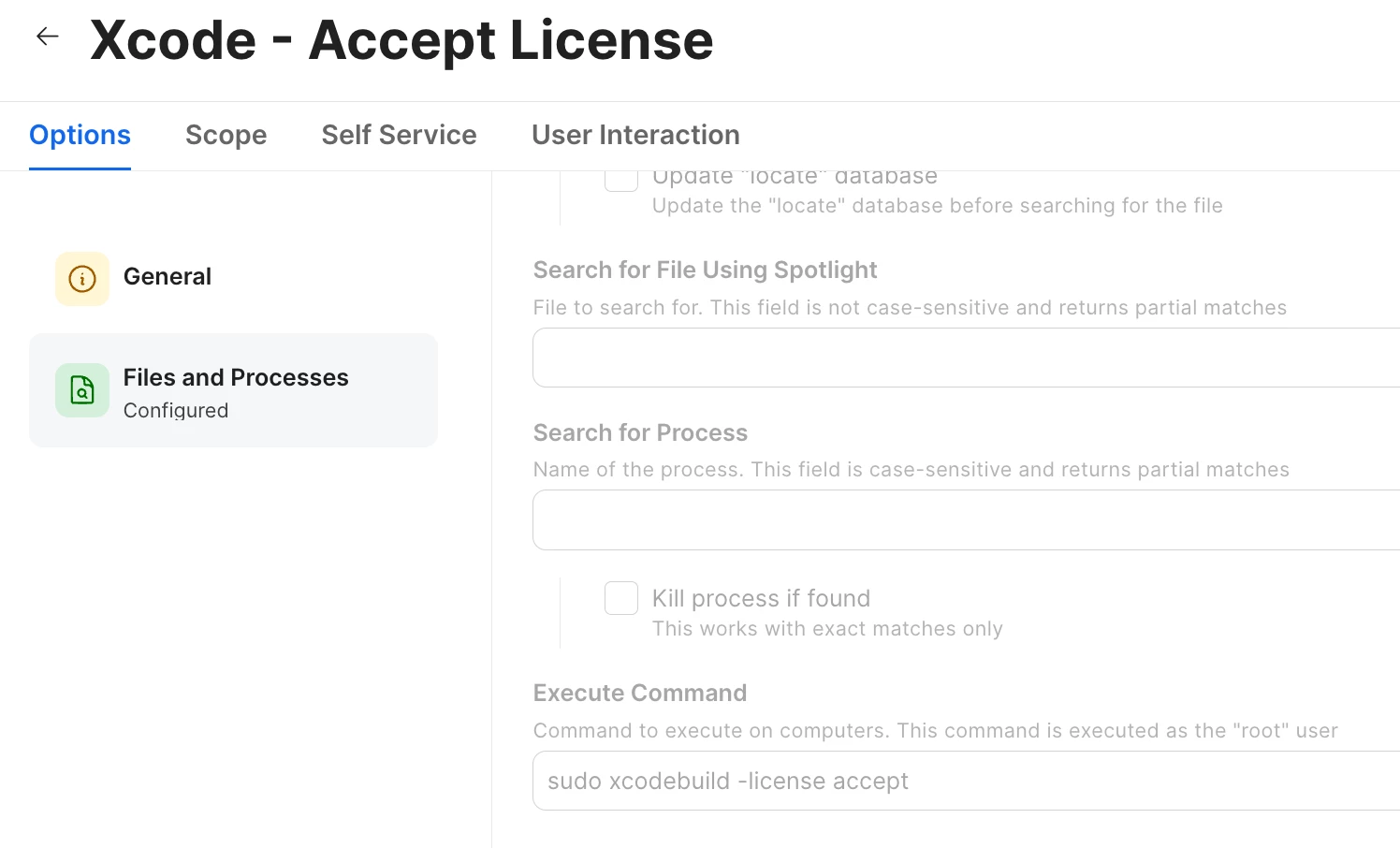
My workaround was simple in comparison.  Just the accept command.


Josh-Q
Forum|alt.badge.img+4
  • Jamf Heroes
  • April 21, 2026

@FerrisBNA Adding members to that group will give non-admin users access to some developer tools. I added it because some of our devs were having issues running debuggers, but I didn’t want to give them full admin. That line can be removed from your script if you don’t need it.


FerrisBNA
Forum|alt.badge.img+4
  • Author
  • Contributor
  • April 22, 2026

@Josh-Q Good to know.  Thanks for the info.