
Question

Zscaler pkg installation using Profiles

  • June 25, 2026
  • 5 replies
  • 3 views

Ojok
Forum|alt.badge.img+5

We use a  post install script to install Zscaler by combining the script in the package using Composer to populate UserDomain and several other settings and this works fine. However, we are considering moving away from that process and leveraging Profiles as documented here

https://help.zscaler.com/zscaler-client-connector/deploying-zscaler-client-connector-jamf-pro-macos

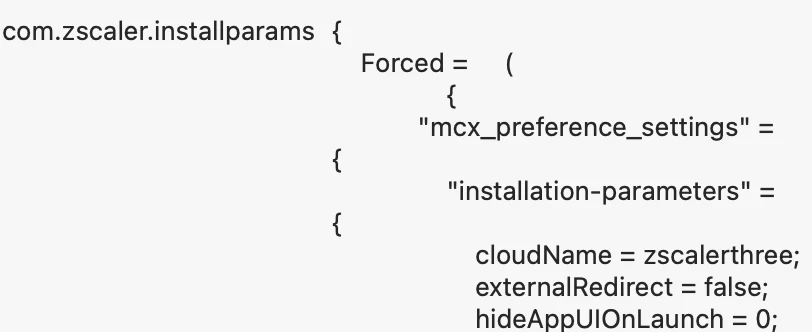
Step 3 outlines the requirements for a Custom configuration which is responsible for providing the cloudName.

The profile in System Settings shows that the cloudName is present, however when Zscaler launches it requires the user to enter their email address and then click Login at which point it presents two options; zscalerbeta

zscalertwo.

The profile reflects that the setup should be zscalertwo without presenting the two options above.

Has anyone come across this issue?

The script method injects the cloudName and works fine but would be good to get the Profiles to work.

5 replies

Chubs
Forum|alt.badge.img+26
  • Jamf Heroes
  • June 26, 2026

This looks like a good chance to build a custom manifest for a profile for ZScaler. 
 

Shouldn’t be too hard to build it out - I’ll take a look a little bit later.


shrisivakumaran
Forum|alt.badge.img+10

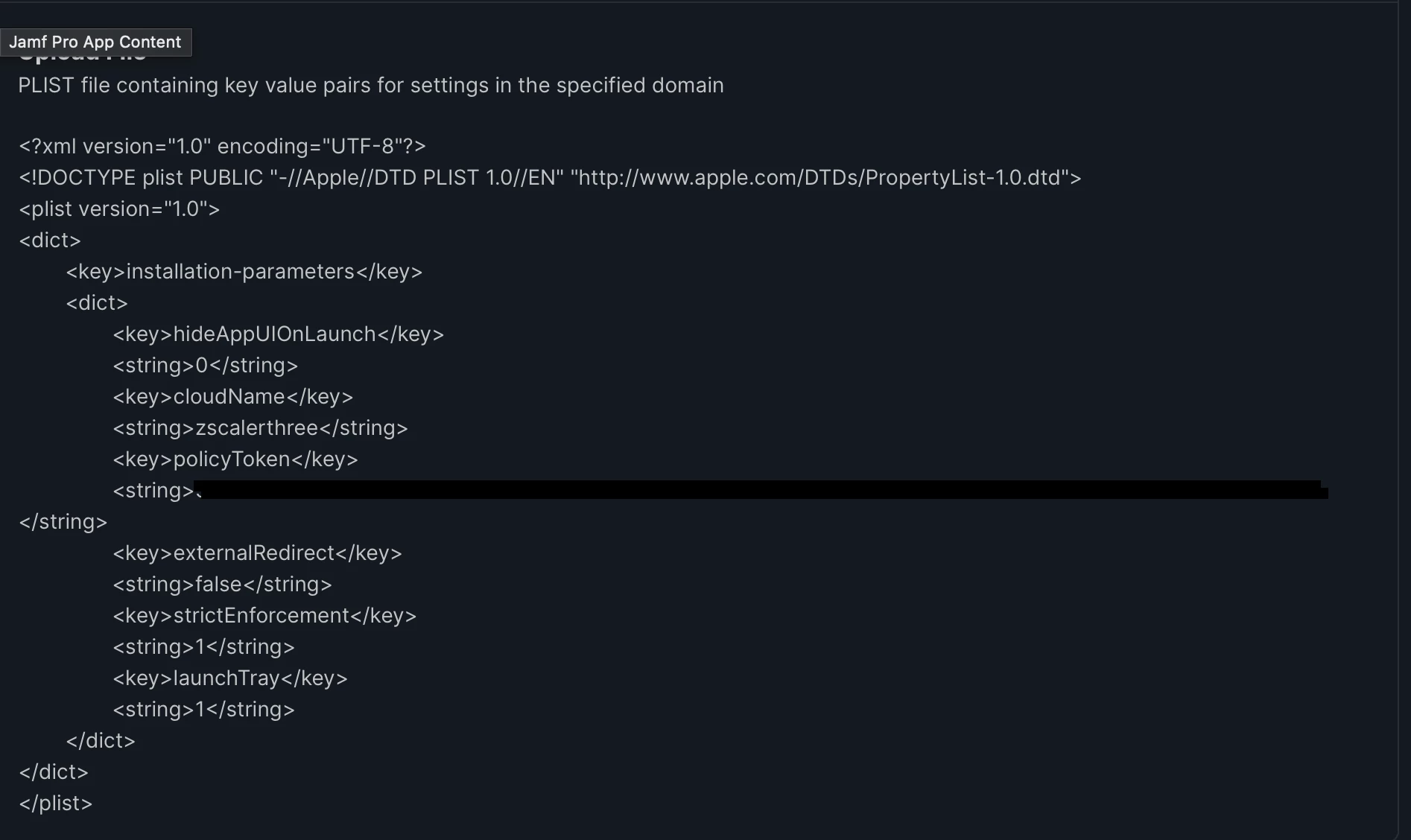
We using configuration profile to set cloud name, strict enforcement and policy token.


on the first launch it will ask for email id, once user entered their email it will redirect to browser for SSO authentication.


Ojok
Forum|alt.badge.img+5
  • Author
  • Contributor
  • June 26, 2026

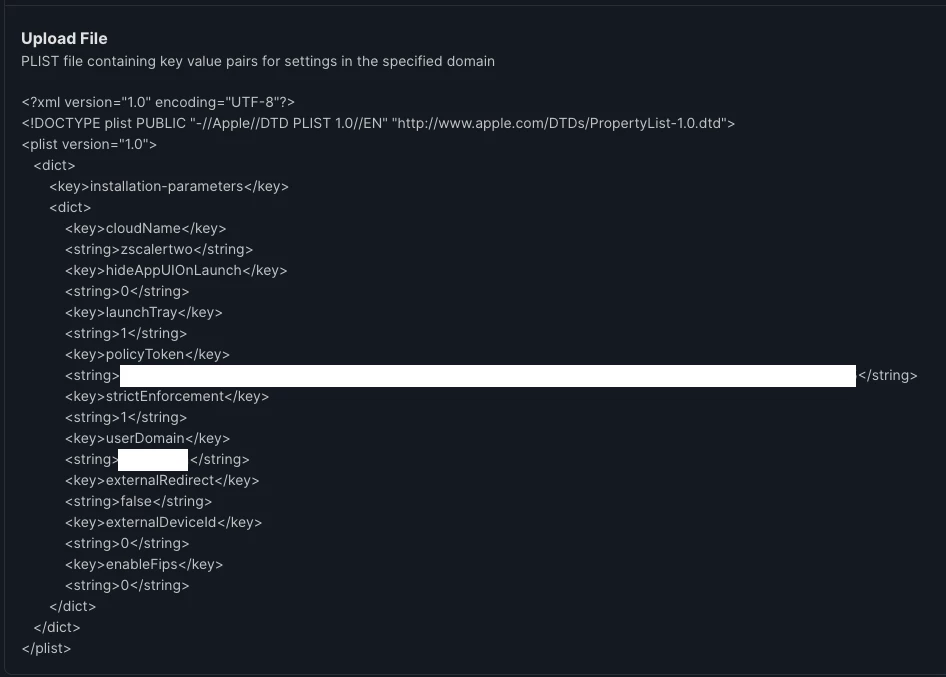
This is the configuration I have as directed by Zscaler which does not populate the cloudName


shrisivakumaran
Forum|alt.badge.img+10

Let's remove userDomain and check it. Below is my configurations profile.
Also check enableFips is required or not.


Chubs
Forum|alt.badge.img+26
  • Jamf Heroes
  • June 26, 2026

You could use this as a custom manifest and make it a dynamic config profile…. Assuming preference domain is com.zscaler.installation
 

{
"title": "Zscaler Configuration (com.zscaler.installation)",
"description": "Zscaler installation parameters for macOS",
"properties": {
"installation-parameters": {
"type": "object",
"property_order": 1,
"properties": {

"hideAppUIOnLaunch": {
"type": "string",
"title": "Hide App UI on Launch",
"description": "Controls whether the app UI is hidden on launch (0 = show, 1 = hide).",
"enum": [
"0",
"1"
],
"options": {
"enum_titles": [
"Show UI",
"Hide UI"
]
},
"property_order": 5
},

"cloudName": {
"type": "string",
"title": "Cloud Name",
"description": "Zscaler cloud tenant name.",
"property_order": 10
},

"policyToken": {
"type": "string",
"title": "Policy Token",
"description": "Enrollment or policy token for Zscaler.",
"property_order": 15
},

"externalRedirect": {
"type": "string",
"title": "External Redirect",
"description": "Controls external redirect behavior.",
"enum": [
"true",
"false"
],
"options": {
"enum_titles": [
"Enabled",
"Disabled"
]
},
"property_order": 20
},

"strictEnforcement": {
"type": "string",
"title": "Strict Enforcement",
"description": "Enforces strict policy adherence (1 = enabled, 0 = disabled).",
"enum": [
"0",
"1"
],
"options": {
"enum_titles": [
"Disabled",
"Enabled"
]
},
"property_order": 25
},

"launchTray": {
"type": "string",
"title": "Launch Tray Icon",
"description": "Show tray/menu bar icon on launch (1 = enabled, 0 = disabled).",
"enum": [
"0",
"1"
],
"options": {
"enum_titles": [
"Disabled",
"Enabled"
]
},
"property_order": 30
}
}
}
}
}