Product Office Hours #2 - Jamf @ Jamf Perspectives on AI Governance 

  • August 17, 2026
  • 10 replies
  • 298 views

LysetteB
Forum|alt.badge.img+20

Hi Nation,

Product Office Hours #2 - Jamf @ Jamf Perspectives on AI Governance 

Next session: Thursday, 20th August - 9am CDT / 3pm BST / 4pm CEST
Speakers: Sam Johnson and Emily Kausalik (​@dr_k)
Register here: https://jamf.it/ProductOfficeHours

 
🧵 Got a question? Drop it in the comments below ahead of time if you want it on our radar, though you don't have to. We'll be taking questions live on the call! Anything we don't get to, we'll follow up right here within 24 hours.

See you Thursday 20th!

10 replies

emily
Forum|alt.badge.img+26
  • Hall of Fame
  • August 17, 2026

Looking forward to it!


ktrojano
Forum|alt.badge.img+22
  • Jamf Heroes
  • August 17, 2026

Registered!


emily
Forum|alt.badge.img+26
  • Hall of Fame
  • August 21, 2026

Hey everyone! It looks like moths got into Zoom and ate the transcription of this week’s chat. I’m going to do a write-up of things I covered and we’re collaborating amongst the group internally on some of the questions we remember getting so we can post some more thoughts.

While we’re doing that, what other questions did y’all have for me on AI Governance?

And also… can you share cat pictures?! 🐈🐈‍⬛


mvu
Forum|alt.badge.img+22
  • Jamf Heroes
  • August 21, 2026

Dog is a princess and doesn’t like to be left out of things.


emily
Forum|alt.badge.img+26
  • Hall of Fame
  • August 21, 2026

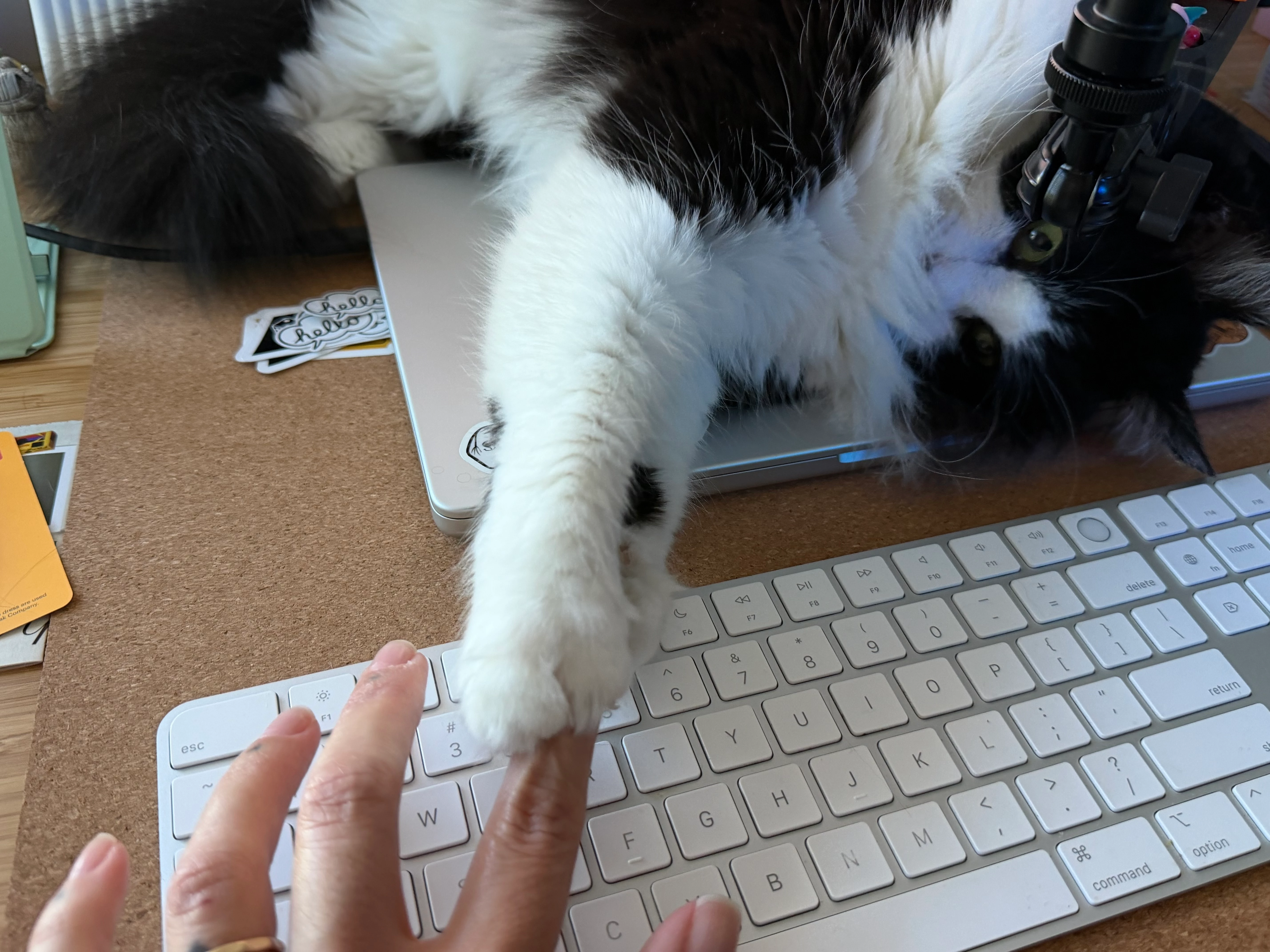
Dogs absolutely welcome. I suppose I should pay my cat tax:

my view most days / my ongoing situation where my boss decides there’s been too much typing


mvu
Forum|alt.badge.img+22
  • Jamf Heroes
  • August 21, 2026

Cute. Mine likes to jump in front of monitor during meetings. Wants his camera time I guess.


emily
Forum|alt.badge.img+26
  • Hall of Fame
  • August 21, 2026

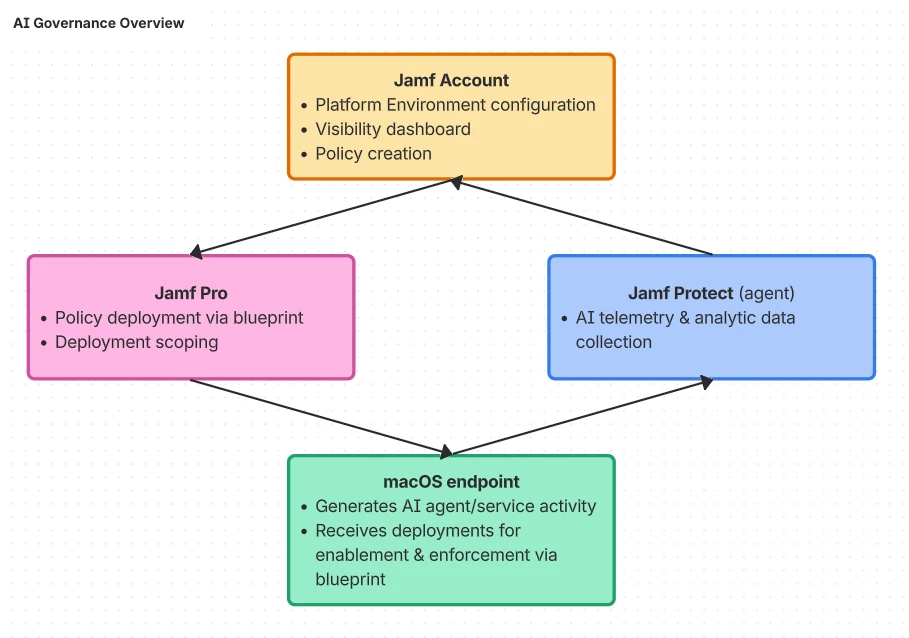
Still working on the write-up, but in the meantime, here is a representative visualization I threw together on the components behind AI Governance.

And here is a link to the Jamf Learning Docs on AI Governance: 

https://learn.jamf.com/r/en-US/ai-governance-configuration-guide/AI_Governance


ktrojano
Forum|alt.badge.img+22
  • Jamf Heroes
  • August 22, 2026


emily
Forum|alt.badge.img+26
  • Hall of Fame
  • August 24, 2026

Giving Princess Donut vibes, I love it!

Okay, post-call write-up incoming today. Standby!


emily
Forum|alt.badge.img+26
  • Hall of Fame
  • August 24, 2026

Alright, here we go…

--

AI Governance Capability Overview

At a high level, AI Governance has three core components to get it all working:

  • Jamf Account with a configured Platform Environment and Environment Access Roles

  • Jamf Pro deployed to macOS endpoints

  • Jamf Protect deployed to macOS endpoints 

AI Governance overview flowchart

Jamf Account + Platform Environment


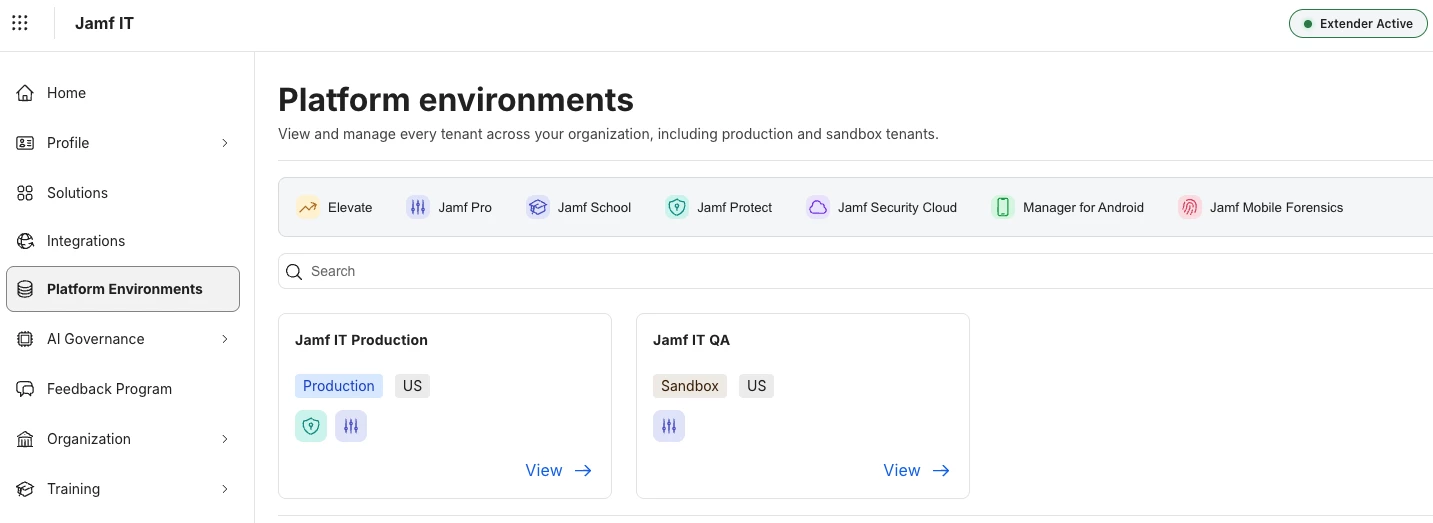
Platform Environment example

The ability to group tenants together into platform environments was added to Jamf Account in early August(-ish). Customers with one of each tenant type will likely already have an environment created in their Jamf Account tenant. Others (like MSPs) can use a Create Platform Environment button to make a new environment grouping. If you need to make an environment but don’t see the button, ask your account team about enabling it for your organization.

The platform environment is important because it connects Jamf Protect telemetry and analytic data with your Jamf Account, and ensures policies you build based on the data you see in AI Visibility will be picked up by the correct Jamf Pro tenant for deployment.

Example AI Governance role

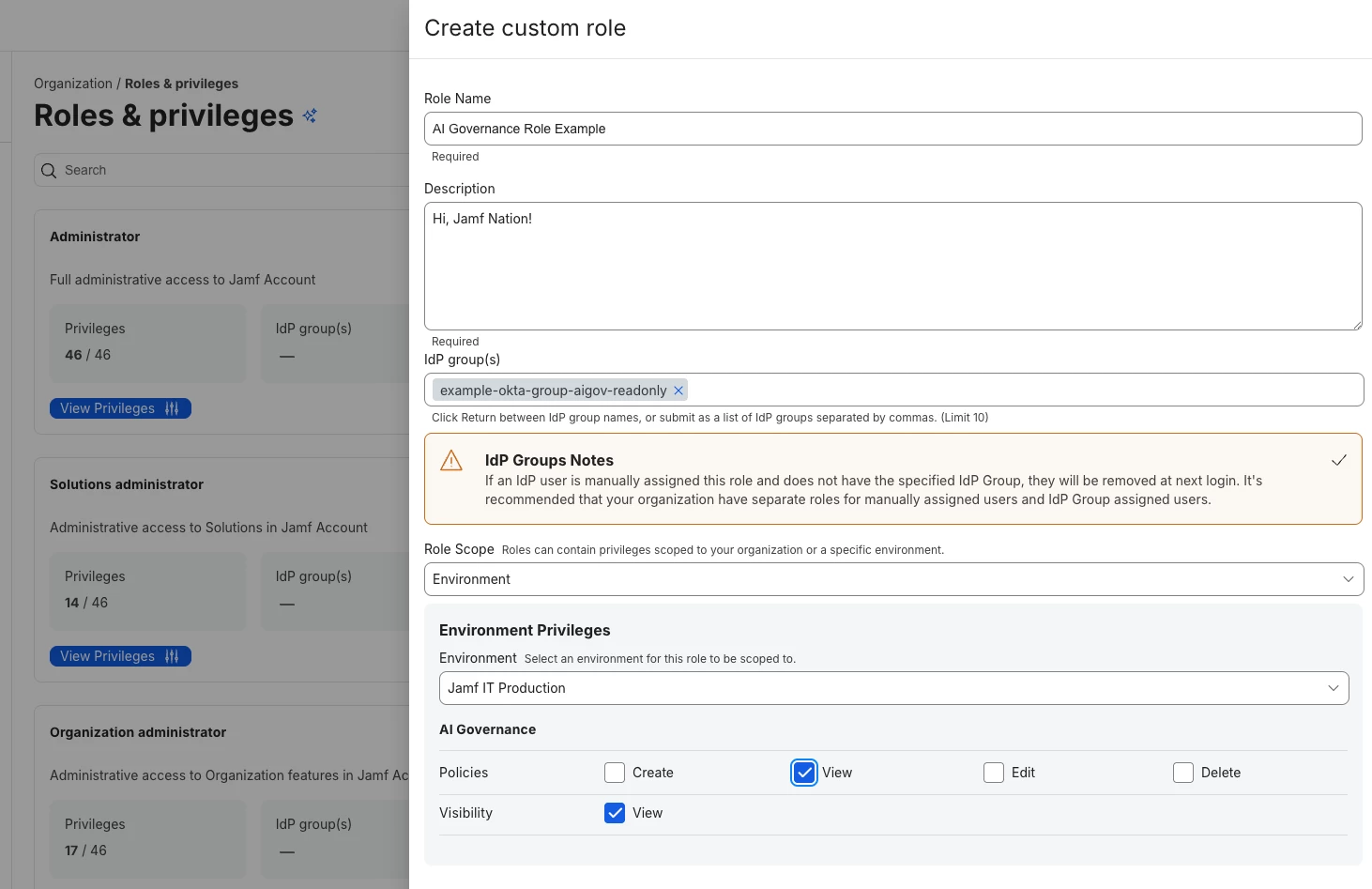
For someone to see the AI Visibility and Policies panes in Jamf Account they need a new type of access role scope where “Environment” is selected. Our role-based access control governance is tied to our IdP, so we’ve gone down the road of setting up our IdP (Okta) with Jamf Account for group membership assertions so we can use those for our role setup.

AI Visibility

Once a Jamf Account user has basic access to AI Governance they’ll be able to see… whatever you set up for them to view. Our audit group can view both the Visibility pane and the Policies list; you can set this up however you prefer and what works best for your organization.

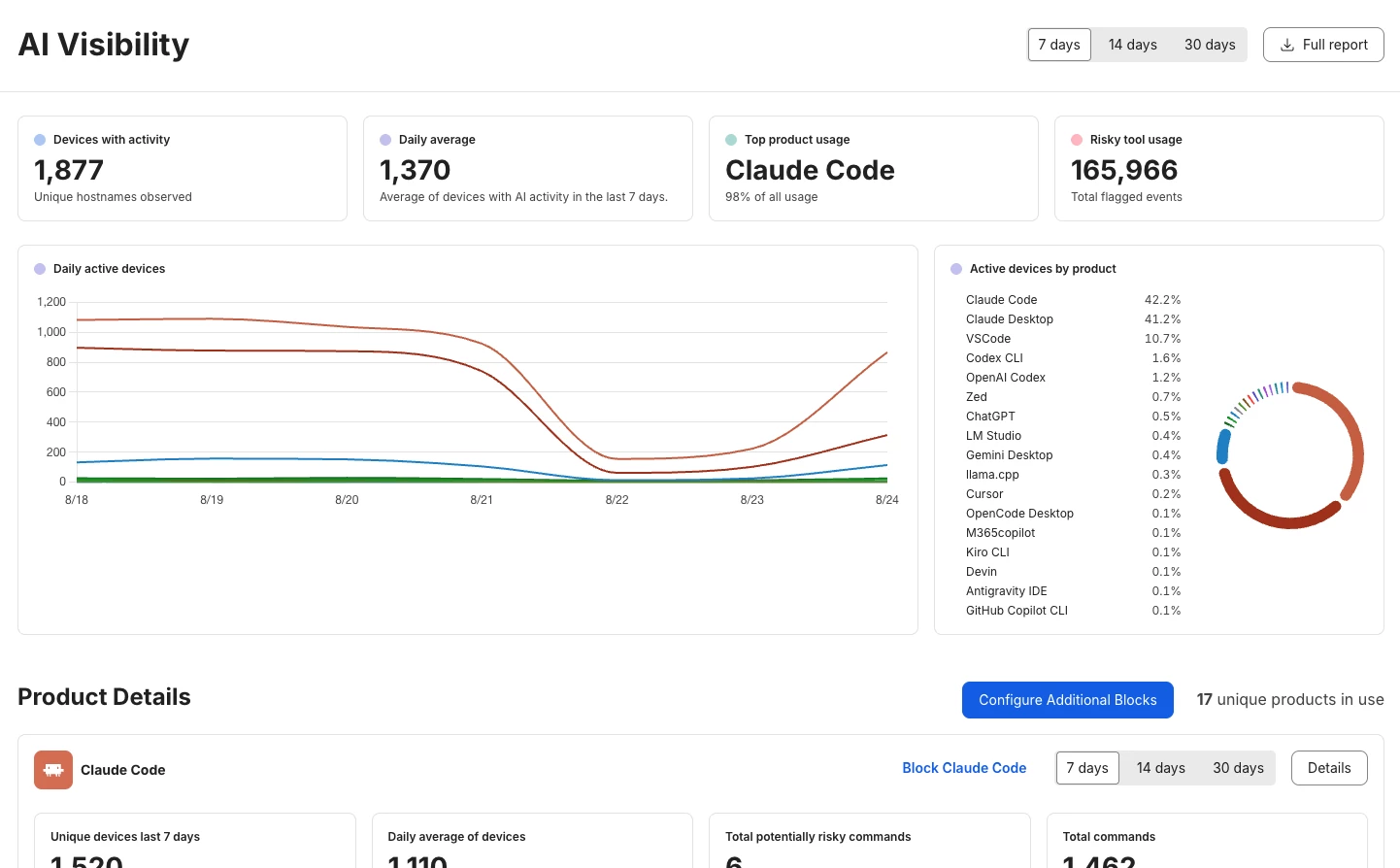
Here is an example of our AI Governance visibility dashboard with real-time telemetry data being sent from Protect to our Account tenant.

Note the “real time” flow of data. Usage dropped quite a bit over the weekend (which is great, I hope my Jamf colleagues enjoyed their weekend!). If you keep a tab open with the Visibility pane up you’ll see it reload periodically as new data comes in. It’s truly real-time.

We’ll talk about policies and the “Configure Additional Blocks” button below (spoiler alert: that button is a Jamf Extender add-in :fire: ).

AI Policies

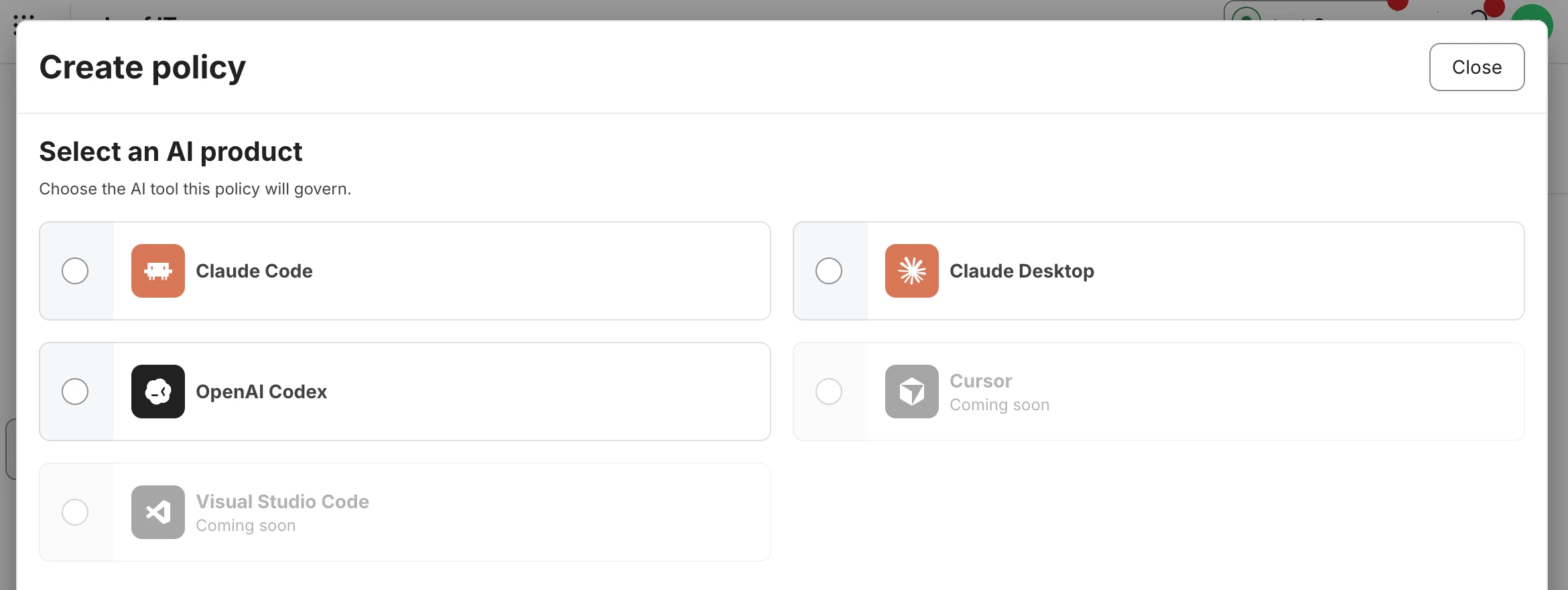
You’ll notice that while Protect telemetry picks up tons of AI agent activity, there are not comparable AI policies for all of those different services and vendors.

Current AI product coverage for policies includes Claude Code, Claude Desktop, and OpenAI Codex

There’s a few reasons for that, one of the bigger ones being general availability of enterprise controls for those products from the vendors.

Claude policy is well covered here, namely because they support ample enterprise controls and have them well-documented.

https://code.claude.com/docs/en/settings#available-scopes

https://code.claude.com/docs/en/settings-reference

https://code.claude.com/docs/en/settings-example

Anthropic’s documentation for Claude also includes some important information on settings precedence:

How scopes interact
When the same setting appears in multiple scopes, Claude Code applies them in priority order:

  1. Managed (highest): can’t be overridden by any other scope, apart from the exceptions to managed settings precedence

  2. Command line arguments: temporary session overrides

  3. Local: overrides project and user settings

  4. Project: overrides user settings

  5. User (lowest): applies when nothing else specifies the setting

I’d like to think another reason that Claude is well-represented here is Jamf is a heavy Claude shop and we know the tool really well. :slight_smile:

Nearly everything documented with management keys (scopes) above is available in AI Policies within Jamf Account, at least the things that can be applied at the enterprise/managed level.

Example: marketplace plug-ins

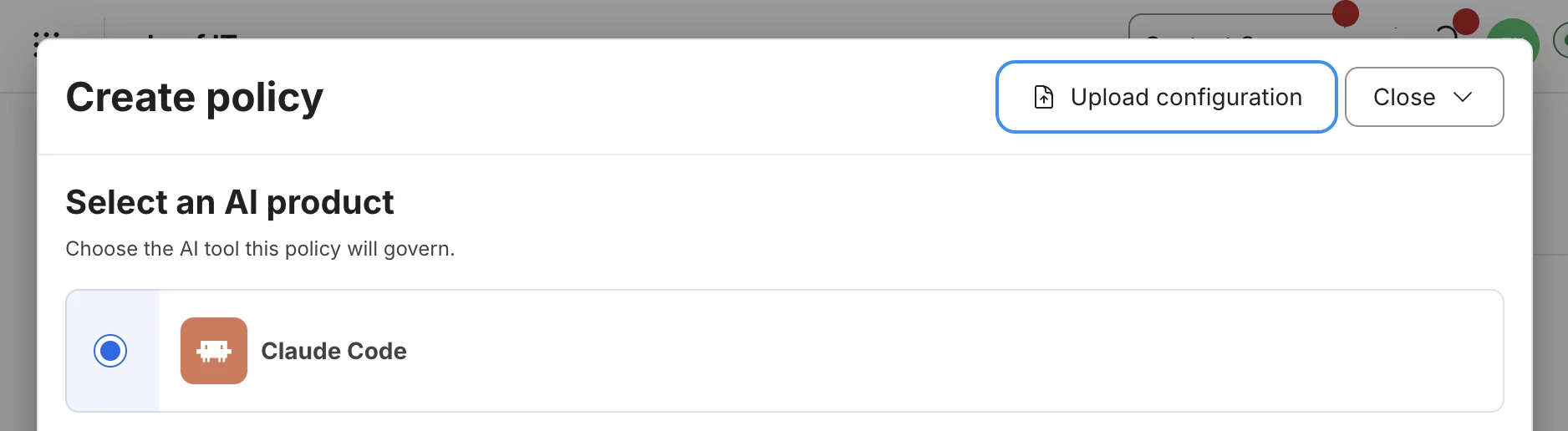
This is one we have recently deployed internally. The Claude Code settings reference has an example json payload for extraKnownMarketplaces. Our engineering leadership provided the settings they needed in that json payload format, and I then used the upload button to automatically generate a policy for deployment.

Using the Upload configuration button to generate a policy from provided json

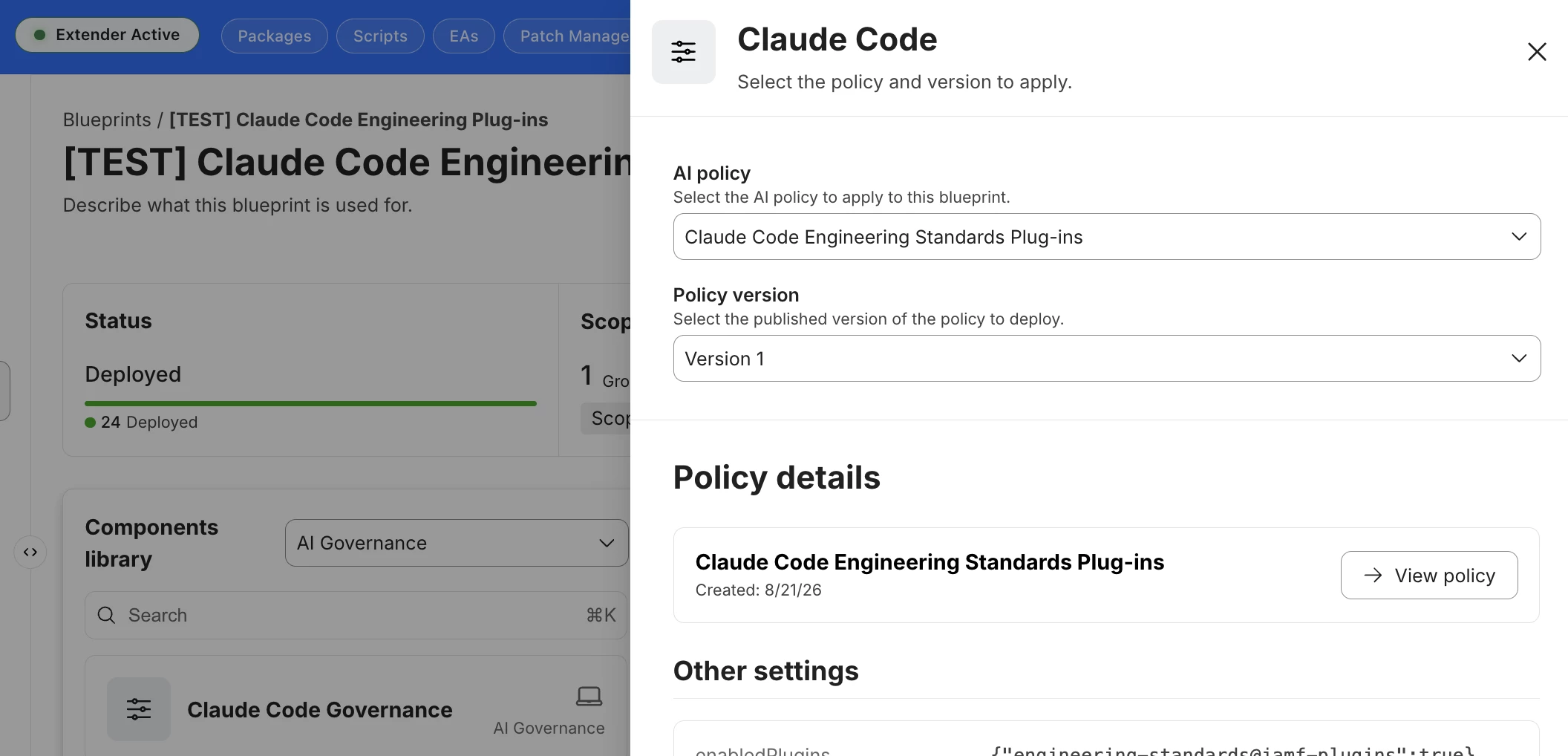
Once uploaded I gave the policy a name and saved, then popped over to Jamf Pro, pulled in the policy to a new blueprint deployment, and scoped it to the team that needed the settings (determined by Okta group membership).

How the uploaded and saved policy looks in a Jamf Pro blueprint

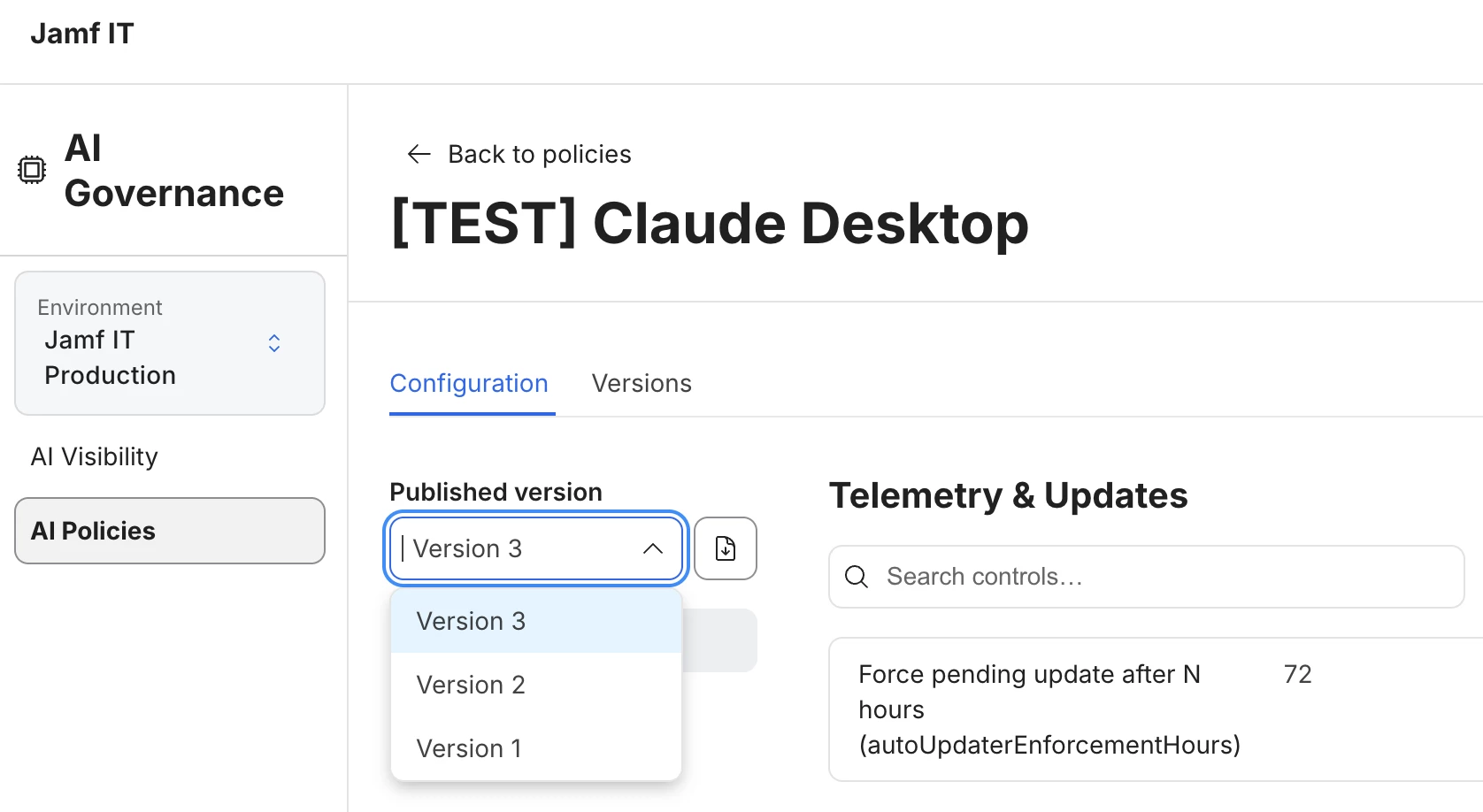
Note the policy version history, which is one of my personal favorite quality-of-life features in AI Governance. If you have a policy being worked on by someone that stages policies, they can make changes and ask for different versions to be deployed. If something doesn’t work as expected in version 3, the deployment can be rolled back to version 2. etc. This is great for many reasons, one of the core reasons being change control.

Policy version history allows rollback and staging future deployments

Considerations

As I mentioned on the call, I like to think of endpoint management as three core concepts:

  • visibility

  • enablement

  • enforcement

It’s not exactly a hierarchy, but it kind of is.

Internally we joke around about “feel facts” and “real facts.” The AI Visibility dashboard with Jamf Protect real-time data from your endpoints is the visibility. These are real facts; it gives you the high level of what’s going on and helps you make data-driven decisions in your endpoint management and security strategy. (Yes, the feedback on drill-down has been heard and received, it was one of the first things I asked for as well!)

The next step enablement. Chances are you know what your approved tools are. Make the onboarding into your approved tools as frictionless as you can. Managed preferences go a long way for enabling setup and access to approved services, MCP servers, plugins, skills, whatever. It’s not much difference than managed preferences for just about anything else you deploy in your environment (e.g., SSO configurations and domain prefills for easy login, managed software update settings, file shares, the list goes on).

Then you refine with enforcement. If something pops up in the AI Visibility that you know is unapproved and needs to be blocked, Jamf Extender gives you a one-tap button to stage settings you need into a custom prevent list via Jamf Protect. You’ll have to take some time to review managed preferences in the product options to see what else you may need to restrict or limit based on organizational preference.

Sometimes enablement and enforcement work together, like dialing in the Claude Desktop app to only allow logins to your organizational uuid. You can fill in other examples here that I’m sure you’re already thinking of.

One more thing…

I know Jamf customers like myself have been used to thinking about Pro, Protect, Connect, etc. etc., as individual apps and services that Jamf happened to all develop for slightly different purposes. I think the reality now is that Jamf as a platform is more of a suite than a bunch of a la cart solutions. AI Governance is one of the first capabilities that really taps into the power of all of these things in tandem to achieve a specific goal: wrangling AI stuff on your endpoints. 

(Chances are you deploy other software suites that bundle like that too. I can think of a few that I won’t mention here so I don’t get booed off the stage.)

Resources

Jamf Learning Hub - AI Governance

Jamf Learning Hub - Jamf Pro blueprint configuration guide

Deploying Jamf Protect