


Solved

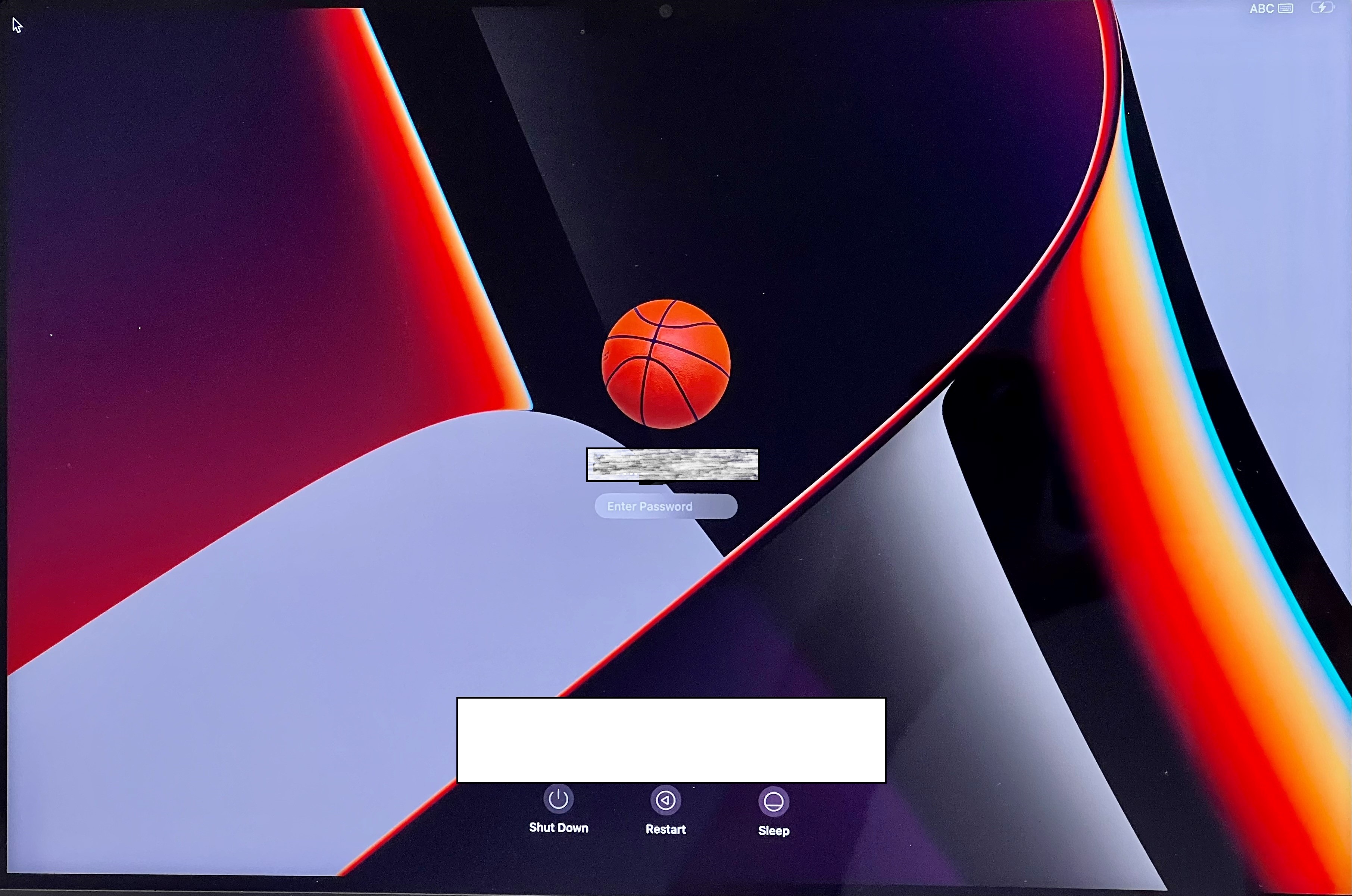
Login Screen with wrong language

  • Sep 22, 2022 8:22 AM UTC
  • 4 replies
  • 491 views

BookMac
Forum|alt.badge.img+16

Hello folks,


I have a new M1 MacBook Pro, which I rolled out with DEP. English was selected in the language selection at the beginning of the Mac installation. I changed the language to German and then continued the installation. FileVault is enabled via jamf Connect Login Configuration Profile. Now I have the problem that the language was not changed to German on the login screen and the keyboard layout is still set to ABC. (But the language in macOS is German.) If I switch it to German, it's back to ABC after the next restart. In the past we were able to solve the problem by performing a macOS update. After the update, the language on the login screen was German again and the keyboard layout remained in German.
sudo languagesetup -> 13 did not bring anything.


Does anyone know the problem and has an idea?

 Cheers
 

Best answer by BookMac

that's the solution:

https://blog.motionbug.com/posts/filevault-keyboard-fault/

View original

4 replies

BookMac
Forum|alt.badge.img+16
  • Author
  • Jamf Heroes
  • Answer
  • Sep 22, 2022 11:30 AM UTC

Forum|alt.badge.img+4
  • New Contributor
  • Feb 14, 2023 3:11 PM UTC

You are a godsend! I've been looking for a solution but all results we're outdated. Thank you so much.


PPAict
Forum|alt.badge.img+4
  • Contributor
  • Sep 22, 2024 12:51 PM UTC

that's the solution:

https://blog.motionbug.com/posts/filevault-keyboard-fault/


i need this article, the page is not working anymore :(


BookMac
Forum|alt.badge.img+16
  • Author
  • Jamf Heroes
  • Sep 23, 2024 5:33 AM UTC

i need this article, the page is not working anymore :(


https://www.motionbug.com/jamf-connect-filevault-and-the-usa-keyboard/