Question

An Alternative to the Jamf Intune Integration (No more jamfAAD pop-ups)

  • November 19, 2021
  • 32 replies
  • 213 views

Show first post

32 replies

Forum|alt.badge.img+8
  • Valued Contributor
  • May 15, 2023

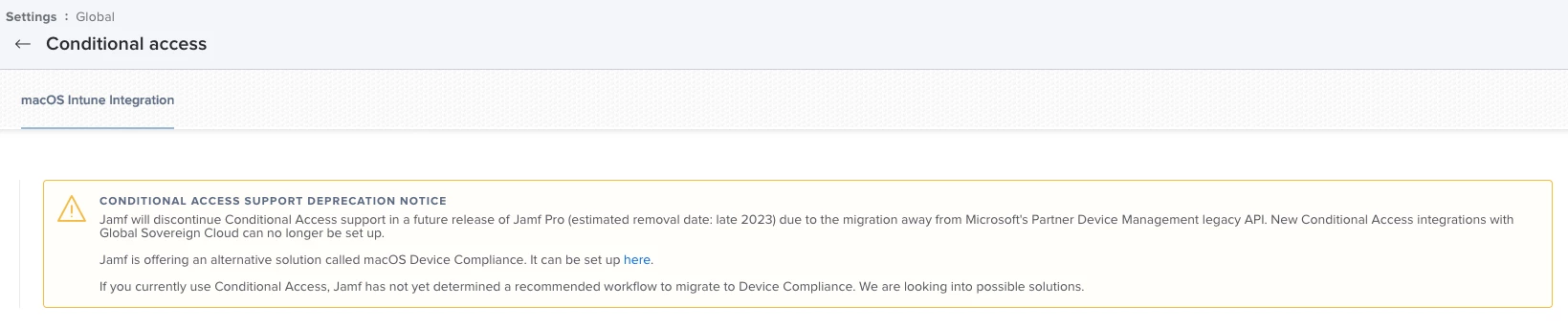
And btw, I would assume you're aware that the "Conditional Access" will be discontinued in the future?


I guess your one is Jamf cloud that's why you guys are getting device compince instead of conditional access but our one is on prem Jamf pro and Device Compliance don't support yet on prem. Jamf support still working on that migration. last time when I talked with support team they said they are working on that migration and from 10.46 conditional access will depricated. That's what i am testing.


Forum|alt.badge.img+4
  • Contributor
  • May 15, 2023

I guess your one is Jamf cloud that's why you guys are getting device compince instead of conditional access but our one is on prem Jamf pro and Device Compliance don't support yet on prem. Jamf support still working on that migration. last time when I talked with support team they said they are working on that migration and from 10.46 conditional access will depricated. That's what i am testing.


Oh i see. And yes we are running Jam Cloud. 


bwoods
Forum|alt.badge.img+14
  • Author
  • Honored Contributor
  • May 15, 2023

Ok just randomly I just reran registering with company portal and now the JamfAAD popped up and now this was also created. But i tried registering many times, no clue of why it worked now... pretty random and really bad if it happens in production.


You should move away from that workflow. Support will end by the end of the year.


Forum|alt.badge.img+4
  • Contributor
  • May 16, 2023

You should move away from that workflow. Support will end by the end of the year.


But we are not running conditional access (meaning Settings -> Global -> Conditional Access) we are running Device Compliance which is the new way (meaning Settings -> Global - Device Compliance) this option is there on Jamf Cloud. But anyhow I found another thread about exactly my problem. There is a workaround to run "sudo jamf manage" before running registration with intune via self-service. But it also seems Jamf will solve the issue on version 10.46.

Link: https://community.jamf.com/t5/jamf-pro/jamf-device-compliance-intune-azure/m-p/287327


Forum|alt.badge.img+6
  • Contributor
  • January 30, 2024

This is a great solution. However, how do you handle BYOD devices? do you deploy certificates to BYOD devices as well or just block all access to devices without the certificate installed? 


bwoods
Forum|alt.badge.img+14
  • Author
  • Honored Contributor
  • January 30, 2024

This is a great solution. However, how do you handle BYOD devices? do you deploy certificates to BYOD devices as well or just block all access to devices without the certificate installed? 


We block all devices without a certificate. My org doesn't utilize BYOD.


Forum|alt.badge.img+6
  • Contributor
  • January 30, 2024

We block all devices without a certificate. My org doesn't utilize BYOD.


Got it! oh, how I wish I could do that too 😅