Solved

iOS - Hide Shortcuts App

  • January 16, 2020
  • 12 replies
  • 116 views

john_sherrod
Forum|alt.badge.img+17

Does anyone know how to hide the Shortcuts app on iOS so it doesn't show up on the Home screen? I've figured out how to hide the other apps I don't want visible, but can't figure out how to hide this one. I've got a Restrictions Configuration Profile set up, and I've hidden other apps in the iOS and tvOS > Applications section. I've added the Shortcuts app there. The only thing slightly odd about Shortcuts is that in the config profile the Bundle ID is is.workflow.my.app. I'm wondering if maybe the Bundle ID changed at some point to a com.apple domain. Anyone found a way to hide this app?

Best answer by TheWarmAtlantic

Just type in "com.apple.shortcuts" then click save to the right. It will save the bundle ID without a name, but it works.

12 replies

Forum|alt.badge.img+9
  • Valued Contributor
  • January 17, 2020

Try com.apple.shortcuts


john_sherrod
Forum|alt.badge.img+17
  • Author
  • Valued Contributor
  • January 17, 2020

@mmcallister I thought about that, but it doesn't look like the Jamf Pro interface allows you to edit the Bundle ID. It auto-populates it when you search for the app. Unless there's a way to do it that I'm not seeing.


Forum|alt.badge.img+3
  • New Contributor
  • January 17, 2020

Edited because I was totally wrong. See the correct answer below.


john_sherrod
Forum|alt.badge.img+17
  • Author
  • Valued Contributor
  • January 17, 2020

Thanks, @rebelati! That's helpful.


Forum|alt.badge.img+8

Just type in "com.apple.shortcuts" then click save to the right. It will save the bundle ID without a name, but it works.


Forum|alt.badge.img+3
  • New Contributor
  • January 17, 2020

@john.sherrod Disregard my earlier post. @TheWarmAtlantic is correct. I had no idea you could do that. Thanks for the tip!


john_sherrod
Forum|alt.badge.img+17
  • Author
  • Valued Contributor
  • January 17, 2020

@TheWarmAtlantic, brilliant! Just did that and it worked like a charm. THANK YOU!


Forum|alt.badge.img+4
  • Contributor
  • February 4, 2020

How are you all hiding specific apps? I used to just put which apps I wanted to see and the rest were hidden. That is not the case anymore. Did Jamf change how this was done?


Forum|alt.badge.img
  • New Contributor
  • May 4, 2020

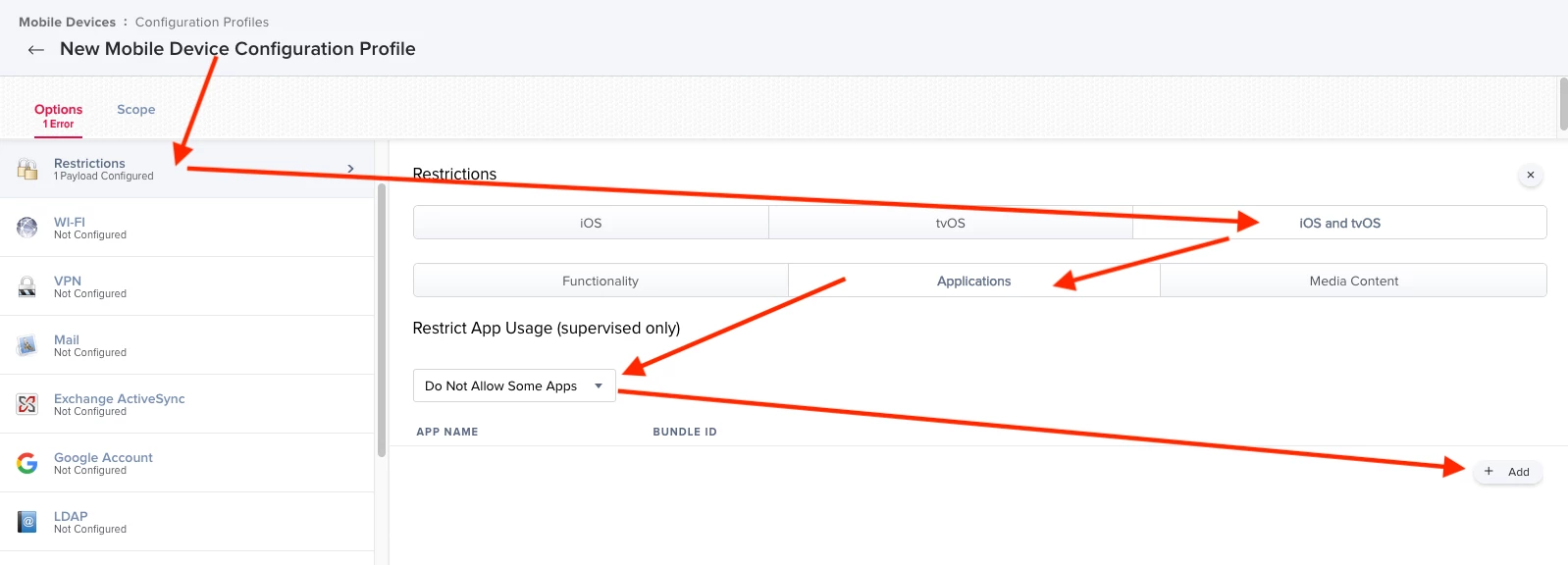
Hi. Yes please, I’d also like to know how you created that restriction profile and,how to hide apps please? I’m kinda new to iOS ...well iPad . TIA


Forum|alt.badge.img+9
  • Valued Contributor
  • May 5, 2020


See attached screenshot on how to make a restrictions profile to hide apps


Forum|alt.badge.img+3
  • New Contributor
  • October 2, 2020

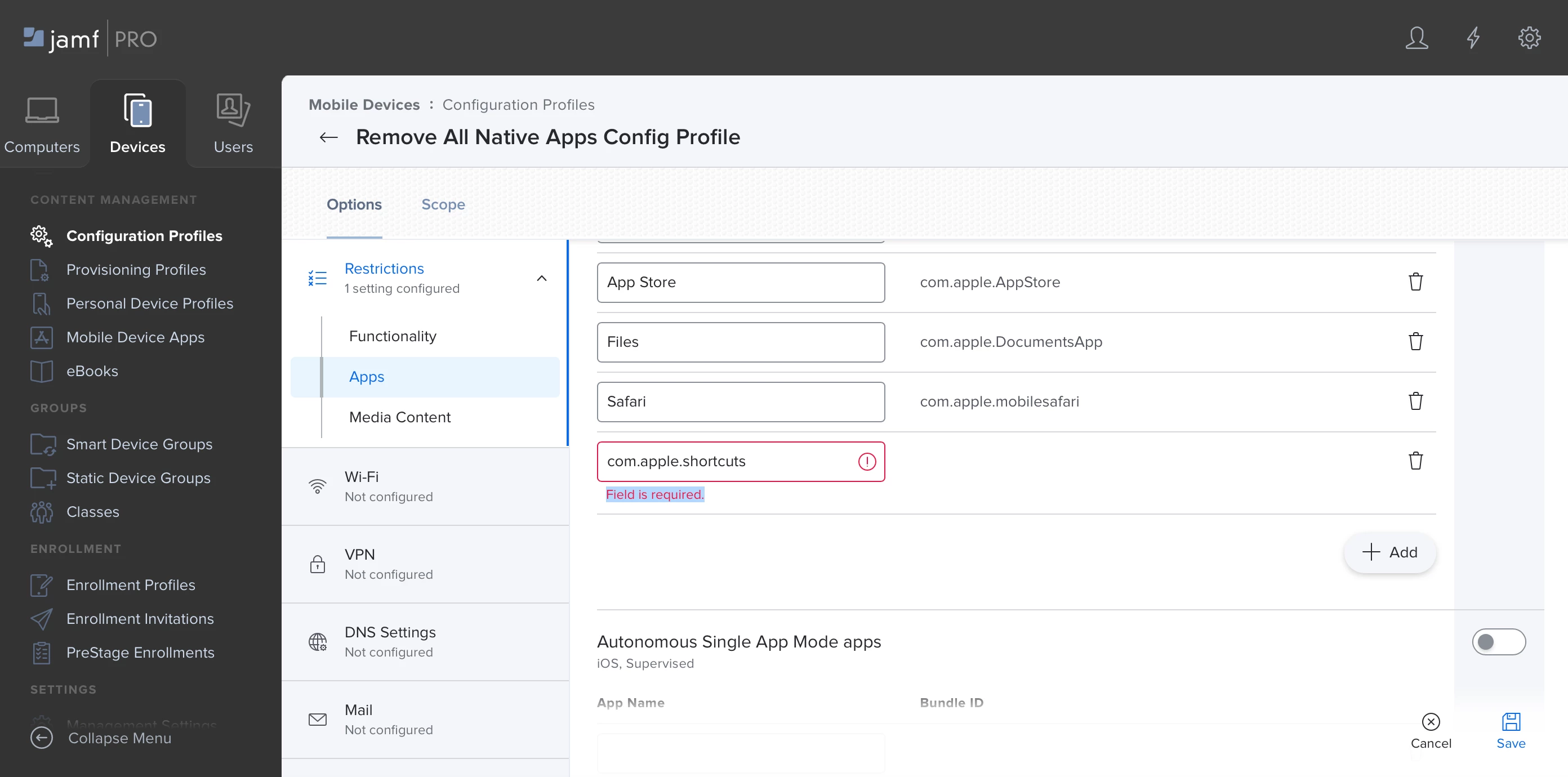
When I add com.apple.shortcuts to the name field Jamf Pro throws and error which states "Field is required." See my screenshot attached...
Did something change here? Any help would be greatly appreciated.


Forum|alt.badge.img+9
  • Valued Contributor
  • October 2, 2020

Looks like you have the bundle ID in the App Name field.