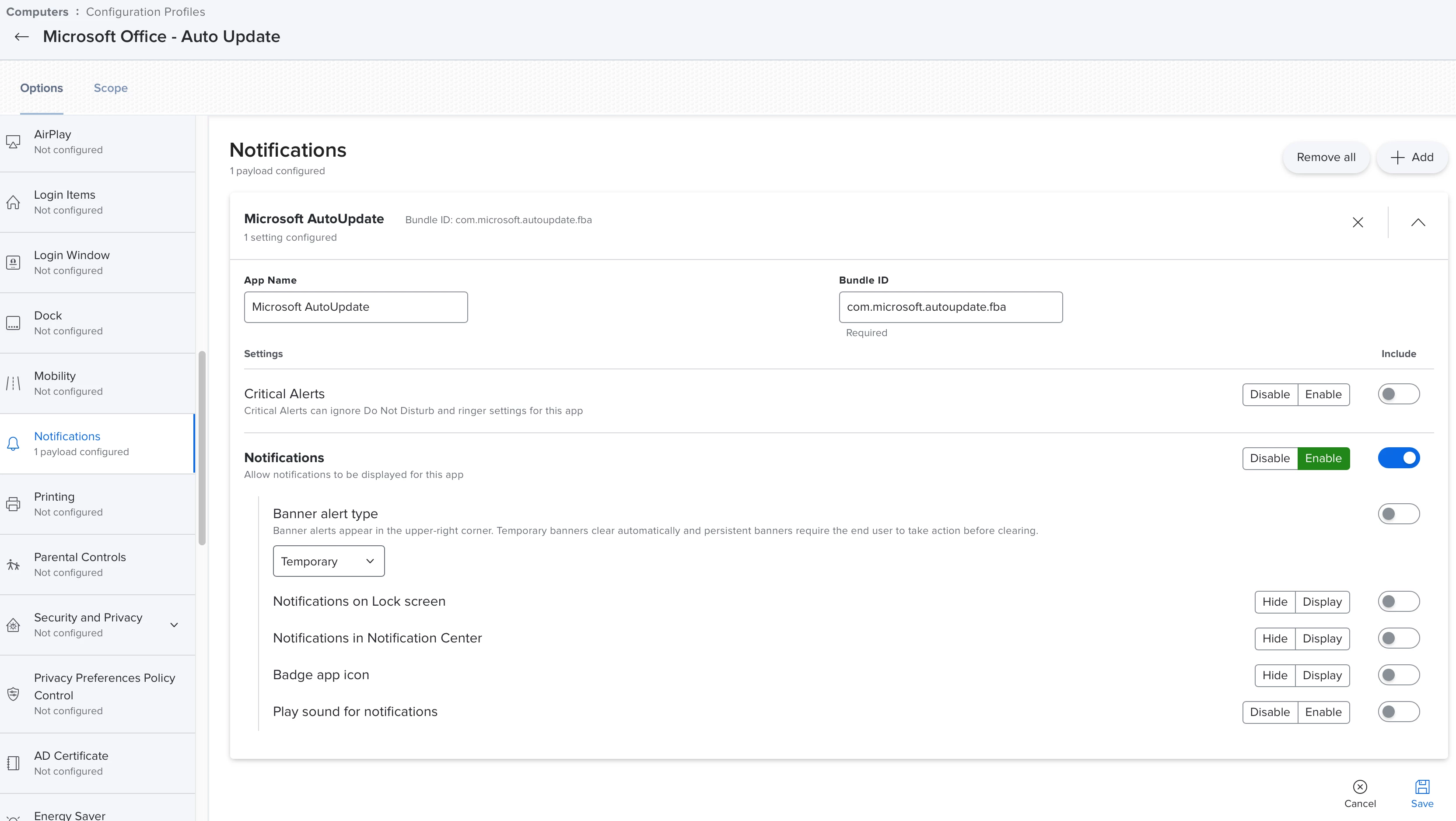
I'm trying to set notification settings for MAU, but the app is not appearing in System Preferences > Notifications. I've tried using both of these identifiers:
- com.microsoft.autoupdate2
- com.microsoft.autoupdate.fba
Here is the plist I'm using:
<?xml version="1.0" encoding="UTF-8"?>
<!DOCTYPE plist PUBLIC "-//Apple//DTD PLIST 1.0//EN" "http://www.apple.com/DTDs/PropertyList-1.0.dtd">
<plist version="1.0">
  <dict>
    <key>NotificationSettings</key>
    <array>
      <dict>
        <key>AlertType</key>
        <integer>2</integer>
        <key>BadgesEnabled</key>
        <true/>
        <key>BundleIdentifier</key>
        <string>com.microsoft.autoupdate2</string>
        <key>CriticalAlertEnabled</key>
        <false/>
        <key>NotificationsEnabled</key>
        <false/>
        <key>ShowInLockScreen</key>
        <false/>
        <key>ShowInNotificationCenter</key>
        <false/>
        <key>SoundsEnabled</key>
        <false/>
      </dict>
    </array>
  </dict>
</plist>
Does the MAU app not appear in System Preferences > Notifications, or am I missing something?