Question

Wacom Uninstall

  • January 7, 2015
  • 5 replies
  • 49 views

Forum|alt.badge.img+11

if your looking to uninstall the wacom drivers via script or terminal this may help.

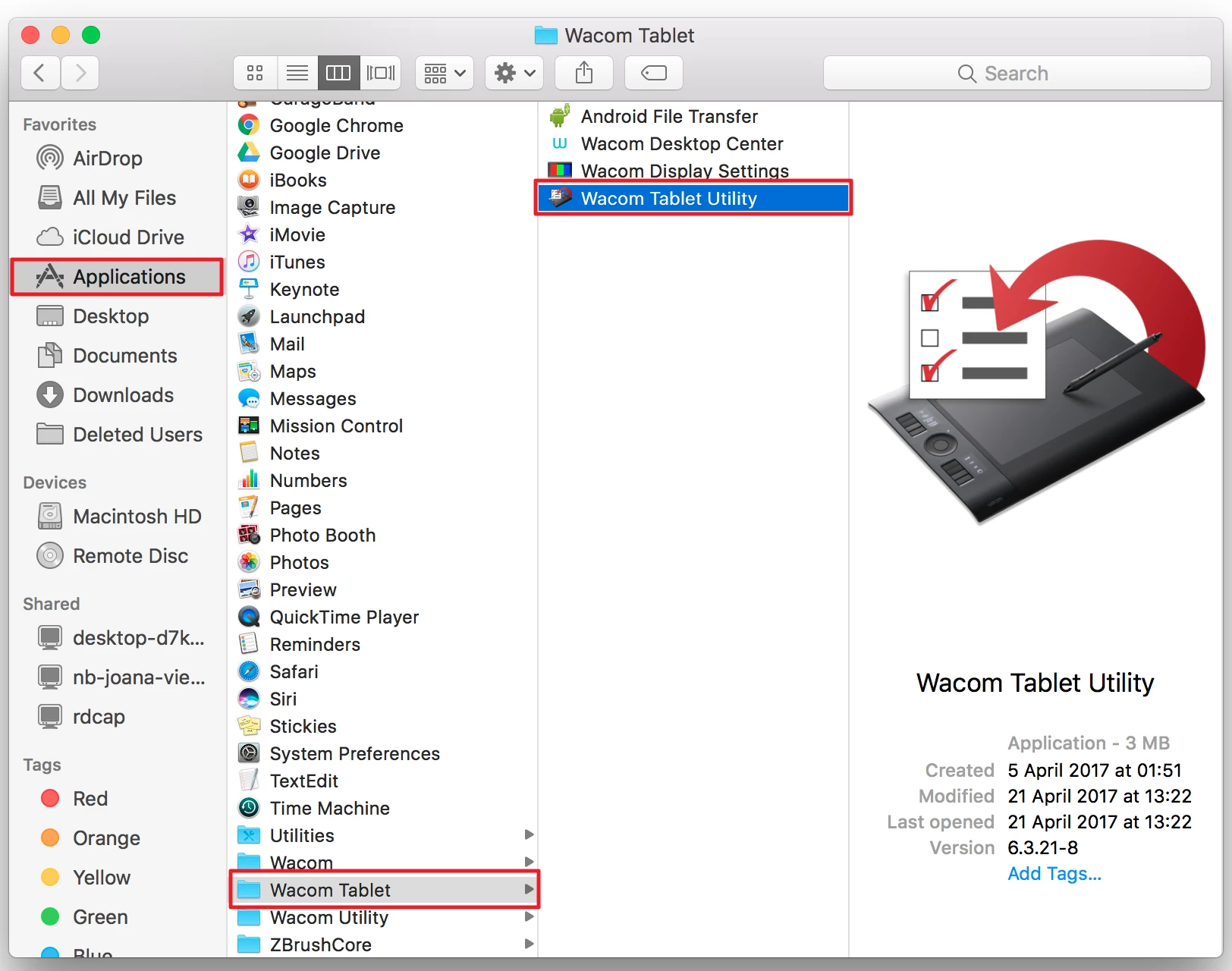
The uninstall script is in the following directory:

cd /Applications/Wacom Tablet.localized/Wacom Tablet Utility.app/Contents/Resources

there is a uninstall.pl script that will remove the drivers.

5 replies

Forum|alt.badge.img+1
  • New Contributor
  • July 12, 2018

here is one more way to uninstall Wacom on Mac https://nektony.com/how-to/uninstall-the-wacom-driver


Forum|alt.badge.img+3
  • New Contributor
  • January 4, 2019

@ kenergy i dont see the script in the mentioned path. Do you have any alternative method to remove the drivers


Forum|alt.badge.img+5
  • Contributor
  • January 4, 2019

@yateeshkumark Type out this command (either as sudo or as root) and it’ll uninstall Wacom tablet driver...

/Applications/Wacom Tablet.localized/Wacom Tablet Utility.app/Contents/MacOS/Wacom Tablet Utility --uninstall

Works for me perfectly.


Forum|alt.badge.img+3
  • New Contributor
  • January 22, 2019

thank you @techgeek

you just save me a whole lot of headache.


Forum|alt.badge.img+1
  • New Contributor
  • May 24, 2019

Hi kenergy,

Thanks for sharing this great tip and it works on my side. One quick note for the latest macOS is that from 10.11 onwards, macOS protects certain folders by using SIP (System Integrity Protection). You may not be able to 'rm' the kext from terminal. :(

So I have to keep the old way to uninstall the Wacom driver from Mac, following these steps:

~/Library/Caches
~/Library/Container
~/Library/Preferences