

For years, MacAdmins have had to manage random service files (like ssh, pam, sudo, etc) with packages, scripts, custom agents, postinstall logic, or vendor specific workflows. In 2023 with macOS Sonoma, Apple introduced a feature that sort of slipped under the radar a bit on how it could be used…Declarative Device Management (DDM) added Service Configuration Files. Service Configuration Files give us a declarative, tamper resistant, native way to deliver text based configuration. Service Management Configuration files fixes managing text configuration files that live throughout the macOS, something traditional legacy MDM couldn’t do. That is boring in the best possible way. You set it, and it can’t be changed or messed with. But what if you could use it beyond Apple’s documented use cases…managing third party apps, or even building or own app that reads its configuration this way?
To use Service Configuration Files you create a zip file of a configuration for certain services and then apply it through DDM. These files are deployed to/var/db/ManagedConfigurationFileswhich is SIP protected. The services Apple officially supports are sshd, sudo, PAM, CUPSApache, zsh, bash, CryptoTokenKit(/etc/SmartcardLogin.plist) and Authorization(/Library/Security).
I think most MacAdmins maybe realized sshd, sudo, PAM, CUPS, Apache, zsh, and bash. But a few weeks ago I was looking at the Apple Developer page for Service Configuration Files. And then Apple Device Management Github
I noticed and saw CryptoTokenKit (/etc/SmartcardLogin.plist) and Authorization (/Library/Security) and it blew my mind! Now finally people using Attribute Mapping with Smartcards had an EASIER way to manage that file with their device management service. And then I realized /Library/Security being managed is a way to manage SecurityAgents such as XCreds which drops a bundle in /Library/Security/SecurityAgentPlugins/XCreds.bundle or DDM can be used to manage your Login Banner since it goes in /Library/Security. This seemed like a HUGE win and it all came without any fanfare, never noticed in any release notes announcement, nothing. These two additions just quietly added in 26.1, you know over 8 months ago and NOBODY noticed. (according to the Git blame https://github.com/apple/device-management/blame/release/declarative/declarations/configurations/services.configuration-files.yaml#L68). I haven’t seen it referenced or mentioned on any device management service’s page where they list what they support. It’s like legit, nobody realized.
I probably could have ended the blog there but there’s more, there’s a note that looks like it was added around the same time.
You can create an executable that uses service configuration files by calling the `mcf_service_path_for_service_type` method in the `libmanagedconfigurationfiles.dylib` system library. You pass in an identifier for your service type and the method returns the file system path for the directory that contains the corresponding service configuration files. Use those files to override the standard or default configuration the executable would otherwise use. See libmanagedconfigurationfiles.h in the macOS SDK for more detail.
What that says, is third party apps can use DDM and service configuration files?!?!
Because of this I realized service configuration files were NOT limited to the few service types Apple said. I built the configuration and asset and tested it out myself!
I made a folder, zipped it, got the sha256 checksum of the zip. Built the configuration and the asset, set the service type to com.example.demoapp and BAM! It deployed it! It works! It laid down a folder with the contents.
I then got the idea, I wonder if you can symlink to this, certain apps like Cisco Secure Client require a configuration XML file in order to work properly. Built the configuration, deployed it, symlinked in the proper places…bam! It worked. So now I have a DDM configuration deployable Cisco Secure Client. I tested this also with/etc/securityand the auditd configuration, it worked as well. A lot of companies deploy sometimes a folder of some scripts or files on a machine so they’re always deployed and available. If you have to deploy a registration key file for some app, you could use this. You could use DDM to deploy it all. Then when you update that folder, just update the asset and it’ll deploy to all. Things are deployed with POSIX permissions of 444, so read only for owner, group, other. DDM deploys a SIP protected read only file into a managed location, and a separate local action can point an app’s expected config at the managed file, giving an app a sort of bootleg way to support DDM service configuration files.
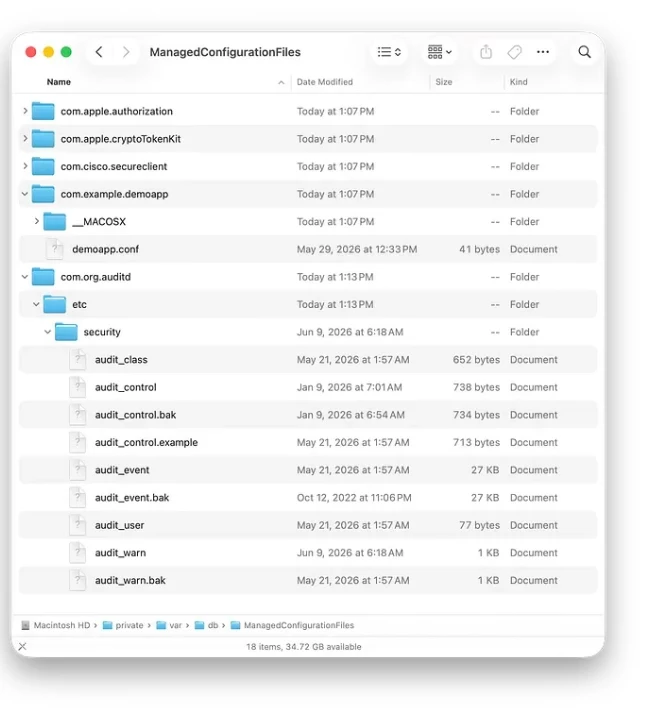
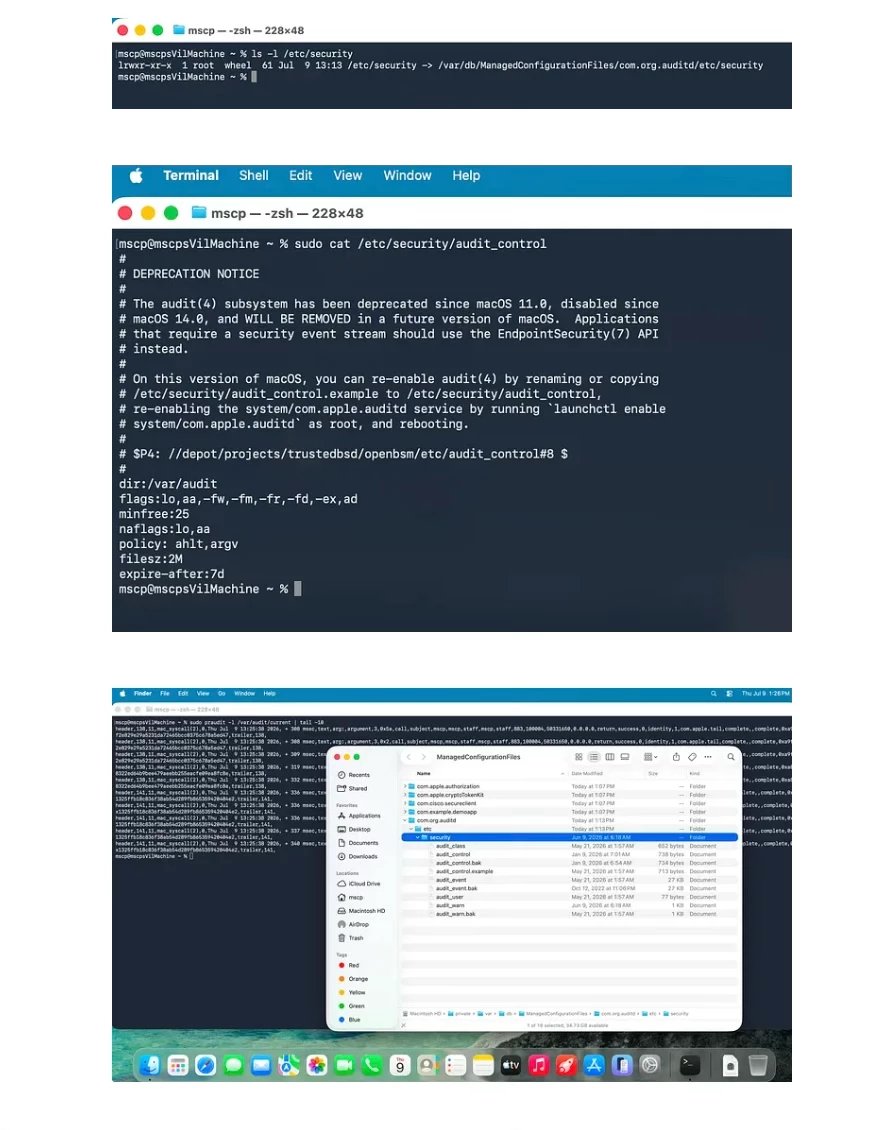
You can see here I’m managing audit with DDM Service Configuration files.
Is it easier to deploy files via DDM Service Configuration Files and symlink or deploy them directly? I don’t know, I guess the answer is always it depends. Certain apps may want to be able to write back to those configurations and so it COULD cause some issues potentially, so test and test, then test again and again. But it’s awesome to know it’s really not limited to just the handful of services Apple lists.
So how do you do this and deploy this with DDM? Well create the folder you want to deploy. It may need the full path and supporting files within that directory, not just the one file.
Create your folder. Then zip it, however you’d like. Then within the terminal run
sha256 ZIPFILE
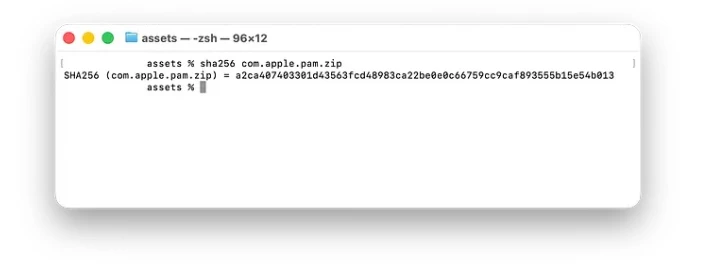
It’ll spit out the 256 shasum. Now what?
Well I know Jamf and SimpleMDM supports using custom declarations. It’s a bit tricky, little different using Jamf. But there’s good documentation on how to connect the asset and configuration in Jamf Pro’s Blueprints feature.
And SimpleMDM has some nice documentation on it too.
But if you need to build the JSON file completely. It’s not a problem.
This is the asset JSON.
{ "Identifier": "com.org.asset.pam", "Type": "com.apple.asset.data", "Payload": { "Reference": { "ContentType": "application/zip", "DataURL": "https://hostname.site.com/com.apple.pam.zip", "Hash-SHA-256": "long string from the sha256 command" }, "Authentication":{ "Type": "MDM" } }}
Now you need the configuration to go with it.
{ "Identifier": "com.org.config.pam", "Type": "com.apple.configuration.services.configuration-files", "Payload": { "ServiceType": "com.apple.pam", "DataAssetReference": "com.org.asset.pam" }}
But that’s not all! Remember that line said
“You can create an executable that uses service configuration files by calling the `mcf_service_path_for_service_type` method in the `libmanagedconfigurationfiles.dylib` system library.”
I searched all over Apple’s developer documentation and couldn’t find any references to ANYTHING more than that one line. I even asked on the developer forums — https://developer.apple.com/forums/thread/828204
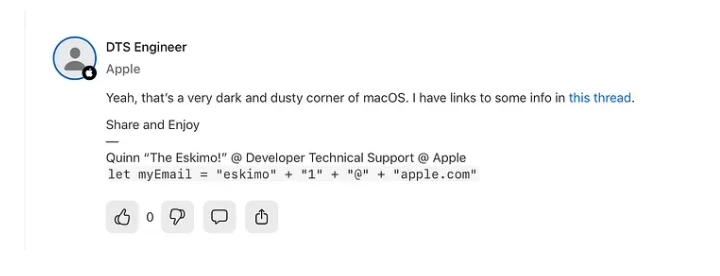
Which Quinn the Eskimo links to another thread where he references this obscure mechanism.
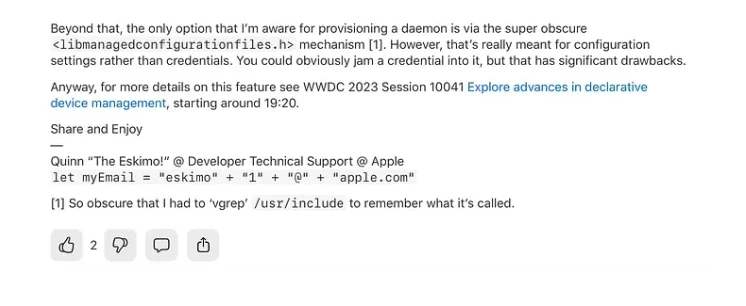
I don’t believe this to be some private framework that Apple would hate for 3rd party developers to be use. I just think it’s obscure and has no documentation…But I realized Apple releases code for their version of openSSH, sudo, PAM, CUPS, Apache, zsh, and bash actually. So there may be examples which is sometimes better than documentation.
OpenSSH — https://github.com/apple-oss-distributions/OpenSSH/
Sudo — https://github.com/apple-oss-distributions/sudo
PAM — https://github.com/apple-oss-distributions/OpenPAM
CUPS — https://github.com/apple-oss-distributions/cups
Apache — https://github.com/apple-oss-distributions/apache
ZSH — https://github.com/apple-oss-distributions/zsh
Bash — https://github.com/apple-oss-distributions/bash
Since these are open source, I went poking on how they handle DDM and the results are funny in a way.
OpenSSH and CUPS use mcf_service_path_for_service_type
From OpenSSH
…#include <libmanagedconfigurationfiles.h>WEAK_LINK_FORCE_IMPORT(mcf_service_path_for_service_type);….#ifdef __APPLE_MANAGED_CONFIGURATION__ if (mcf_service_path_for_service_type != NULL) { char buf[PATH_MAX]; errno = 0; size_t rc = mcf_service_path_for_service_type( "com.apple.sshd", buf, sizeof(buf)); if (rc > sizeof(buf)) { error("Error reading managed configuration, " "path length > PATH_MAX. " "Proceeding with default configuration."); } else if (rc > 0) { xasprintf(&config_file_name, "%s" _PATH_SERVER_CONFIG_FILE, buf); } else if (ENOENT == errno || 0 == errno) { verbose("No managed configuration found."); } else { error("Error reading managed configuration (%d: %s). " "Proceeding with default configuration.", errno, strerror(errno)); }}#endif…
From CUPS
…
#if __has_include(<libmanagedconfigurationfiles.h>)
#include <libmanagedconfigurationfiles.h>
#include <sys/stat.h>
#define _HAS_mcf_service_path_for_service_type 1
#endif
….
#if _HAS_mcf_service_path_for_service_type
// if nothing was explicitly set, check (somehow) for a managed
// conf file directory; we'll use those files.
if (ConfigurationFile == NULL && CupsFilesFile == NULL) {
char mcfDir[MAXPATHLEN];
const char* managedConfigurationDir = get_managed_cups_conf_dir(mcfDir);
if (managedConfigurationDir != NULL) {
struct Path conf_path = { 0 };
struct Path files_path = { 0 };
if (setupPathsForManagedConfiguration(managedConfigurationDir, &conf_path, &files_path)) {
cupsdSetString(&ConfigurationFile, conf_path.path);
cupsdSetString(&CupsFilesFile, files_path.path);
ConfigurationDirManaged = true;
return true;
} else {
// if we failed that, be fatal (upstream)
_cupsLangPrintf(stderr, _("cupsd: Unable to open CUPSD_MANAGED_CONFIG specified directory"));
return false;
}
}
}
#else
….
But things like PAM, Apache, BASH, sudo all sort of do it a lazy way and point directly to where the files should be living…below are links to the area in the code for PAM, sudo, and bash
Now I can’t really understand or read C language, but I have a friend named ChatGPT that understands it well.
Using ChatGPT I fed it the developer page from Apple and the source code found on GitHub from the different Apple open source packages. And I had it write me an implementation in Swift on how to use this.
https://github.com/boberito/managedConfigFiles
It built a shim to connect the C code to swift. So it’s a super simple JSON file you deploy, the service type is com.example.demoapp and the JSON file is.
{
"name": "Bob",
"what_to_say": "hello"
}
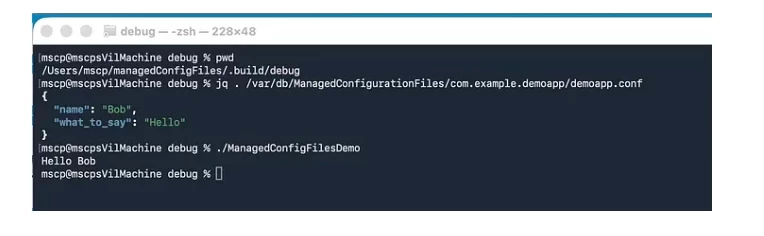
But done through Managed Service Configuration files, all deployed via DDM. Total proof of concept that it CAN be done. Most configurations on macOS will still be done using profiles deployed using MDM or DDM, but developers could leverage this for deploying bits and pieces as well where a managed preference isn’t what they need. This is very much a proof of concept, AI assisted, and not fully audited or tested very well, so it’s no where near production ready.
I hope this isn’t something that everyone knew and realized and somehow I’m just catching up to the world. Either way tell your vendors, support DDM, point them here, tell them to do their research and work, use that AI when needed. And declaratively manage all the things!
This article, and many others, can be found on my personal blog