

Hi, I’m Cheyenne and I’m a Client Platform Specialist at Jamf. I’ve spent some time testing and exploring ALME Blueprints and I’m excited to share what I’ve learned along the way. In this three-part series I’ll walk you through what ALME Blueprints are, how to get started, and some tips to avoid common issues. Let’s dive in!
What are ALME blueprints?
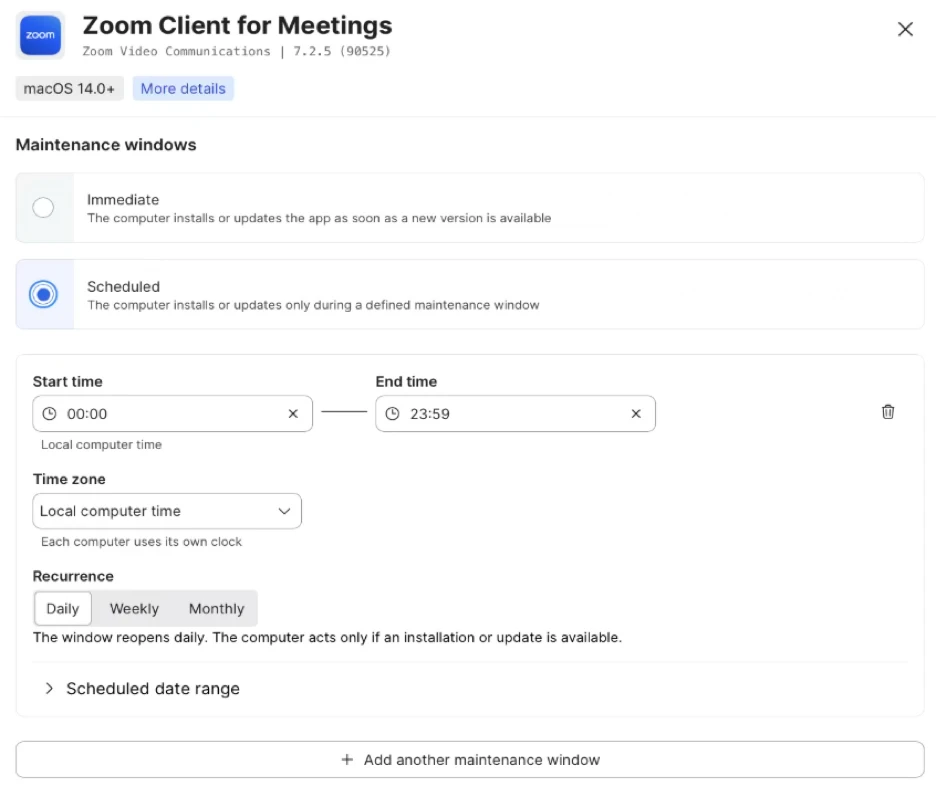
ALME (Application Lifecycle Management Engine) is a way you can manage third-party application installations and updates across your mac fleet, directly from the Jamf App Catalog in Blueprints, without the hassle of creating policies or scripts. Within blueprints in Jamf Pro you can search through a catalog of apps, review compatibility, and then add selected apps from the to the blueprint to manage the installation and updates. Deployment options include setting the time in which installs occur, which can be set to immediate or during scheduled start and end times of a maintenance window.
Blueprint app deployments vs other workflows
Based on my experience testing the new capability, Blueprint deployments for app catalog apps makes managing updates a lot easier in comparison to the traditional Jamf Pro policies and scripts, When managing app updates previously, I had to remember where to find the new package, upload it to Jamf Pro, edit the policy, edit any scripts if needed, and search for and add the new package that I needed from a list of sometimes hundreds of packages already uploaded. Then after that I had to monitor the policy deployment to make sure updates were being properly distributed. That process could take a lot of time, especially in a large environment like ours with hundreds of applications to be managed. It could sometimes take a full day to get through uploading packages and updating application policies and scripts.
Jamf Pro's App Installers/Mac Apps already addresses much of the manual process mentioned above by providing the application installers and staging the deployments. But ALME Blueprints takes an even different approach by using Apple's declarative device management (ddm) framework.
With ddm, computers take a more active role in maintaining their managed configurations rather than relying on individual commands from the MDM server at every step. This allows for reduced server communication, proactive status reporting, and more efficient management across larger environments.
With ALME blueprints, managing application installations and updates is streamlined and simplified for Jamf admins.
When first testing this approach to deploying apps my main goal was to understand how this workflow could fit into our existing application lifecycle management workflows. I wanted to see how applications would install, update and behave when managed through a blueprint, compared to the methods we were already using.
Overall, my testing went well. Applications installed and updated as expected, and maintenance windows worked as well. I was also able to give feedback on a few things, like how lengthy notifications made it difficult for users to read the full message, even when expanded. Realistically, most users aren’t going to read an entire paragraph in a notification anyway. Even though I didn’t run into any major issues, testing helped me better understand how this new blueprint process works and where user experience can be improved.
In the coming articles, I'll go over where to start with ALME Blueprints, what to look out for, and some things to consider before deploying them across your environment.
See you next week!