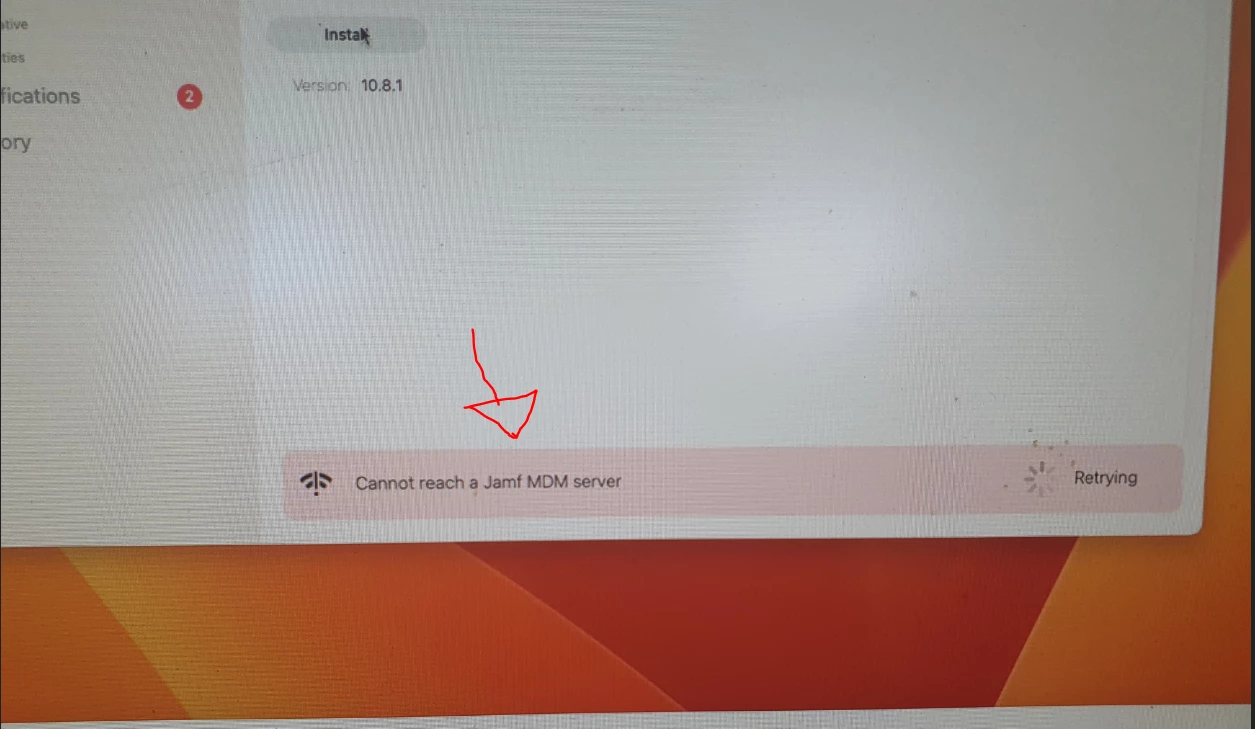
I'm trying to install the app using a Self-service on iMac. I can see the app on the Self-service portal but When I click on the install button I get the error Cannot reach a JAMF MDM server
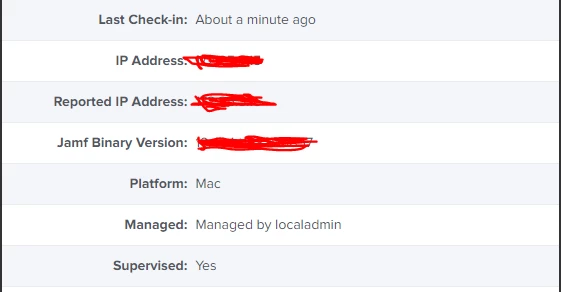
When I check the device on the JAMF server it communicates with the server
This is the error that I get When I click on the install button
Help will be much appreciated
Best answer by CLG
Hi All,
I managed to fix the issue it was the CrowdStrike virus guard that was blocking the deployments. We have added all our iMacs to EDR (XDR) and installed Defender. For some reason, we have missed this iMac. I have uninstalled the CrowdStrike and installed the Defender and it works like a charm now.
Hope this will help someone and thanks to everyone who helped me @AJPinto@MikePh
Is it happening 1 device or multiple? Any VPN or network programs that may be blocking the traffic?
Only 1 device has this issue No VPN
All the other devices in the same lab work fine to be sure I have changed one of the working iMac network connections and checked still the same.
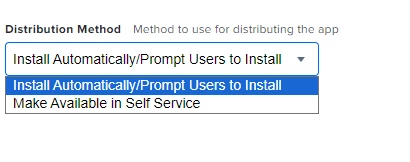
I tried without Self Services (install automatically / prompt users to install) as well, Thinking that at least this portion would install the app but still no luck
I want to push the Logic Pro for this device the licences are managed from JMAF so I cannot download and install them separately
All the other devices in the same lab work fine to be sure I have changed one of the working iMac network connections and checked still the same.
I tried without Self Services (install automatically / prompt users to install) as well, Thinking that at least this portion would install the app but still no luck
I want to push the Logic Pro for this device the licences are managed from JMAF so I cannot download and install them separately
Well the install automatically and connection to Self Service may be unrelated. When you try pushing it to install automatically what do you see in the Management tab of the device for commands? Any errors? Stuck pending?
If it's just the one device it may be worth just trying to re enroll it via 'sudo profiles renew -type enrollment' if enrolled via auto enrollment or using the User Initiated Enrollment URL if not. A fresh enrollment may solve the issue.
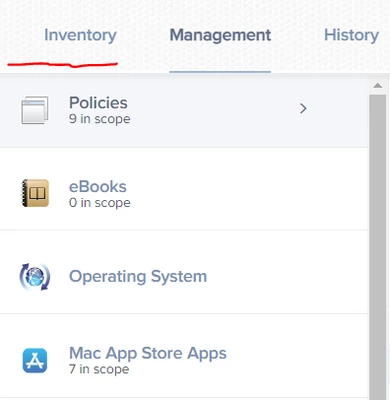
That's the other issue Management tab is missing see the attached image I have posted this issue separately. If the management tab was there it would be easy to solve this but no
I will try the sudo profiles renew -type enrollment
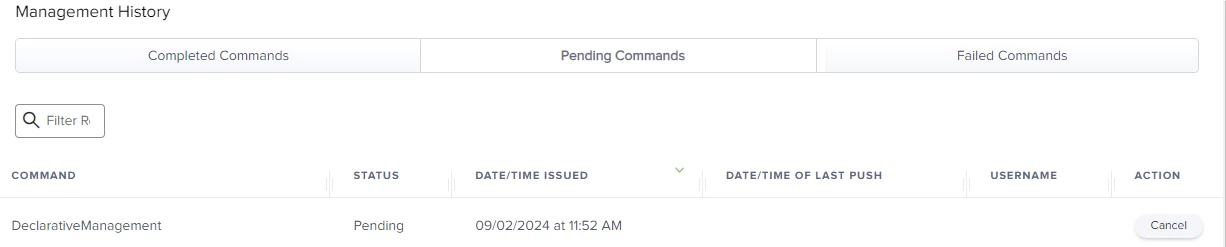
More information about this iMac it's taking to the JMAF Pro server, but you can see the DeclarativeManagement command is pending (See the attached images)
Check to make sure the device can see the Jamf Distribution Point. If Self-Service is loading and working correctly, that would indicate that the Mac is able to talk to Jamf. However, the Distribution Point is on another server and if you cannot talk to that you get the same error.
Check to make sure the device can see the Jamf Distribution Point. If Self-Service is loading and working correctly, that would indicate that the Mac is able to talk to Jamf. However, the Distribution Point is on another server and if you cannot talk to that you get the same error.
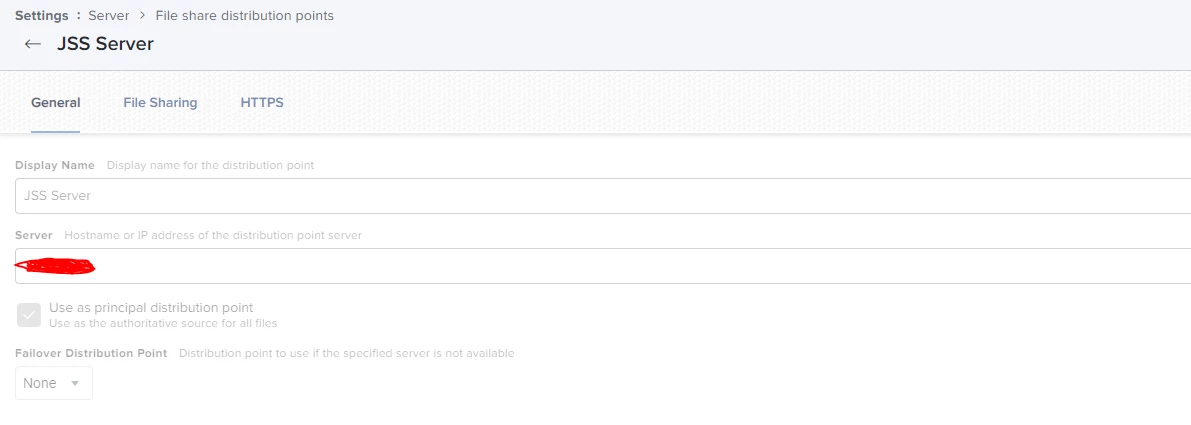
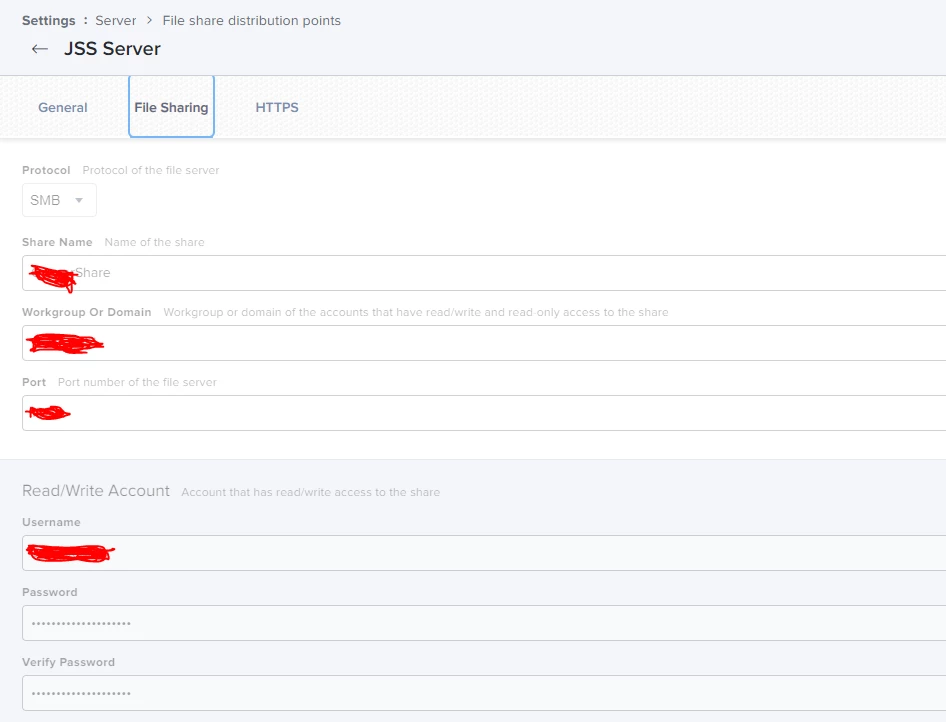
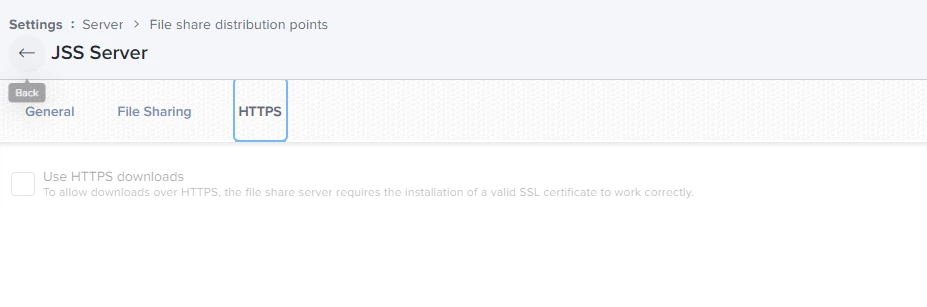
Hi @AJPinto We do not have another server It's all in one server. Our Jamf server runs on a Windows 2019 server and that Windows server is on an ESXi server. I'm Assuming you're talking about the below? These are the only settings we use we do not use any other settings (Software, cloud or Infrastructure) When I ping this server from the iMac I can reach this server (get replies )
Hi @AJPinto We do not have another server It's all in one server. Our Jamf server runs on a Windows 2019 server and that Windows server is on an ESXi server. I'm Assuming you're talking about the below? These are the only settings we use we do not use any other settings (Software, cloud or Infrastructure) When I ping this server from the iMac I can reach this server (get replies )
Yep, there should always be at least two servers. One is the Jamf webserver, and the other would be a file share. It's possible for them both to be on the same server, but tis not a good idea. Can you mount the Distribution Point manually from a device having issues?
Yep, there should always be at least two servers. One is the Jamf webserver, and the other would be a file share. It's possible for them both to be on the same server, but tis not a good idea. Can you mount the Distribution Point manually from a device having issues?
This was set a long time back and no one likes to touch or change anything 😰 Would you be able to tell me how to do that I'm not an expert on this any guide etc...
This was set a long time back and no one likes to touch or change anything 😰 Would you be able to tell me how to do that I'm not an expert on this any guide etc...
This was set a long time back and no one likes to touch or change anything 😰 Would you be able to tell me how to do that I'm not an expert on this any guide etc...
All is well. When I took over for my predecessor it was very similar.
To mount a share manually:
with Finder as the active App click Go in the Menu Bar
Connect to Server
Enter the server path when prompted (likely something like SMB://server/folder/folder)
Enter credentials,
If the credentials Jamf uses to mount the share are known, use those.
If the credentials Jamf uses to mount the share are not known, use any account with access as we are just trying to confirm the share can be mounted.
For science, if the share mounts try running a policy and see if it finishes. If the share does not mount, it is likely time to start digging in /var/log/jamf.log.
All is well. When I took over for my predecessor it was very similar.
To mount a share manually:
with Finder as the active App click Go in the Menu Bar
Connect to Server
Enter the server path when prompted (likely something like SMB://server/folder/folder)
Enter credentials,
If the credentials Jamf uses to mount the share are known, use those.
If the credentials Jamf uses to mount the share are not known, use any account with access as we are just trying to confirm the share can be mounted.
For science, if the share mounts try running a policy and see if it finishes. If the share does not mount, it is likely time to start digging in /var/log/jamf.log.
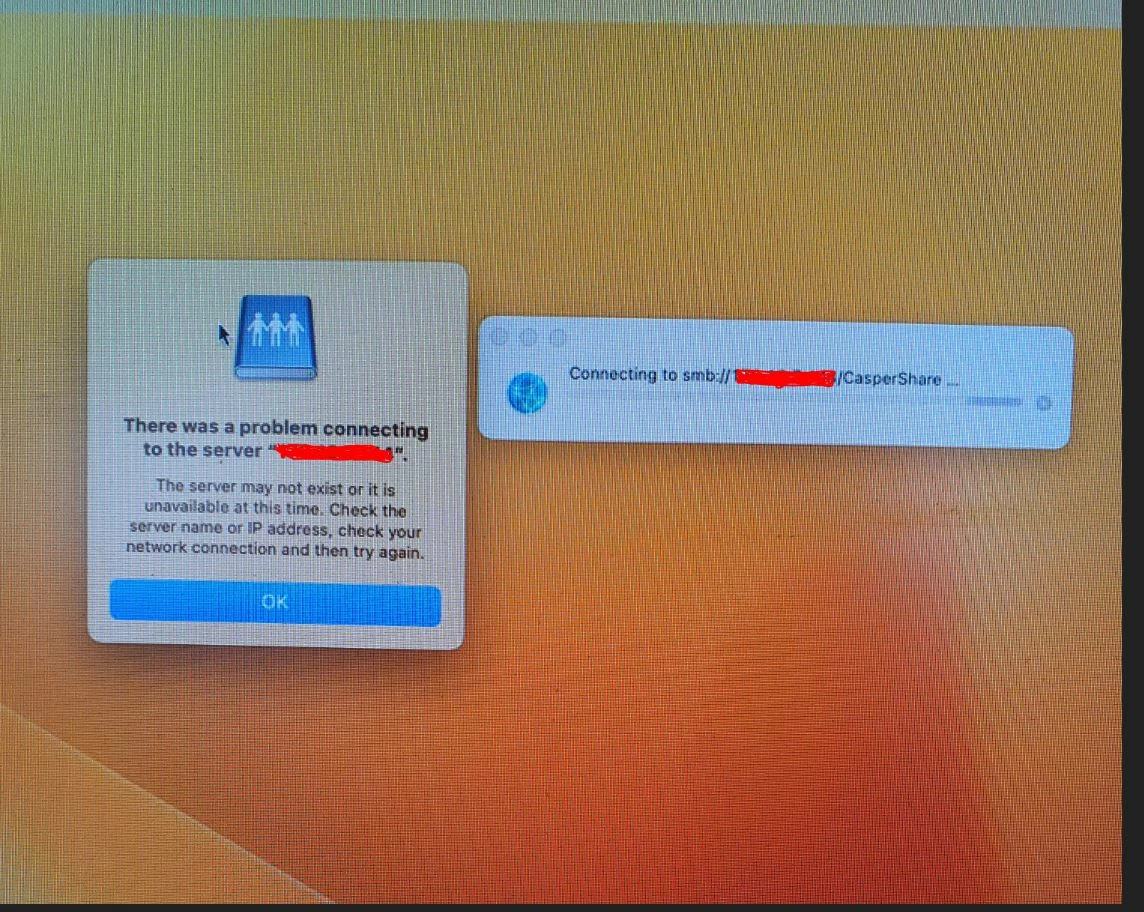
I tried the steps and I was not able to connect am I doing something wrong ? They have confined with the IP. Haven't used a domain name I tried " smb://ip address/Caspershare See the attached image
I tried the steps and I was not able to connect am I doing something wrong ? They have confined with the IP. Haven't used a domain name I tried " smb://ip address/Caspershare See the attached image
IP should be fine; DNS just reroutes the hostname to an IP on the back end anyway and most servers use static IP addresses.
Assuming the share should be accessible to the network you are on, can you connect to the share on a Windows Device?
Just to note, if you are offsite, you will need a VPN or something of the like to be able to path you back to your share drive or the share drive needs to be publicly resolvable (likely in a DMZ) which is unlikely.
IP should be fine; DNS just reroutes the hostname to an IP on the back end anyway and most servers use static IP addresses.
Assuming the share should be accessible to the network you are on, can you connect to the share on a Windows Device?
Just to note, if you are offsite, you will need a VPN or something of the like to be able to path you back to your share drive or the share drive needs to be publicly resolvable (likely in a DMZ) which is unlikely.
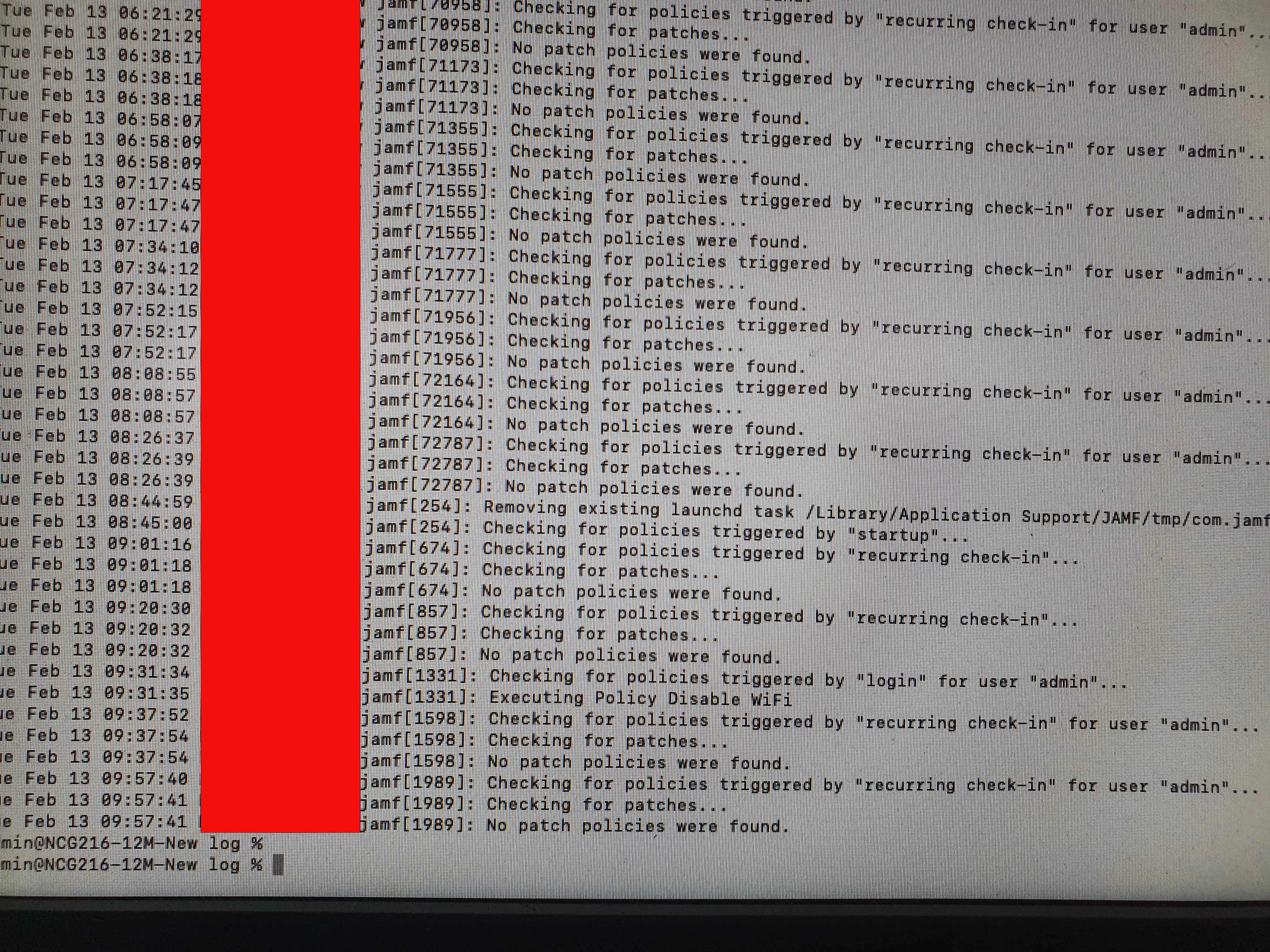
@AJPinto I'm on-site Our iMacs are on a different VLAN I will try that These are the logs from JAMF.log
IP should be fine; DNS just reroutes the hostname to an IP on the back end anyway and most servers use static IP addresses.
Assuming the share should be accessible to the network you are on, can you connect to the share on a Windows Device?
Just to note, if you are offsite, you will need a VPN or something of the like to be able to path you back to your share drive or the share drive needs to be publicly resolvable (likely in a DMZ) which is unlikely.
All this struggle is to install Logic Pro on this iMac. All the licences are managed in the JMAF server so I cannot download and install the app separately
Are there any other ways to install Logic Pro on this iMac
All this struggle is to install Logic Pro on this iMac. All the licences are managed in the JMAF server so I cannot download and install the app separately
Are there any other ways to install Logic Pro on this iMac
Yuck, I did not know this was an AppStore App. Volume Purchasing uses Apples API, and there are multiple steps of communication between Apple, the Device and Jamf. If any of them hang, it can cause random errors. There is next to no logging for this in macOS as Apple does not want there to be. I would suggest reaching out to Jamf with issues on AppStore apps as it can get deep in to the weeds, though thankfully 99% of the time its network issues.
Unfortunately, there is not a way to work around the MDM with Volume Purchasing. Apple has no backdoor or work around.
I would download the Mac Evaluation Tool from Apple Seed. Run that and look at the Apple hosts that are blocked. IF anything iTunes is not open, start your attention there. If your server is on prem, make sure everything covered here is open. Network Ports Used by Jamf Pro - Technical Articles | Jamf
I managed to fix the issue it was the CrowdStrike virus guard that was blocking the deployments. We have added all our iMacs to EDR (XDR) and installed Defender. For some reason, we have missed this iMac. I have uninstalled the CrowdStrike and installed the Defender and it works like a charm now.
Hope this will help someone and thanks to everyone who helped me @AJPinto@MikePh