Lightspeed just released the newest version of filter agent that completely changes how it works based on Apple's system extensions. This is completely different from the way it worked before. If I were to update it via auto update it would give the users a number of permission prompts that they could decline. LS released some documentation for updating these permissions automatically via MDM but frankly the instructions are kind of confusing for a relative newb. Could one of you kind experts perhaps take a look at these instructions and boil down what I need to do? Thanks in advance!

Solved
Lightspeed Filter Agent v2.0.0
 +4
+4Best answer by mmcallister
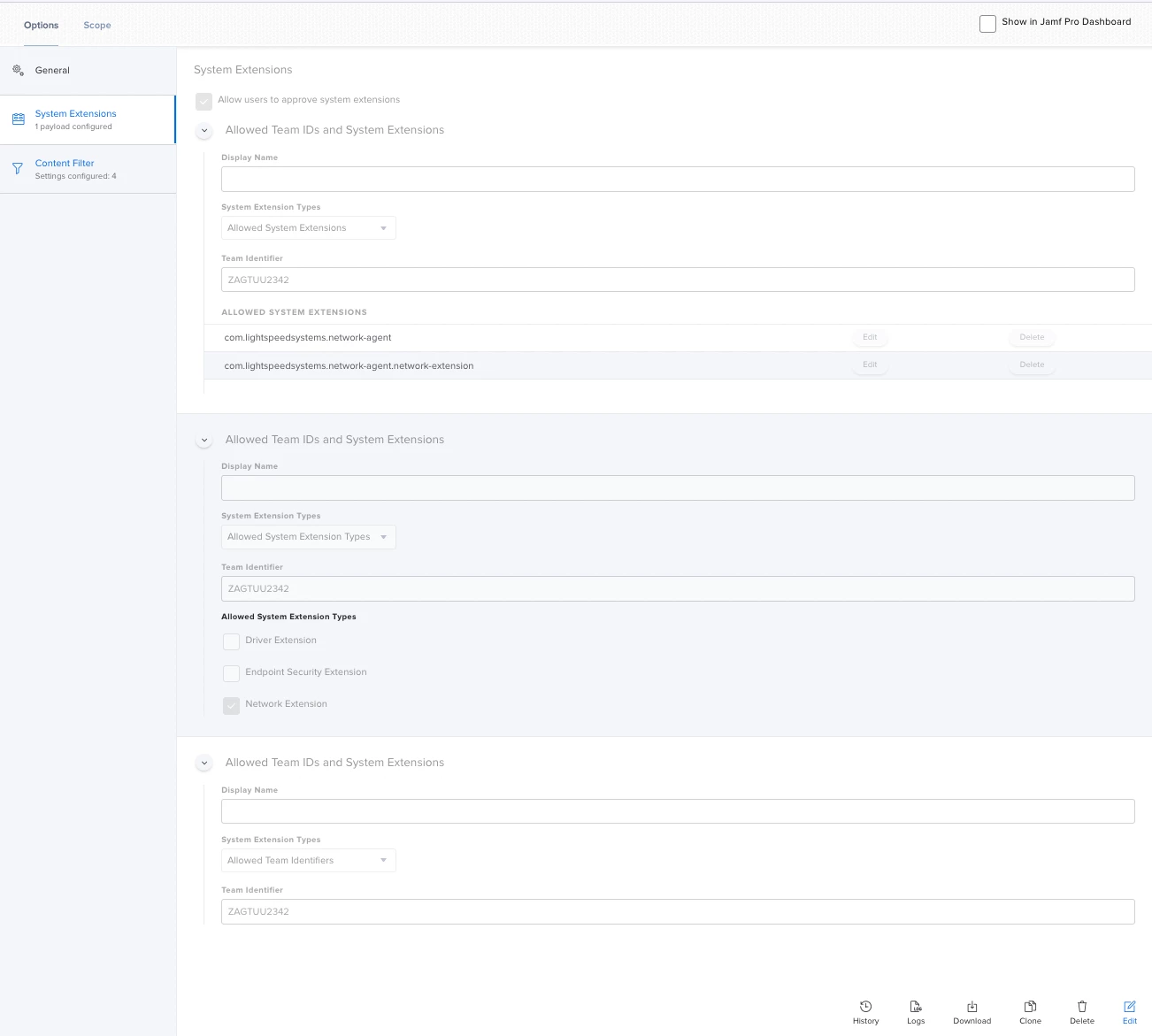
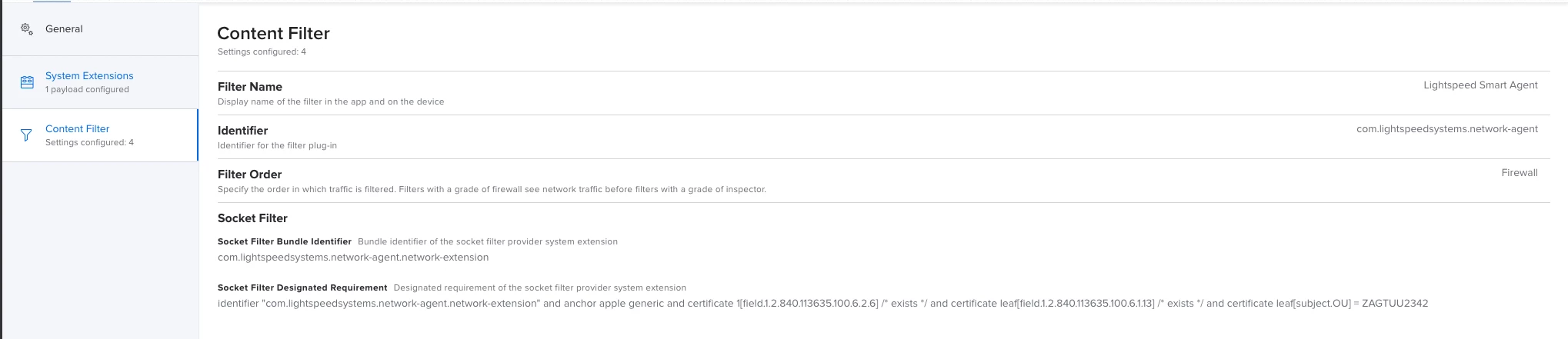
You'll want configuration profiles to install the ca.cer certificate (Certificate payload) and the deployment_jamf.plist (Application and Custom Settings payload). You will also want a profile for the System Extension to suppress the security prompts.
Scope the configuration profile(s), and then use a policy to install the 2 .PKGs.
The system extension was the bit I had to fiddle with the most to get correct, so I've included some screenshots from my JSS that might be helpful.






Enter your E-mail address. We'll send you an e-mail with instructions to reset your password.