
Question

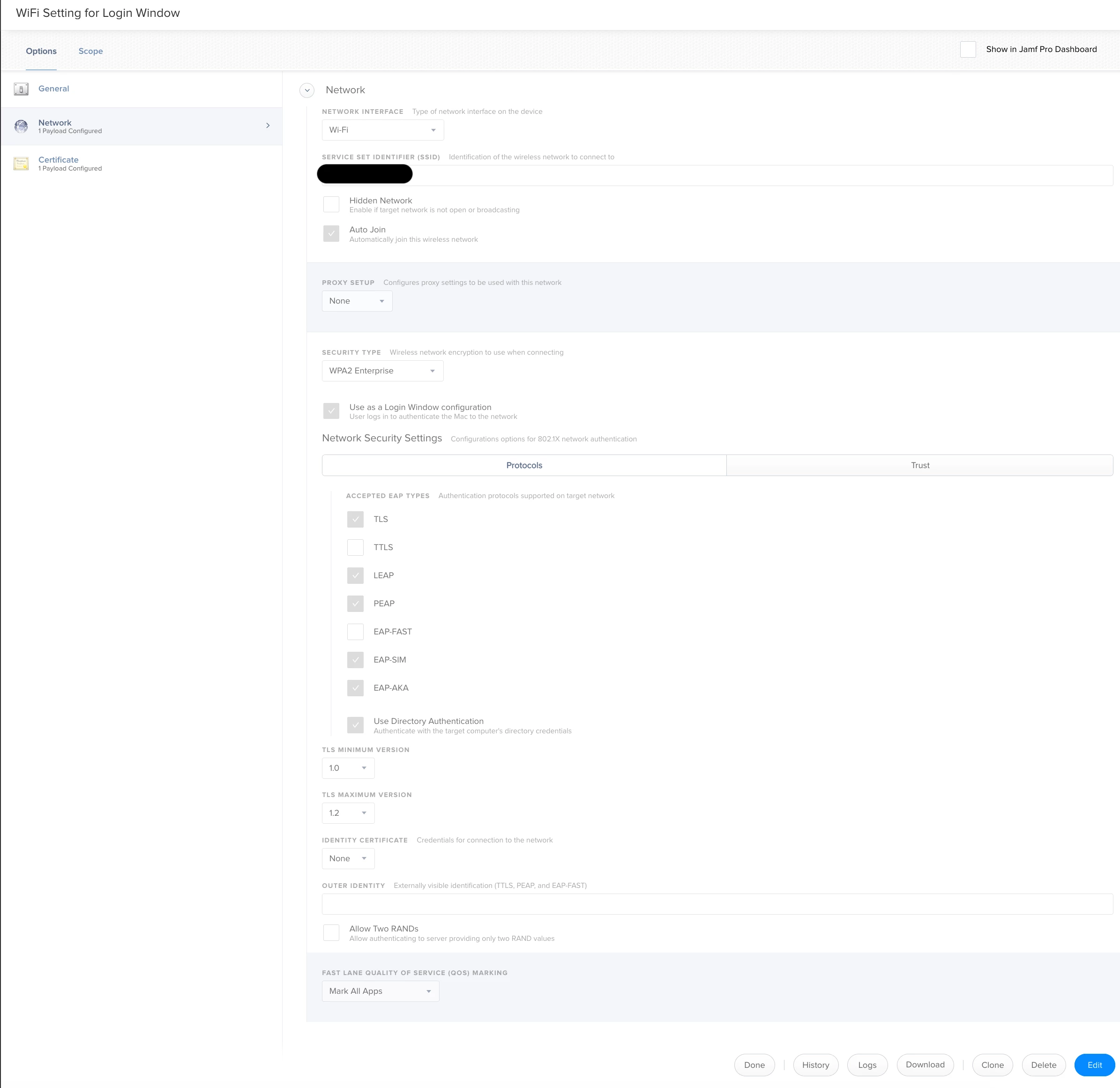
How do I connect to a wifi network from the login screen on MacOS Mojave 10.14.5

  • July 19, 2019
  • 3 replies
  • 17 views

Forum|alt.badge.img+6

Hello There,

I am trying to see if we can implement the way that students and staff can login to WiFi from Login Screen to our WiFi using their Active Directory Username and password. Tried to create Configuration Profile within JSS but that didn't work.

i really appeciate your input regarding this.

3 replies

bartreardon
Forum|alt.badge.img+9
  • Contributor
  • July 19, 2019

do you bind your mac's to AD? if so you can use a profile that uses the machine authentication to connect to wifi

edit - I think this should work - names changed to protect the innocent but you should be able to extract the relevant info to get your profile working (for AD bound machines anyway).

The main component here is <key>SystemModeCredentialsSource</key> <string>ActiveDirectory</string> in the EAPClientConfiguration key. See how you go

<?xml version="1.0" encoding="utf-8"?>
<!DOCTYPE plist PUBLIC "-//Apple//DTD PLIST 1.0//EN" "http://www.apple.com/DTDs/PropertyList-1.0.dtd">
<plist version="1.0">
    <dict>
        <key>PayloadIdentifier</key>
        <string>com.OrgName.wifi.login</string>
        <key>PayloadRemovalDisallowed</key>
        <false/>
        <key>PayloadScope</key>
        <string>System</string>
        <key>PayloadType</key>
        <string>Configuration</string>
        <key>PayloadUUID</key>
        <string>00000000-0000-0000-0000-000000000000</string>
        <key>PayloadOrganization</key>
        <string>OrgName</string>
        <key>PayloadVersion</key>
        <integer>1</integer>
        <key>PayloadDisplayName</key>
        <string>OrgName Wifi</string>
        <key>PayloadContent</key>
        <array>
            <dict>
                <key>PayloadType</key>
                <string>com.apple.wifi.managed</string>
                <key>PayloadVersion</key>
                <integer>1</integer>
                <key>PayloadIdentifier</key>
                <string>com.OrgName.wifi.login.interfaces</string>
                <key>PayloadUUID</key>
                <string>00000000-0000-0000-0000-000000000000</string>
                <key>PayloadEnabled</key>
                <true/>
                <key>PayloadDisplayName</key>
                <string>WiFi (OrgName)</string>
                <key>HIDDEN_NETWORK</key>
                <false/>
                <key>AutoJoin</key>
                <true/>
                <key>CaptiveBypass</key>
                <false/>
                <key>ProxyType</key>
                <string>None</string>
                <key>EncryptionType</key>
                <string>WPA2</string>
                <key>SetupModes</key>
                <array>
                    <string>System</string>
                </array>
                <key>AuthenticationMethod</key>
                <string>directory</string>
                <key>Interface</key>
                <string>BuiltInWireless</string>
                <key>SSID_STR</key>
                <string>OrgSSIDGoesHere</string>
                <key>EAPClientConfiguration</key>
                <dict>
                    <key>AcceptEAPTypes</key>
                    <array>
                        <integer>25</integer>
                    </array>
                    <key>UserName</key>
                    <string/>
                    <key>UserPassword</key>
                    <string/>
                    <key>OneTimeUserPassword</key>
                    <false/>
                    <key>SystemModeCredentialsSource</key>
                    <string>ActiveDirectory</string>
                </dict>
                <key>updated_at_xid</key>
                <integer>984086</integer>
            </dict>
        </array>
    </dict>
</plist>

Forum|alt.badge.img+6
  • Author
  • Contributor
  • July 24, 2019

@ bartreardon, Thanks for your response. Can I ask which lines did you change the names so I can change them relevant entries. Thanks again.


Forum|alt.badge.img
  • New Contributor
  • November 20, 2019

@raghdasi , we just need to convert the profile to system profile by adding the following: <key>SetupModes</key> <array> <string>System</string> </array>
That's right after <key>EncryptionType</key> <string>WPA2</string>