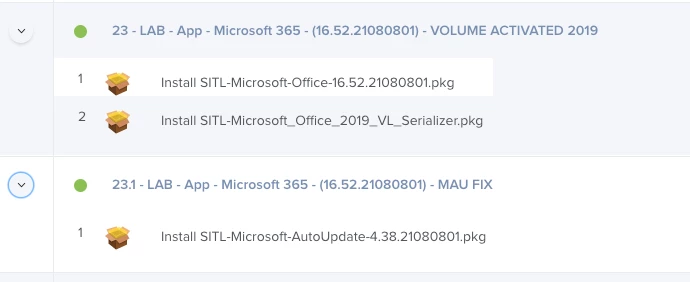
I have a policy configured to push out the MS office 16.51 BusinessPro installer package to a mbp M1. After installation I am able to sign in and open Word/Excel/etc. If i try to open Help->Check for updates. I receive You do not have permission to open the application "Microsoft AutoUpdate".
Browsing to /Library/Application Support/Microsoft/MAU2.0 The permissions are System - RW, Wheel - RW, Everyone - R.
If I launch Microsoft AutoUpdate from this location the updater works as expected. I am also able to then use help->check for updates.
Any ideas on how to get check for updates working without having to launch the autoupdate from the MAU2.0 folder at least 1 time?