

Question

OS X Server 4.1 and 10.10.3

  • April 14, 2015
  • 5 replies
  • 34 views

dvasquez
Forum|alt.badge.img+16

Hello.

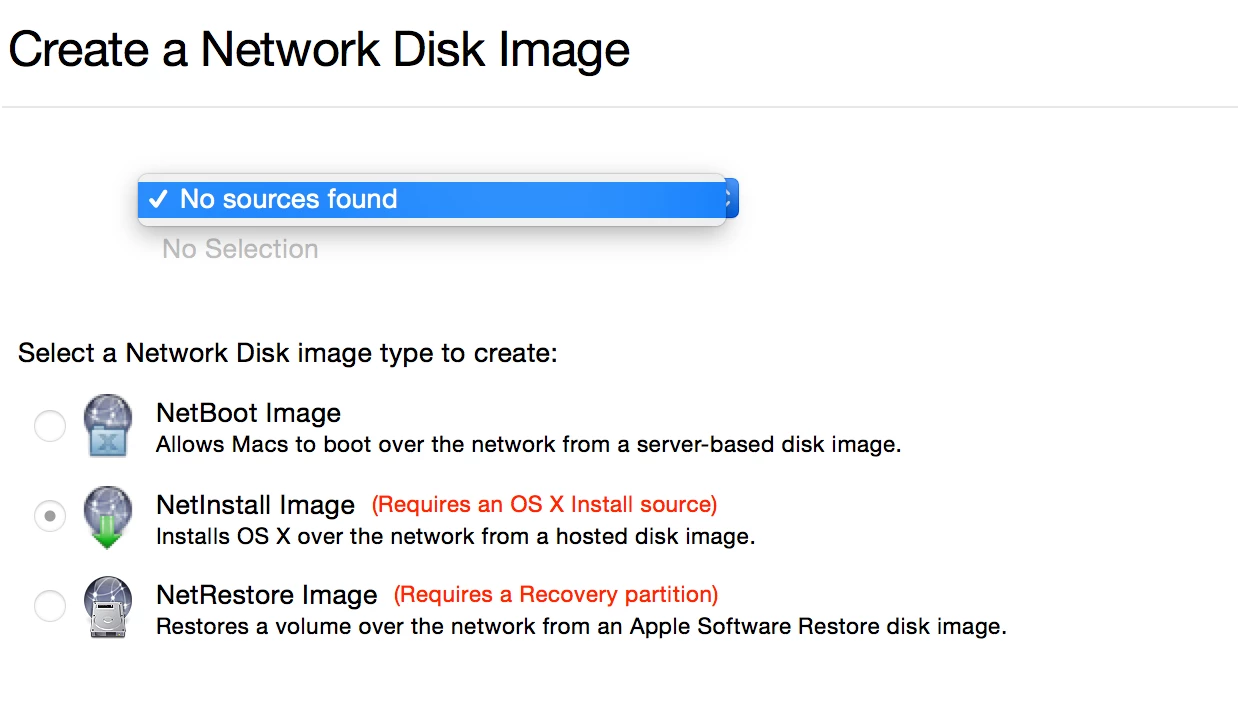
Anyone also notice that the new version of Server 4.1 is not reading Install OS X .apps that are on the desktop to make NetInstall images?

I noticed this after upgrading to the new version of Server and 10.10.3.

I am trying to make a NetInstall image from the latest version of the Yosemite installer, 1.6.16 which would be 10.10.3. I am also running the new OS so this should work fine. This has happened before with new releases. It usually gets fixed but that does not help me know.

Thank you.

5 replies

ImAMacGuy
Forum|alt.badge.img+23
  • Esteemed Contributor
  • April 14, 2015

hmm, i recall this happening quite a few OS revisions ago... 10.7 maybe...

Rename HD to Netboot


dvasquez
Forum|alt.badge.img+16
  • Author
  • Valued Contributor
  • April 14, 2015

Ok so I tested with OS X Server 4.0.3 and 10.10.2. With that combination you can use the latest Installer OS X.app and make a 10.10.3 NetInstall. This is so silly Apple needs to fix this.


dvasquez
Forum|alt.badge.img+16
  • Author
  • Valued Contributor
  • April 14, 2015

I tested your idea just to see and that made no difference. That has working in the past though, Thank you. I am able to leverage an older OS and application to get it done. I am guessing this will be corrected soon enough.


Forum|alt.badge.img+16
  • Honored Contributor
  • April 14, 2015

Yeah this wouldn't be a problem with Server 4.1. System Image Utility is actually on the computer itself in /System/Library/CoreServices/Applications/. The link to the app in the Tools menu is just that. Its actually on every copy of the OS so you don't need to use a machine with Server installed.

I was able to produce 10.10.3 net install image just fine on a machine with Server 4.1.


dvasquez
Forum|alt.badge.img+16
  • Author
  • Valued Contributor
  • April 14, 2015

I located the System Image Utility in CoreServices/Applications and tried it on my 10.10.3 systems. The app did not read the Install.app. I had copied it to the Desktop initially. I then returned the Install OS X Yosemite.app to the Applications directory and started the System Image Utility application again and all was good. Interesting that that solved my issue. Thank you for your feedback I forgot it was in CoreServices. In my work flow I always work from the Desktop. Interesting that moving the .app solved my issues. I tested moving to the Desktop again. Closed SIU and no luck. I then moved it back and all was good again. Can someone else confirm?