
Question

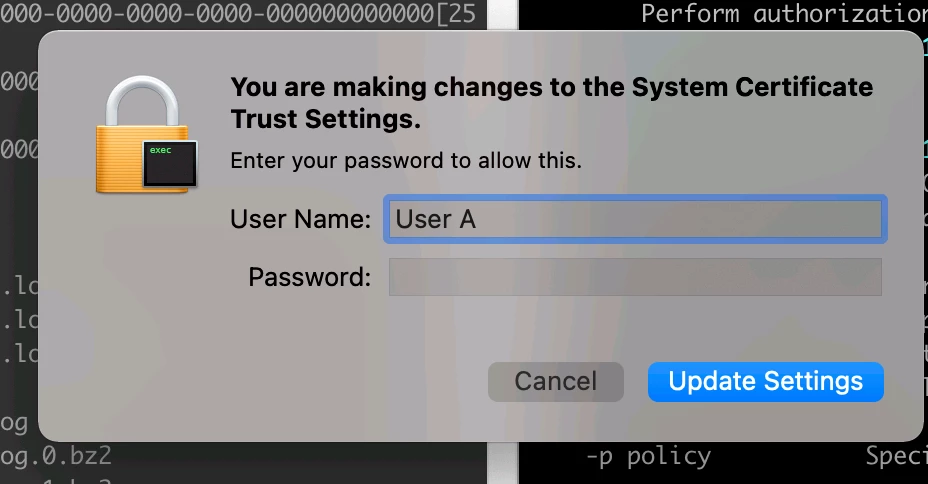
Trust Cert using security with sudo shows a pop up window

  • May 27, 2021
  • 2 replies
  • 20 views

Forum|alt.badge.img+3

Hi Folks,

Mac OS: Big Sur

I am trying to push an App which trusts a certificate using a post install script, using JAMF.

I have added the following line so users don't get the pop window to manually validate trust settings, also these users don't have root privileges

sudo security -v add-trusted-cert -d -r trustRoot -k "/Library/Keychains/System.keychain" "./BG_SEProxy_CA.cer"

Even with the below command, I still get the pop up window, is there a way to avoid having the pop up notification for users
2 replies

sdagley
Forum|alt.badge.img+25
  • Jamf Heroes
  • May 27, 2021

@user-kgvShFwdkY Deploy your certificate(s) via a Configuration Profile. Setting the trust on a scripted certificate install is no longer possible without user authentication on Big Sur. That restriction does not apply to certificates installed via Configuration Profile from Jamf Pro.


Forum|alt.badge.img
  • New Contributor
  • July 23, 2021

Having the same issue here. Can you elaborate on how you set this up via a configuration profile? I'm only finding support for x.509 certificates.