Get Support
Recently active
Everyone loves good swag...and it means even more if it stands for something!Here’s some exciting news… For a limited time, Jamf’s Employee Resource Groups (ERGs) are thrilled to share special JNUC merch. And yes, it’s more than just a cool design. All proceeds from the purchase of these items goes directly to Food Bank of the Rockies. That’s what we call Merch that Matters! Head on over to the Threads for Good site to claim yours today! The store is open now through October 12, but be sure to purchase your swag before September 12 to receive it in time to wear proudly for JNUC (and beyond!).Link: Threads for Good | JNUC 2025
We have a set of scripts that keep all devices CIS compliant. On Catalina this snippet ensured the bluetooth menu was visible. #!/bin/bash #CIS 2.1.3 enable bluetooth menu bar if [[ "$loggedInUser" != "root" ]] && [[ "$loggedInUID" -ne 0 ]]; then btMenuBar="$(defaults read /Users/"$loggedInUser"/Library/Preferences/com.apple.systemuiserver menuExtras | grep -c Bluetooth.menu)" if [ "$btMenuBar" = "0" ]; then sudo -u $loggedInUser open "/System/Library/CoreServices/Menu Extras/Bluetooth.menu" fi fi Post Big Sur upgrade the /System/Library/CoreServices/Menu Extras/Bluetooth.menu file no longer exists and although I do see a bluetooth menu item on my screen, I can not for the life of me figure out how to open it from the command line. Any suggestions?
Hi,I want to migrate my on prem installation of Jamf Pro to a clustered environment. However I cannot find many resources about that topic. I could only find this Video on the training catalogue: https://trainingcatalog.jamf.com/cluster-jamf-pro-instances/251345Is there any written documentation on the topic? Or something made by the community?Kind regards
Has anyone had experience with a privilege management solution called "Admin By Request?" If so, how has it worked for you? I am also wondering if it's necessary to create config profiles for approving FDA and its system extension. (I generally create two config profiles for applications that require them: one for PPPC, and one for the system extension. I did create the profiles for ABR, but I don't want to deploy them if they aren't necessary.)
iOS 26 and macOS 26 is set for Monday, September 15.• https://www.engadget.com/mobile/smartphones/ios-26-ipados-26-watchos-26-and-macos-26-will-be-released-on-september-15-182024821.html
With the new operating system going live today, and the great work of mSCP community, you can rely on uninterrupted compliance of your fleet from the very beginning. All you need to do is navigate into your existing benchmark and open the Benchmark rules where you review the changes coming with macOS 26. Then save the draft, deploy the benchmark - and it's done! New smart groups covering Tahoe will be created and objects will be scoped to them. This covers also Macbooks that get updated at any time after the release. Check the Rules report tab to see the compliance status!For any newly created benchmark, the support is just there.Let us know how the new OS version works for you!
Hello everyone,I’m having trouble configuring Microsoft AutoUpdate (MAU). I created a test profile, but the timer isn’t appearing. I suspect there might be an error in my configuration.Here are the details:Preference Domain: com.microsoft.autoupdate2<?xml version="1.0" encoding="UTF-8"?><!DOCTYPE plist PUBLIC "-//Apple//DTD PLIST 1.0//EN" "http://www.apple.com/DTDs/PropertyList-1.0.dtd"><plist version="1.0"> <dict> <key>AcknowledgedDataCollectionPolicy</key> <string>RequiredDataOnly</string> <key>ChannelName</key> <string>Current</string> <key>DisableInsiderCheckbox</key> <true/> <key>EnableCheckForUpdatesButton</key> <false/> <key>HowToCheck</key> <string>AutomaticDownload</string> <key>IgnoreUIOpenAfterInstall</key> <true/> <key>UpdateChe
Hello Jamf Nation, I have not updated Jamf connect on my clients since 2.4.0, If I were to update now with the jump to 3.3.0 is it OK to make the jump, or should I step up versions. I have not had a bunch of time to read through the release notes of each.A quick summary would be great. Thanks stiv
Hi Guys! Is there a simple, and effective way to change a hostname of a joined Mac via Jamf? We have a little bit too much "David's MacBook Air" going on :)
Hello all, It looks like Private Browsing is no longer blocked by the Content Filtering Configuration Profile for iPads after the newest iOS update. Has anyone else run into this issue or does anyone know a work around to block Private Browsing on iPads through a different configuration? Thanks!
• Combining Apple’s PSSO and Jamf Connect for Secure Mac Management• https://www.patrickphang.nl/index.php/2025/08/27/combining-apples-psso-and-jamf-connect-for-secure-mac-management/
Okay so I’m going to lead this off with a few things - we’ve been diving into the how on this product since we came across our first issue on Monday of this week and let me tell you, it wasn’t an easy find (thanks for my cohort for finding the issue).IF you’ve had SSP show up with no account management appearing (like seriously - disappeared, gone) and the Jamf Connect menubar gone…..and you have kerberos configured….then we are kin.What my cohort found is that in /Users/$currentUser/Library/Preferences/com.jamf.connect.state.plist, there’s a setting called PasswordExpirationRemainingDays. IF this number is negative (e.g.: wasn’t able to check against AD to poll a new ticket), then Jamf Connect menubar will crash and the account management pieces in SSP will fail to load.Manually setting this to a positive number will cause another ldap poll to get the corrected information and all is better (until it happens again). Seems to be a product issue in SSP/Jamf Connect, but I haven’t seen
What is the distinction between Simple and Multiple password types in the inventory field?
Hi All, so i’ve had an issue for a few months, I’ve been trying to find the bash command line to turn on accessibility keyboard, so looking around in ventura this was easy to do and now the location has now changed, main thing is i don’t where. As i work in a school some teachers want on screen keyboard when they connect to the white boards, so i wanted to add an option in self service to deploy a shortcut to the keyboard
Hi all,Has anyone else placed a block for tvOS 18 but updates are still occurring?In an environment of 600, soon to be almost 1,000 Apple TVs, we didn't set them up to not auto update due to at the time, Jamf's Update commands didn't work successfully in our testing.We want them to update, but not immediately.
Hello.Users are unable to sign in to Office 365 apps upon launch. The login window is blank. Logged in as admin with settings disabled, the login windows load without issue. Any ideas on what I’m missing?Thanks,
With Jamf Pro 11.20, support the next major Apple operating systems on the day they’re released, configure simplified setup for Platform Single Sign-on (Platform SSO), and enforce new restrictions!Be sure to check out the Jamf Pro release notes for all of the exciting new features and enhancements.Thank you for your continued support and feedback!
I am a complete Jamf novice. A third party organisation setup our environment.We have a Blueprint called Block USB applied to All Managed Clients. It has multiple policies (see screenshot). I want to make an exemption for one of these managed clients, but only for the USB blocking element, so the user can access a external hard drive. I want the rest of the policies to continue being applied.What’s the simplest, least risky way of achieving thing? Screenshot: https://ibb.co/2YR6Y1df Thanks
HelloHoping some point me in the right direction I have recently packaged Avid media composer all seems fine. Im trying to manage some of login items which live in system settings > general > login items.Have been able to use teams identifiers for most of them and thats worked ok. As anyone had experience of ones that seem to link to launchdaemons.Been trying get them lock down so they show “ The setting has been configured by a profile” I though a custom jamf json schema might work. Have had a go at creating one and pushing it out via config profile, but something isnt quite right.You cant use team id as it not signed is my understadning, not sure it helps that they come from undentified developers as well.Thanks in advanced
So with the concern of data being send to chatgpt, how do we disable Apple Intelligence and chatGPT integration using JamfPro (Cloud) in macOS 15.1?
Parallels Desktop 26 was recently released, but whilst attempting to deploy it to users using Jamf Pro I quickly identified that the traditional deployment method which Parallels are providing using their deployment package does not work beyond Parallels Desktop 20. And as Jamf also don’t provide an App Installer for Parallels Desktop 26, this lead me to look at alternative deployment methods. The result is that I have created a scripted process whilst will download & install the latest version of Parallels Desktop 26, then a license key is also fed into the script, the activation of Parallels Desktop 26 will also be performed. Below is the script that I want to share incase any other Jamf Pro admins are stuck with trying to deploy Parallels Desktop 26. #!/bin/bashcd "/Library/Application Support/JAMF/tmp"# Update variables. These shouldn't need to change for each update dmgName="ParallelsDesktop.dmg" dmgLink="https://link.parallels.com/pdfm/v26/dmg-download/?experience=enter_key"
Hi,I recently set up a new Windows Distribution Point and am now trying to connect to it via the Jamf Sync App, but cannot get a connection. I see the DP in jamf sync, but it only asks for a password, not for a username. No matter what password I use I always get the error Message “Failed to load the … distribution point: cannotGetFileList” Unfortunately the new jamf support is pretty useless as there is not more option for me to communicate in english. All communication is automatically translated to german, but the translation is not that good so I often dont quite get what the supporter wants to tell me. Just english would be much better for me.
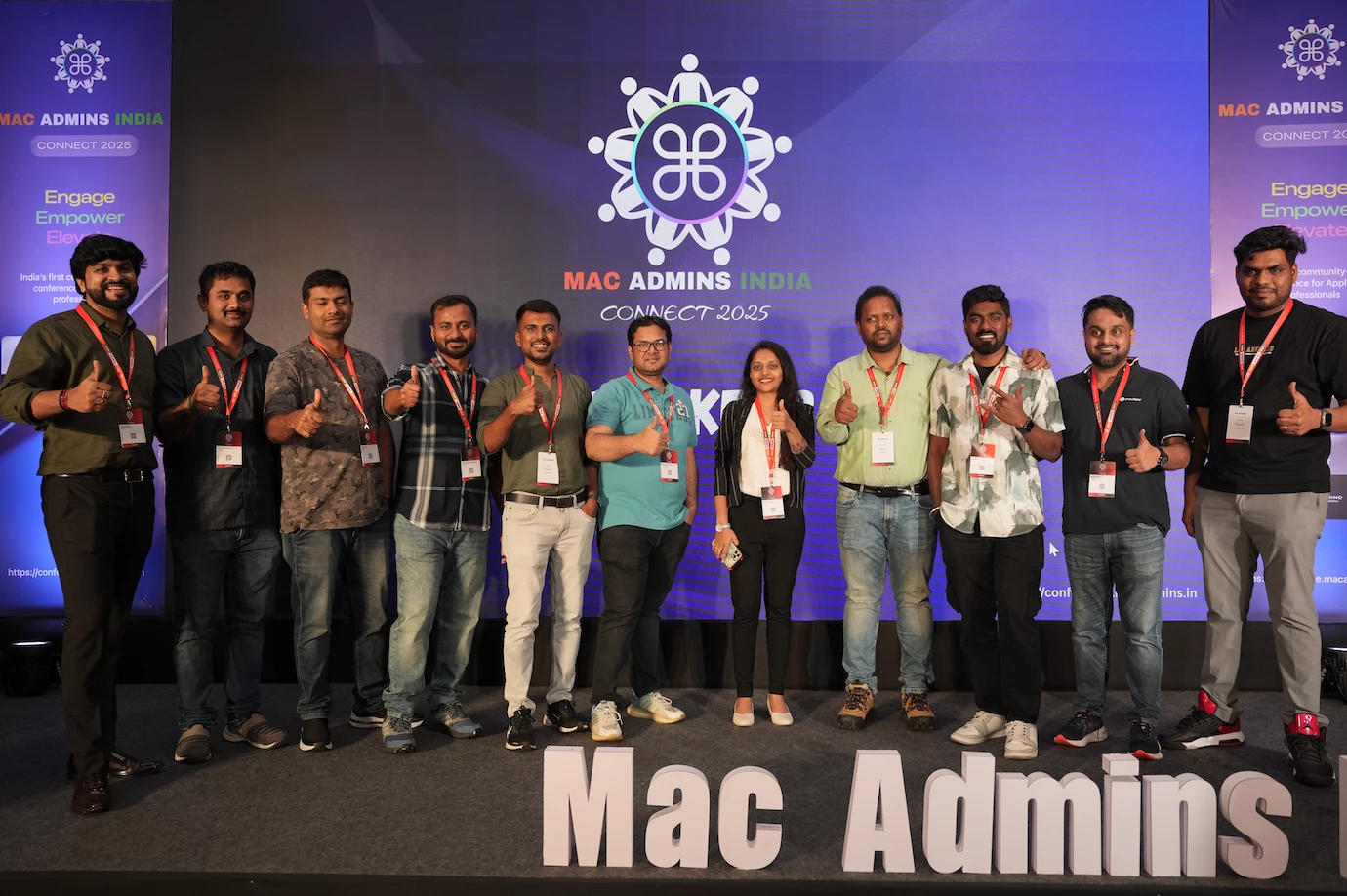
Mac Admins India Connect is more than just a meet-up, it’s a movement. This conference was built by and for the growing community of Apple IT professionals across India. This event is the country’s first dedicated space for those who manage, secure, and support Apple devices at scale in order to meet and learn from one another in a larger scale, one day event. We’re so excited and still buzzing from our inaugural event, and we’re excited to keep it going for next year! Why We Started This India has long been a powerhouse for Apple device management, with admins supporting businesses and schools not only locally, but across the globe. That changed with the formation of Mac Admins India which is a grassroots tech community born on a Google group, and eventually, into real-world meetups. And now, with Mac Admins India Connect, we’re taking it one step further: an annual gathering to celebrate our craft, share our stories, and inspire each other. By the Numbers:👥 160+ attendees 🏢 80+ org
Hi AllI'm currently conducting research on Jamf Connect 3.0 as part of a project at work. I'm looking for any recommendations, insights, or resources regarding: How Jamf Connect 3.0 works Best practices for deployment Compatibility with existing systems (macOS versions, identity providers, etc.) If you've had any experience with it or know of helpful documentation, I'd appreciate any input you can share.Thanks in advance!
Can someone help me with a script or payload any option to enable screensharing on specific app like Teams / Slack or Zoom - Automatically from Jamf or Mosyle- we are using Mosyle for managing MAC'sNote: User: With out manually clicking on it.If yes, please help me with the same.
Earn a cool badge and Jamf Nation Reward Bytes for your published articles. We’re looking forward to your submissions!